.png)
Click on stock menu from left sidebar to view low-stock of general type products, after that Click "Item Low" button to view low stock items. Products marked in red have gone below the alert quantity.
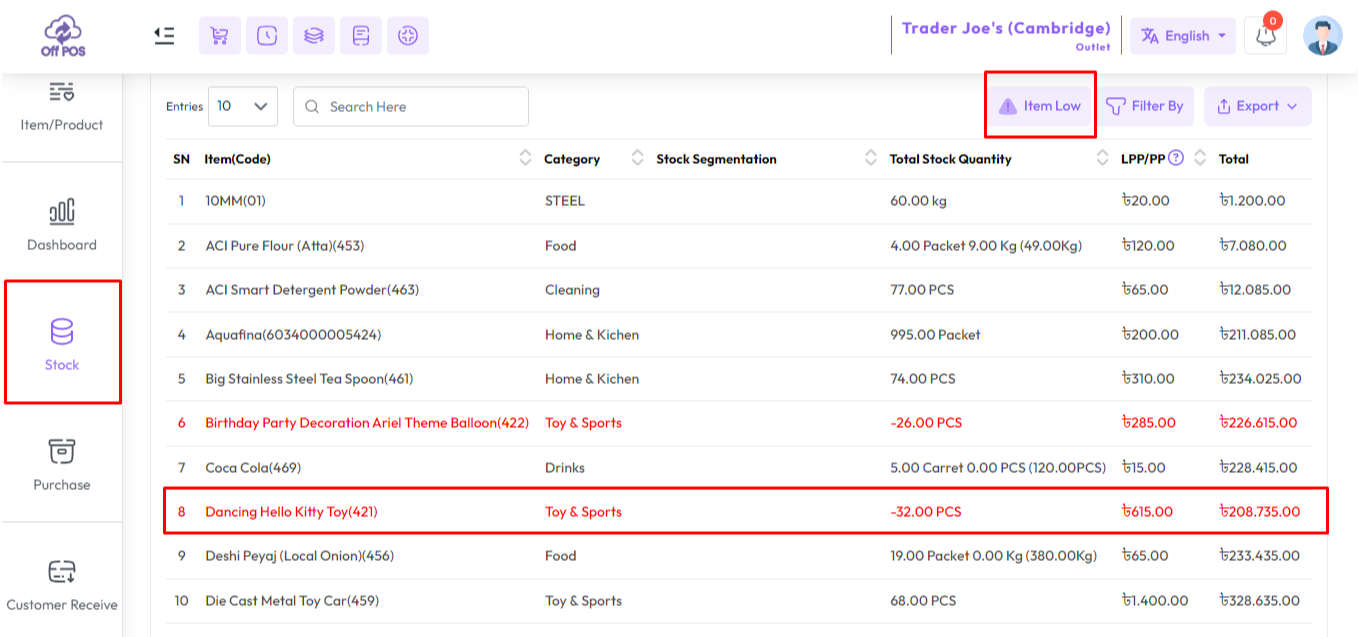
Redmarked item in stock will show as low stock.
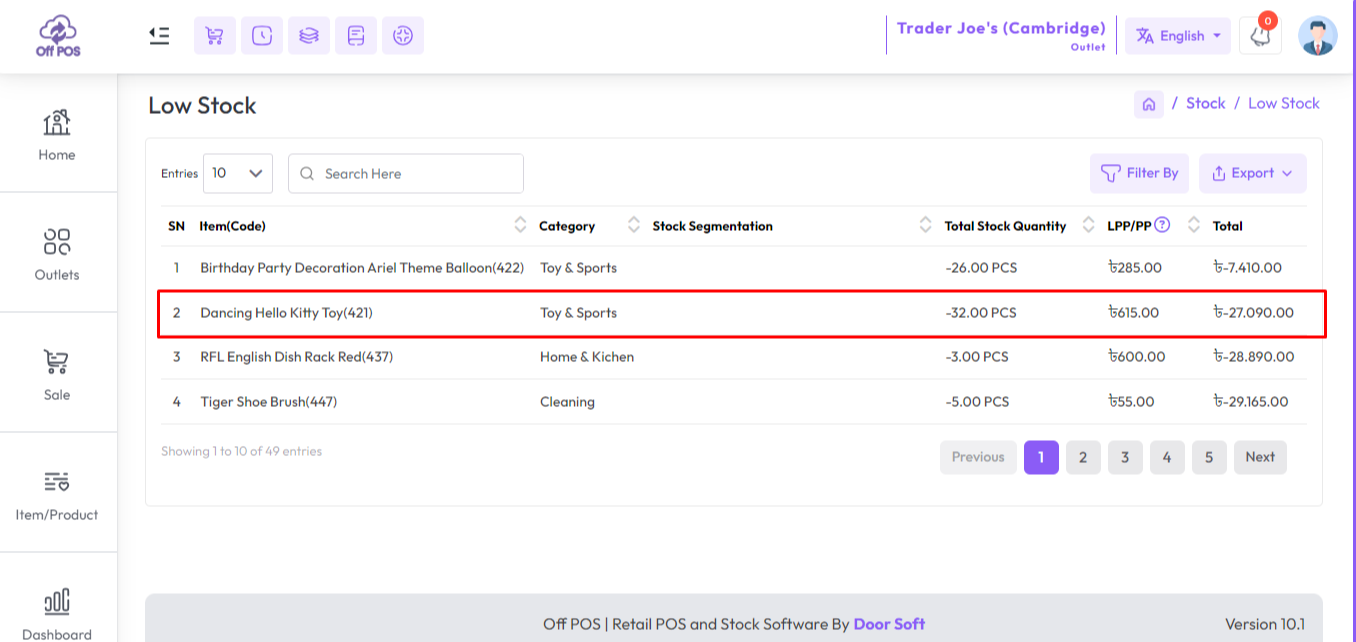
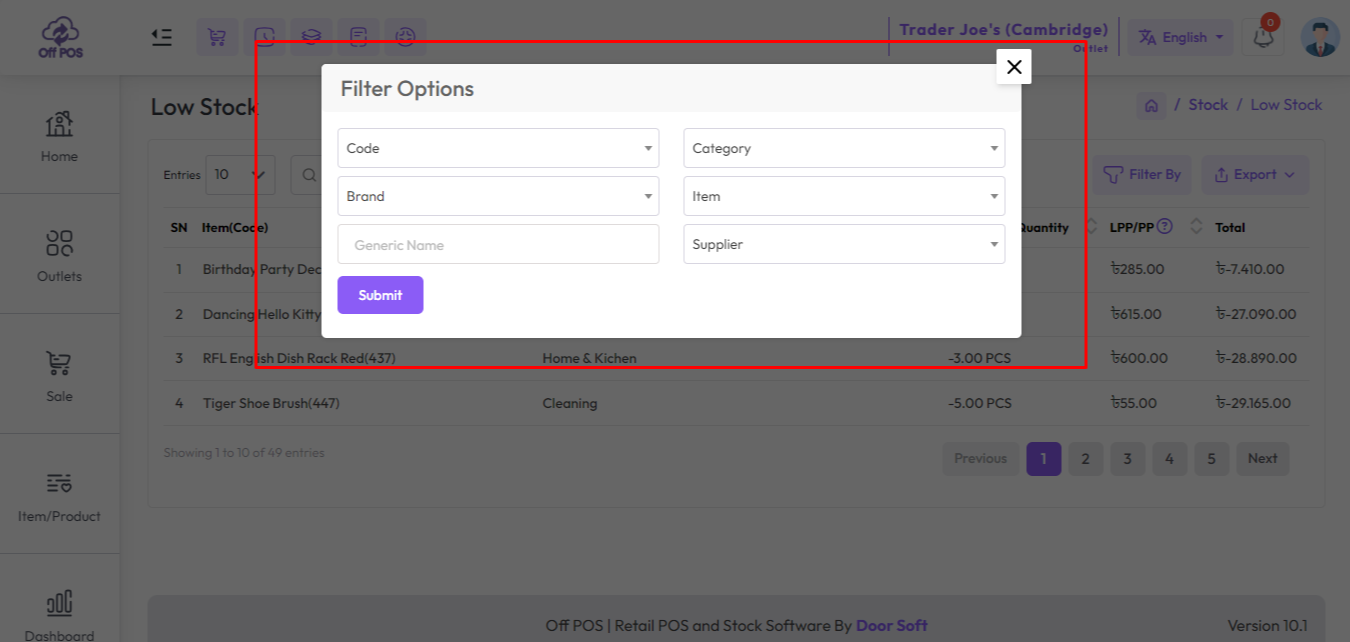
You also filter by product code, category, brand, item, supplier also from the Low Stock.
Was this page helpful?
Thank you for your feedback!
Please Login First
Zimozo - Support Ticketing, Knowledgebase, Live Chat and CRM
Comments (00)