.png)
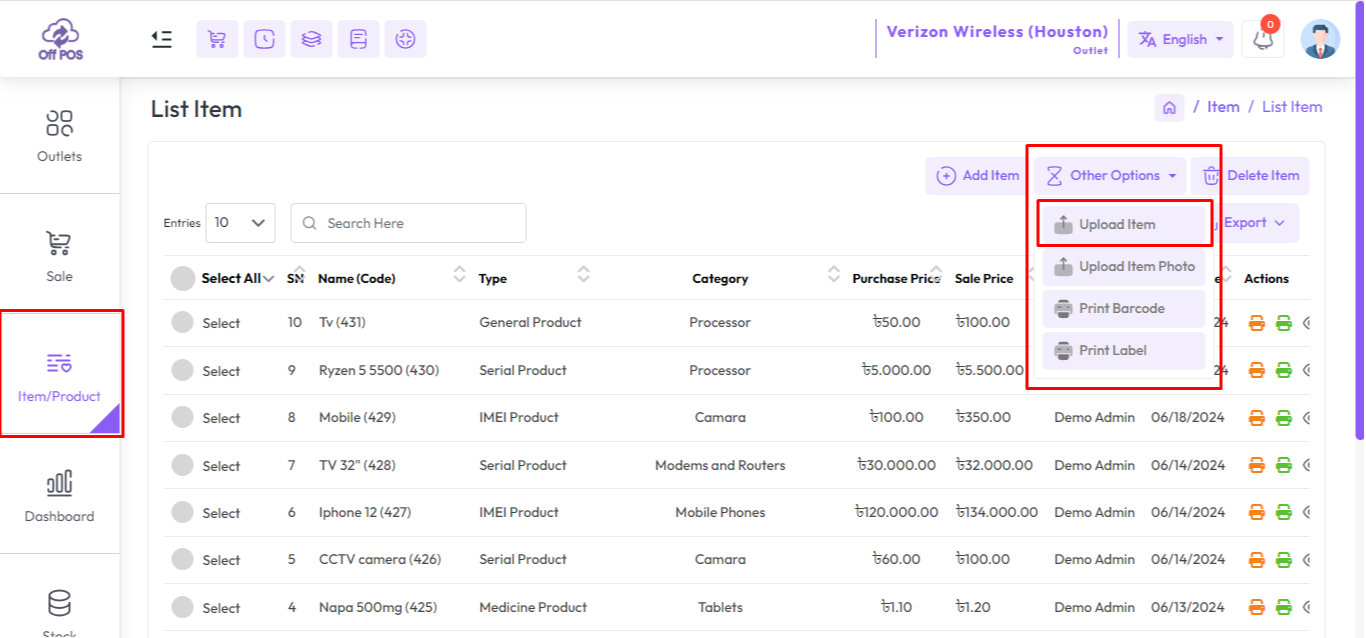
To Item Bulk Upload for general product expand Item/Product from the left sidebar, Click on the List Item menu, and Click on the "Other Option" button after that click on Upload Item.
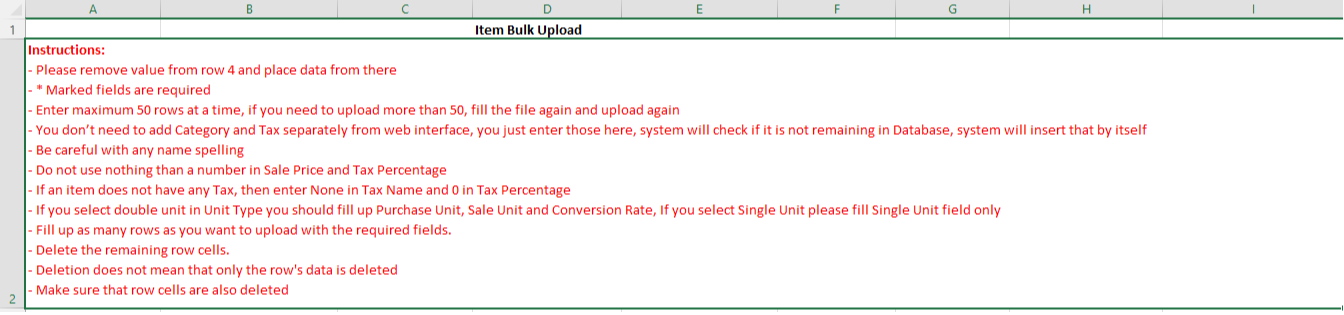
Download A Sample Excel file by clicking the "Download Sample" Button, Read the Excel file guidelines carefully.
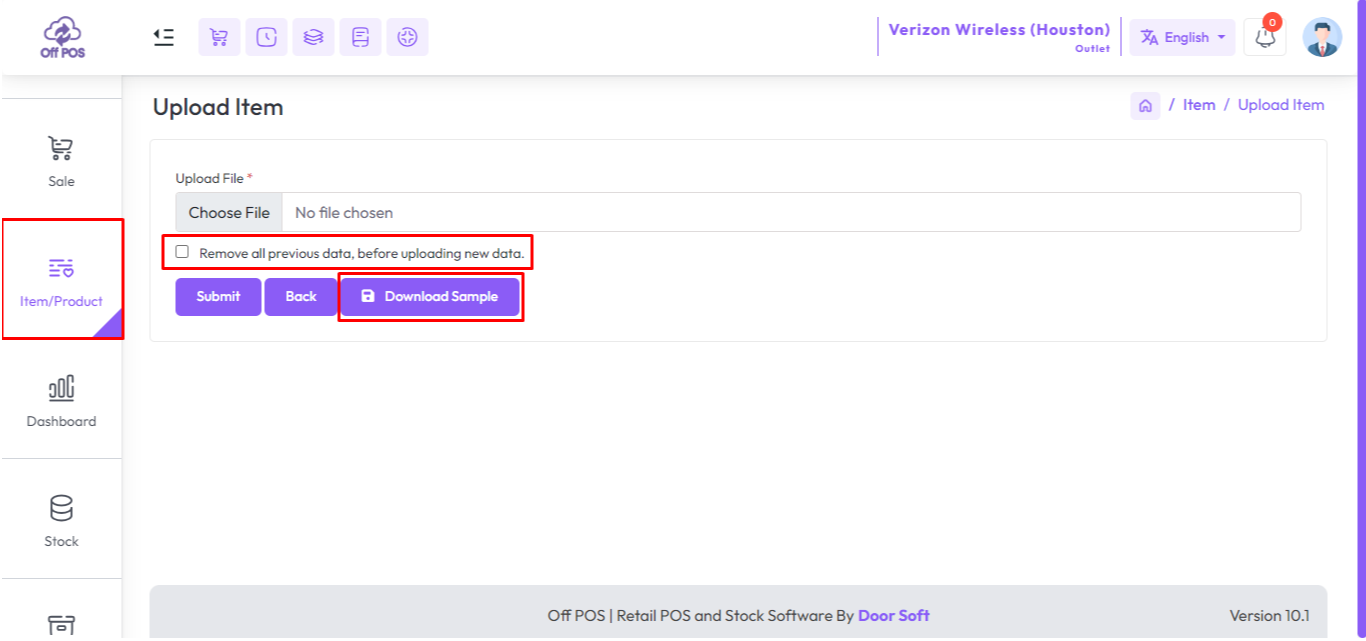
If you check "Remove all previous data, before uploading new data." in uploading time All items will be deleted.
Was this page helpful?
Thank you for your feedback!
Please Login First
Zimozo - Support Ticketing, Knowledgebase, Live Chat and CRM
Comments (00)