.png)
To view a list of purchases expand the "Purchase" menu from the left sidebar, and click on the "List Purchase" menu.]
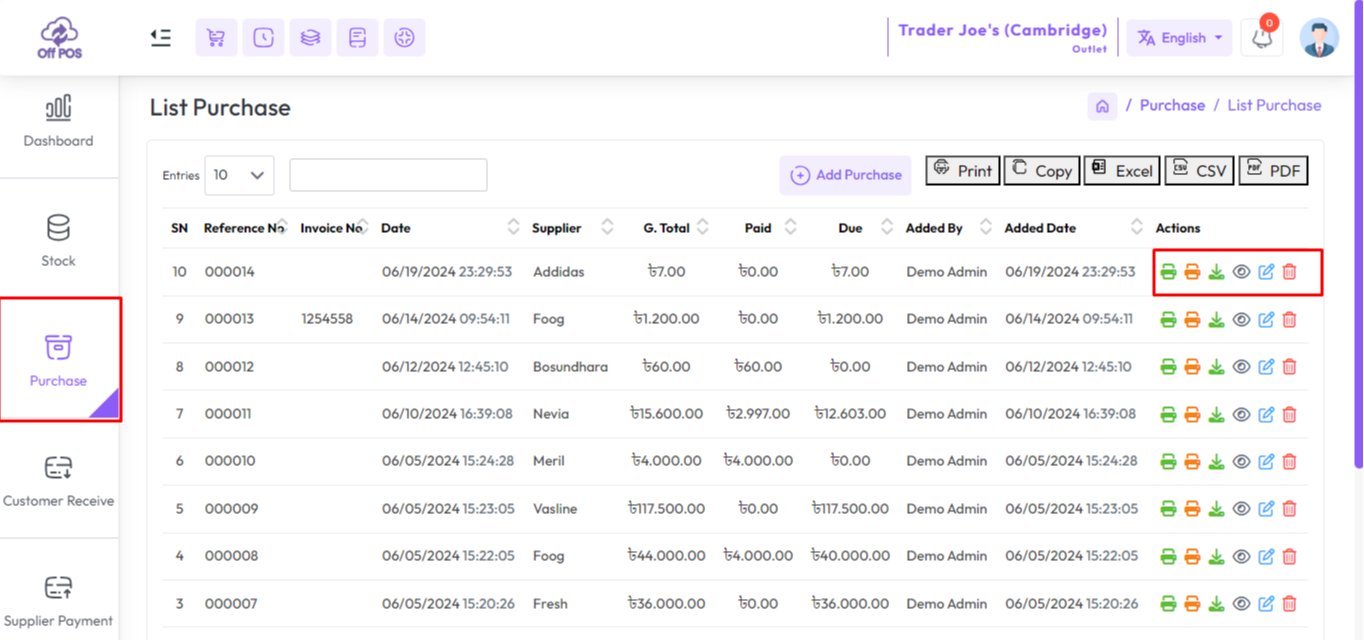
Click on the "Print Invoice" and "Download Invoice" buttons from Actions to print and download the "Purchase Invoice".
Also, you can print a barcode of an item by clicking the "Print Barcode" button.
If there is an attachment attached to the invoice, you can download the attachment by clicking on the "Download Attachment" button.
Was this page helpful?
Thank you for your feedback!
Please Login First
Zimozo - Support Ticketing, Knowledgebase, Live Chat and CRM
Comments (00)