.png)
To change your Software name, footer, and site logo please follow the below instructions.
Expand the settings menu from the left sidebar, inside the settings menu you will find the white label menu, after that click on the white label menu.
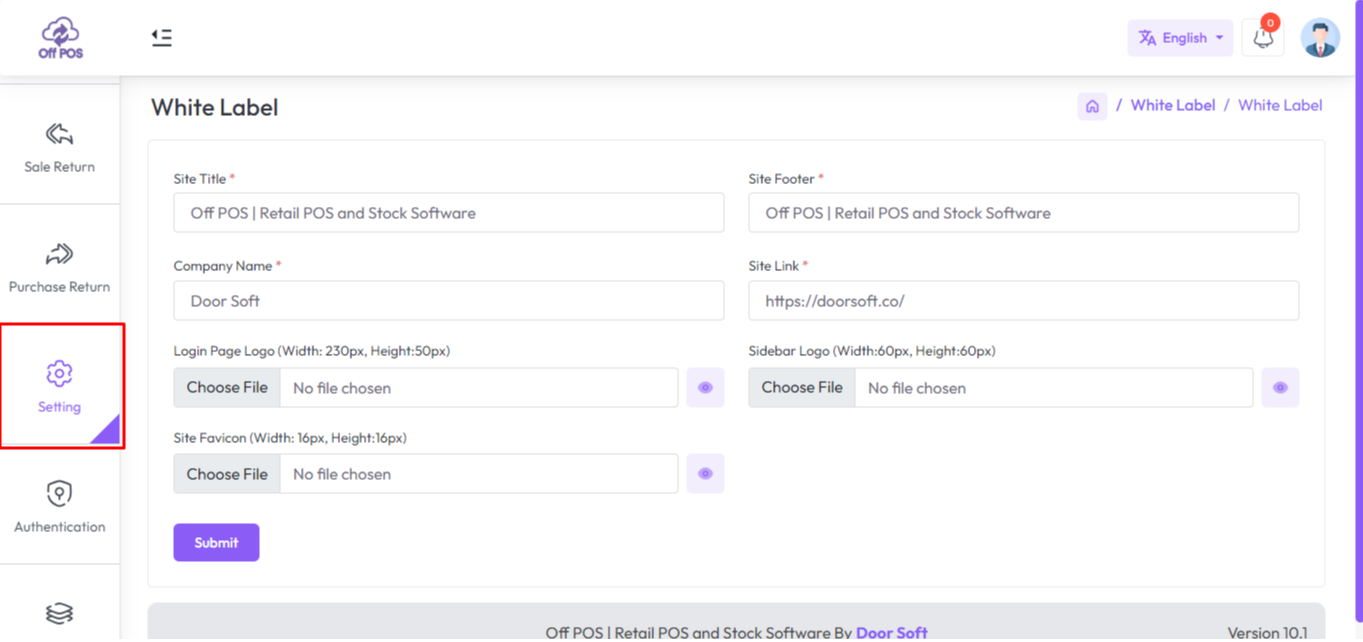
Here are the white label settings You will get some software settings fields like “Site Title, Site Footer, Company Name, Website links, Site Logo, and Site Favicon, Fill up the required field and hit the Submit Button.
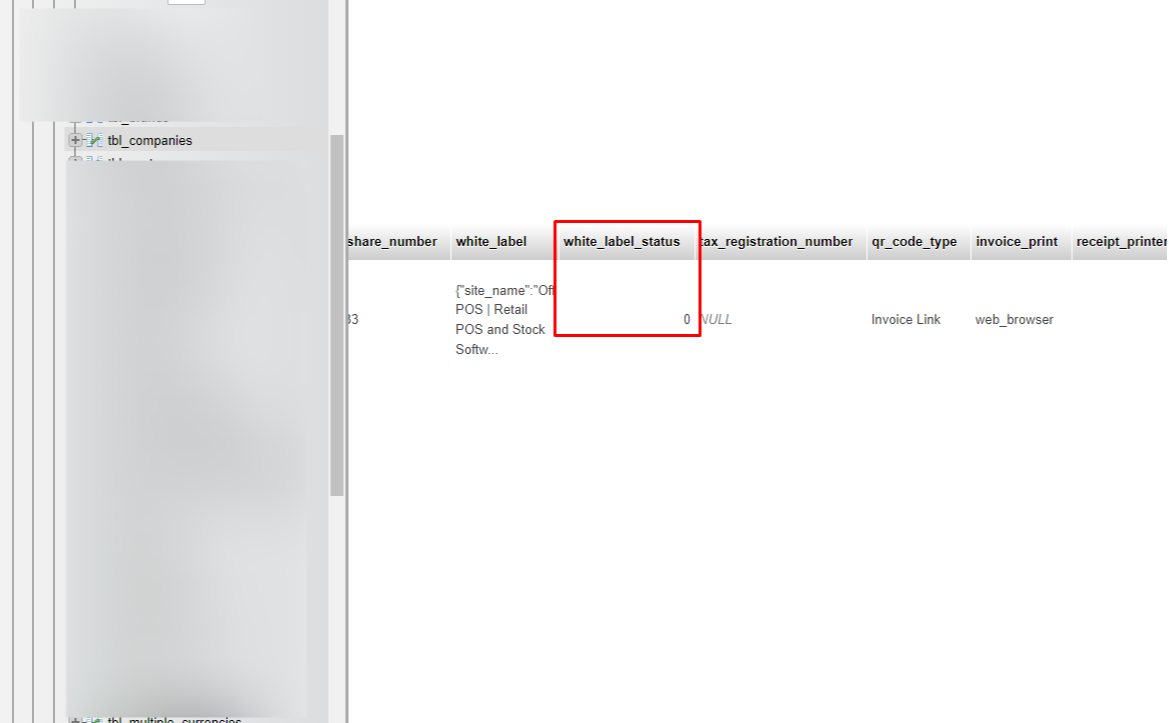
To hide the "White Label Menu" from the left sidebar, go to your database manually, find the table tbl_companies, press "Ctrl + F" and type "white_label_status" and put its value "0" Then the White Label menu will be hidden, "0" means it will not show White Label menu from the left sidebar, "1" Means it will show White Label from the left sidebar.
Was this page helpful?
Thank you for your feedback!
Please Login First
Zimozo - Support Ticketing, Knowledgebase, Live Chat and CRM
Comments (00)