.png)
Your default login credentials are:
Email: admin@doorsoft.co
Password: 123456
To change your profile name, username, email, phone number, or profile photo please follow these instructions.
Go to the User profile section from the top right bar and click on "Change Profile".
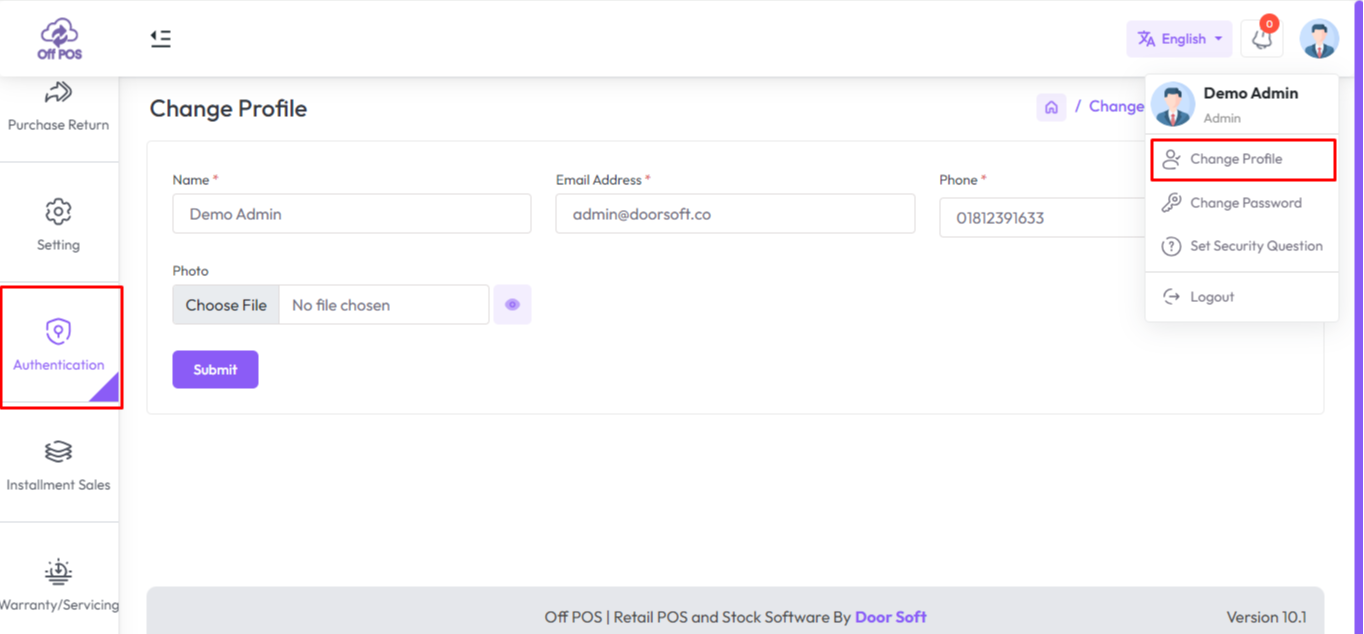
Now you can put the Name, Email, Phone, Username and Profile photo by filling up these fields. After successfully updated, it will show a message like this "Information has been updated successfully!".
To change your password, please follow these instructions.
Go to the User profile section from the top right bar and click on "Change Password".
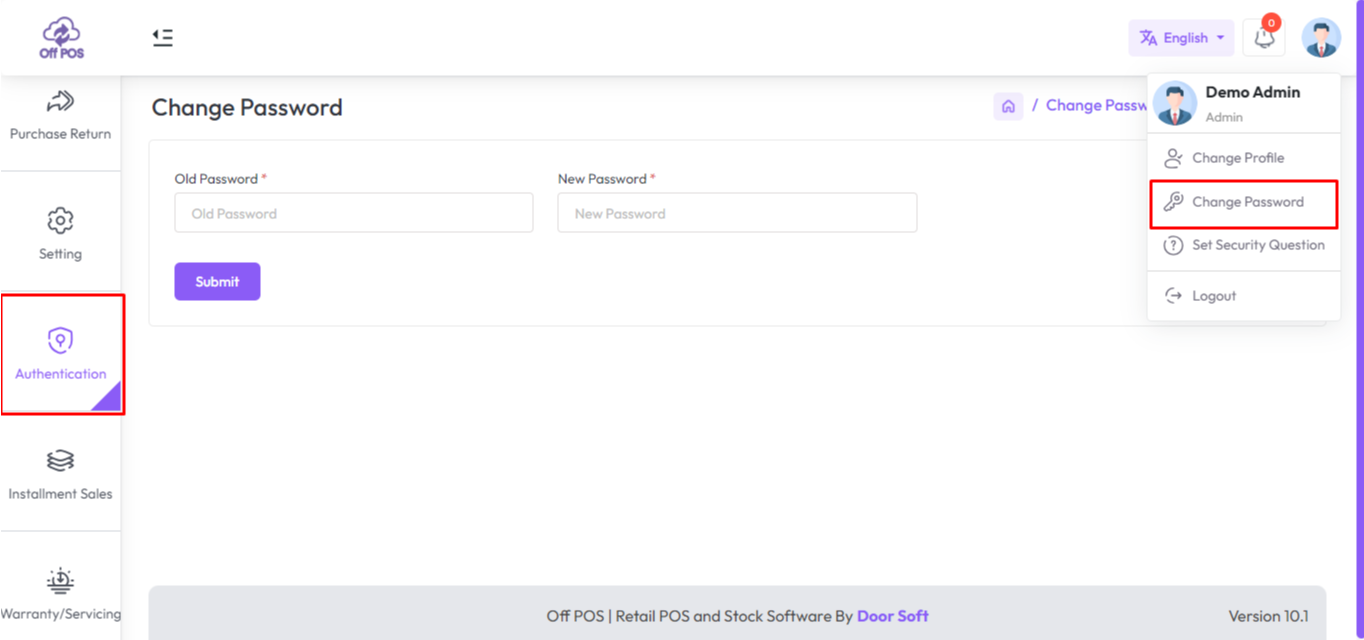
Now you can put the Name, Email, Phone, Username, and Profile photo by filling up these fields. After it is successfully updated, it will show a message like this "Information has been updated successfully!".
Was this page helpful?
Thank you for your feedback!
Please Login First
Zimozo - Support Ticketing, Knowledgebase, Live Chat and CRM
Comments (00)