.png)
To Item Bulk Delete for general product expand Item/Product from the left sidebar, Click on the List Item menu.
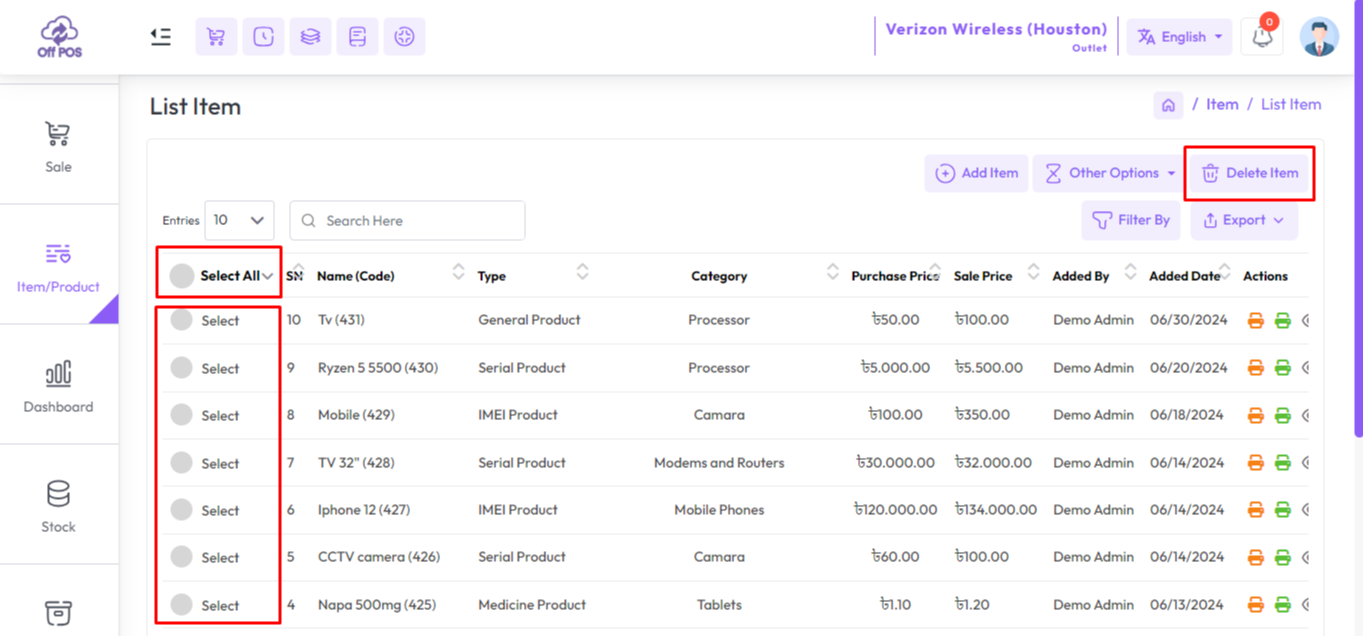
Select the products you want to delete. Click "Select All" to delete all, after that click the Delete Items button to delete selected items.
Was this page helpful?
Thank you for your feedback!
Please Login First
Zimozo - Support Ticketing, Knowledgebase, Live Chat and CRM
Comments (00)