Fill up the required field and hit the submit button.
.png)
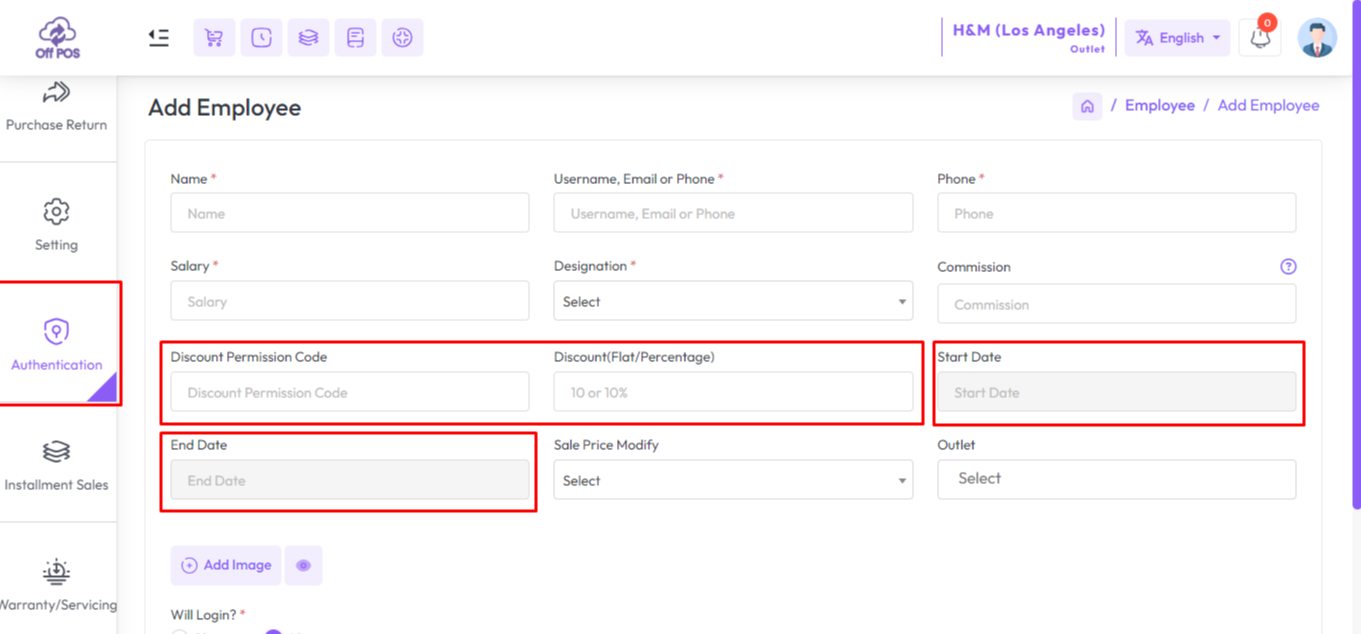
You can control the percentage or amount of discount an employee can give during the sale. For that set the code in the Discount Permission Code field, you can set any code. Then enter the discount in the Discount field.If you want to give it within specific dates, provide start date and end date for it.
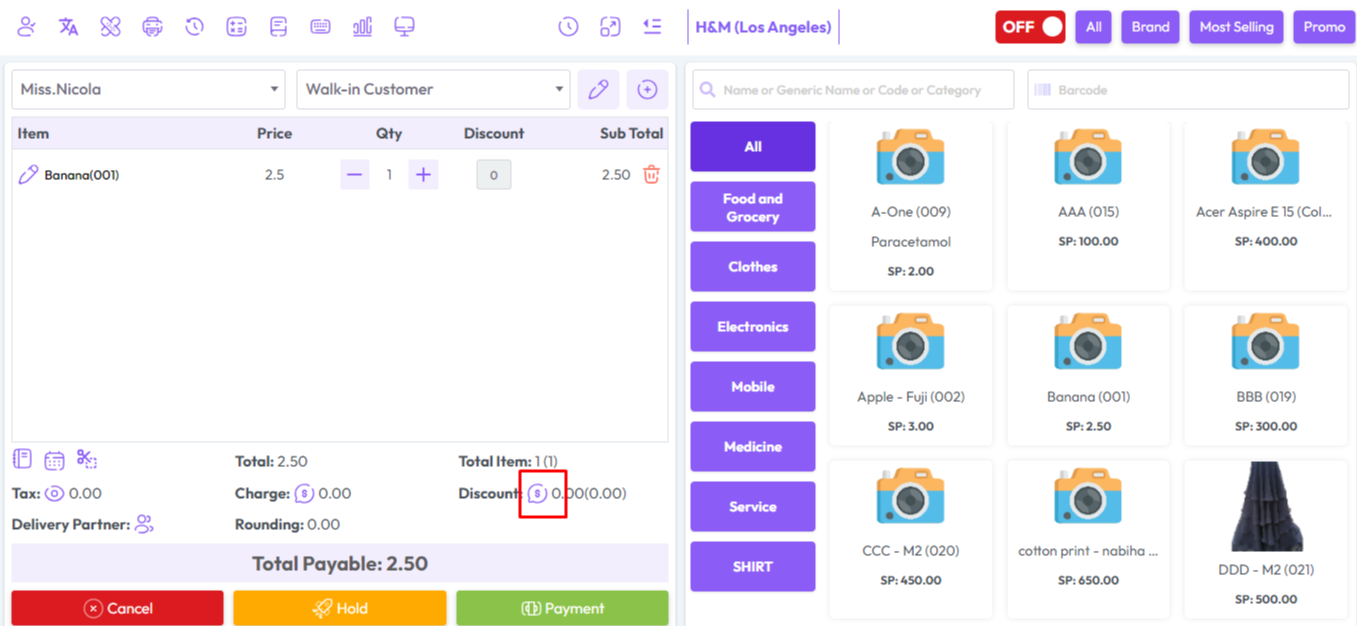
First click on selected area to give discount.
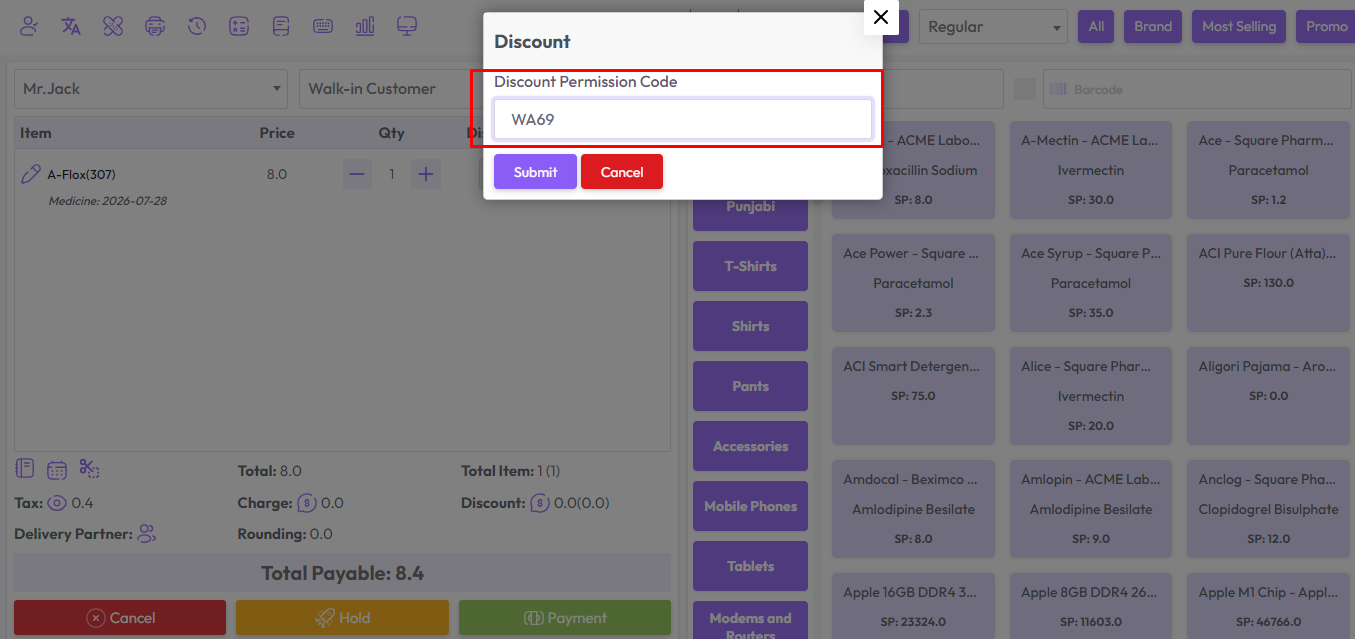
Then a popup modal will open. Enter your valid discount code here.
In my case the discount code is "WA69" You enter your code and click on the submit button.
After submitting with discount code you will see another field. Enter your discount here, and click the submit button.
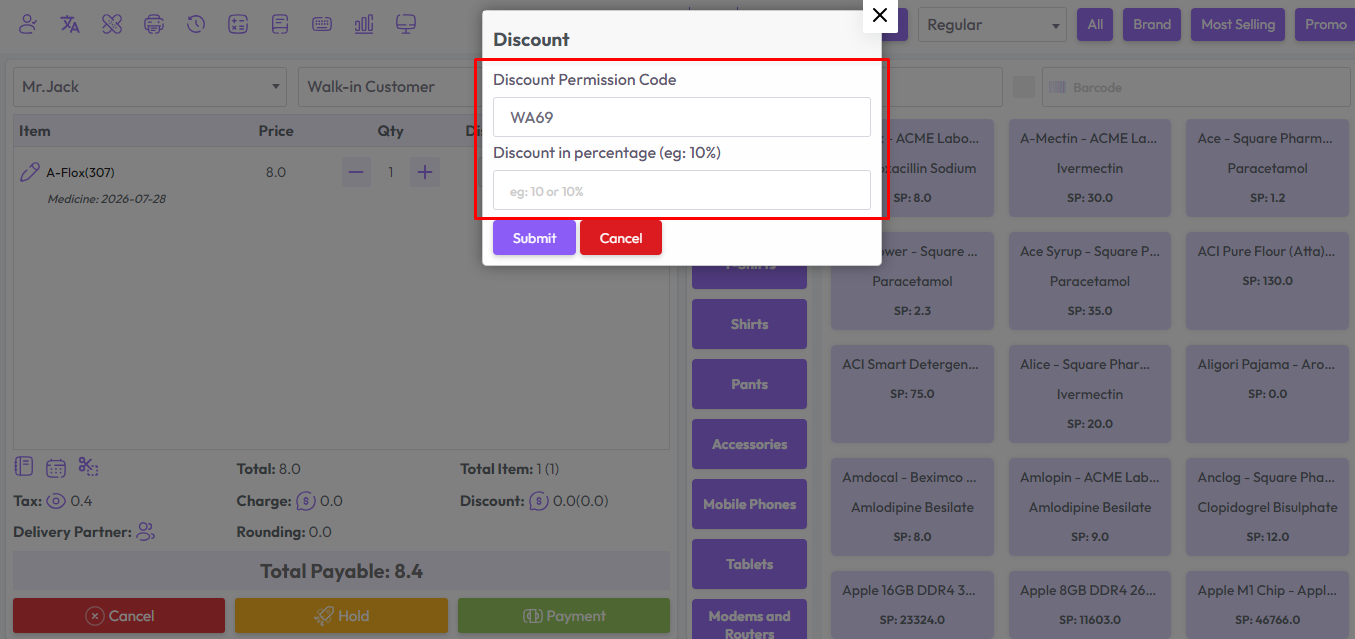
Fill up the required field and hit the submit button.
Was this page helpful?
Thank you for your feedback!
Please Login First
Zimozo - Support Ticketing, Knowledgebase, Live Chat and CRM
Comments (00)