.png)
In this section you can manage withdraw and deposit of your account.
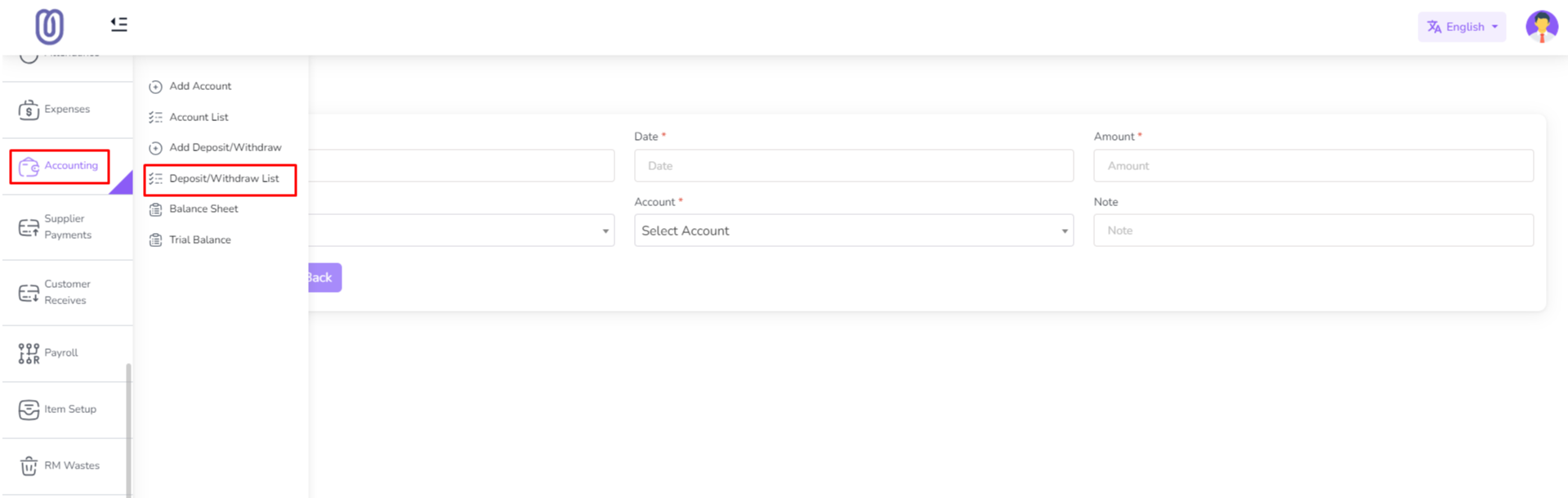
To access the Withdraw/Deposit Management page, navigate to the "Accounting" section from the left sidebar and click on "Withdraw/Deposit List".
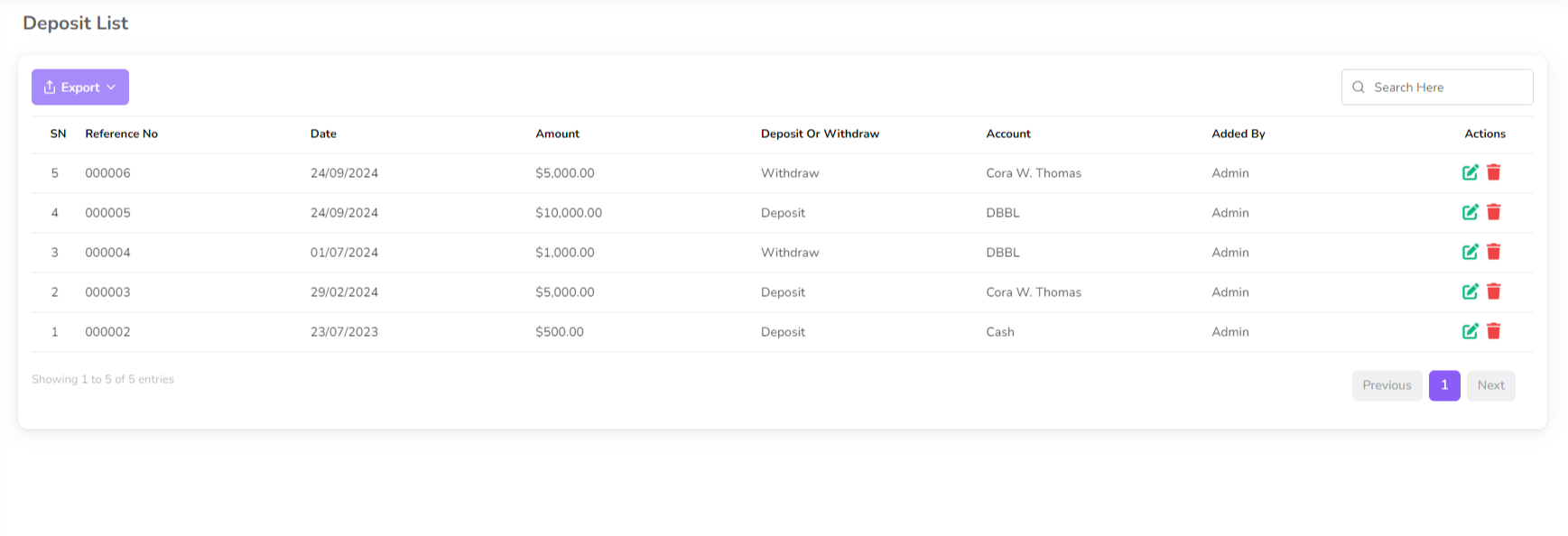
The Withdraw/Deposit Management page displays all your transactions, including their dates, type, account, and amounts.
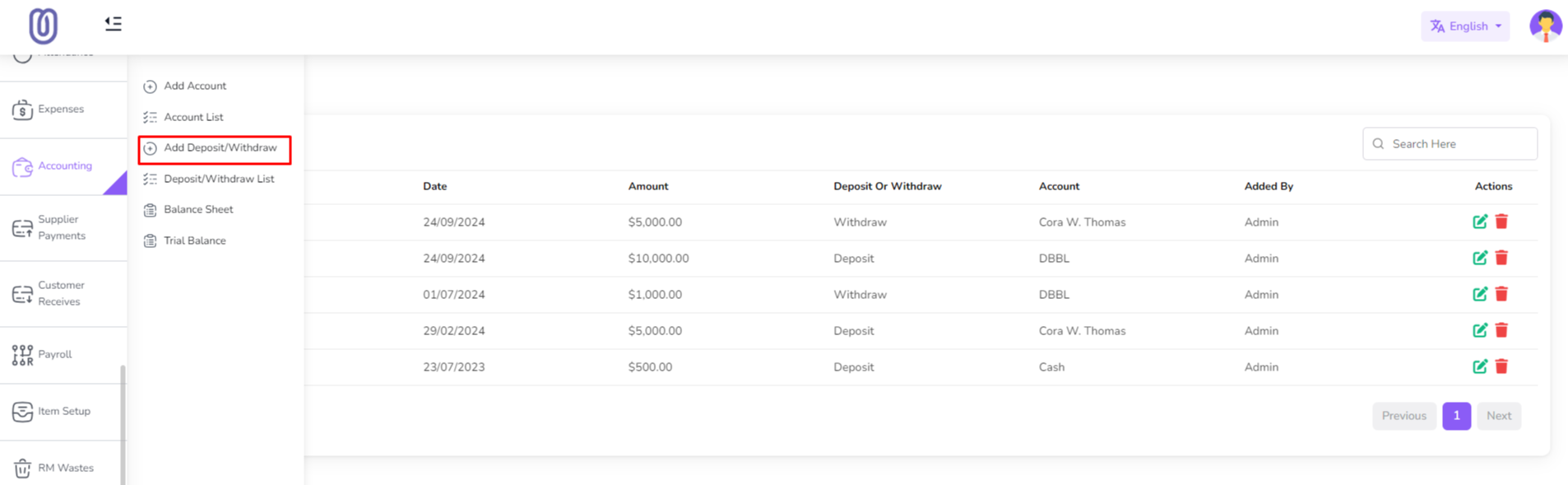
To add a new Deposit/Withdraw, click on the "Add Deposit/Withdraw" From the left sub menu. Then a form will be opened.
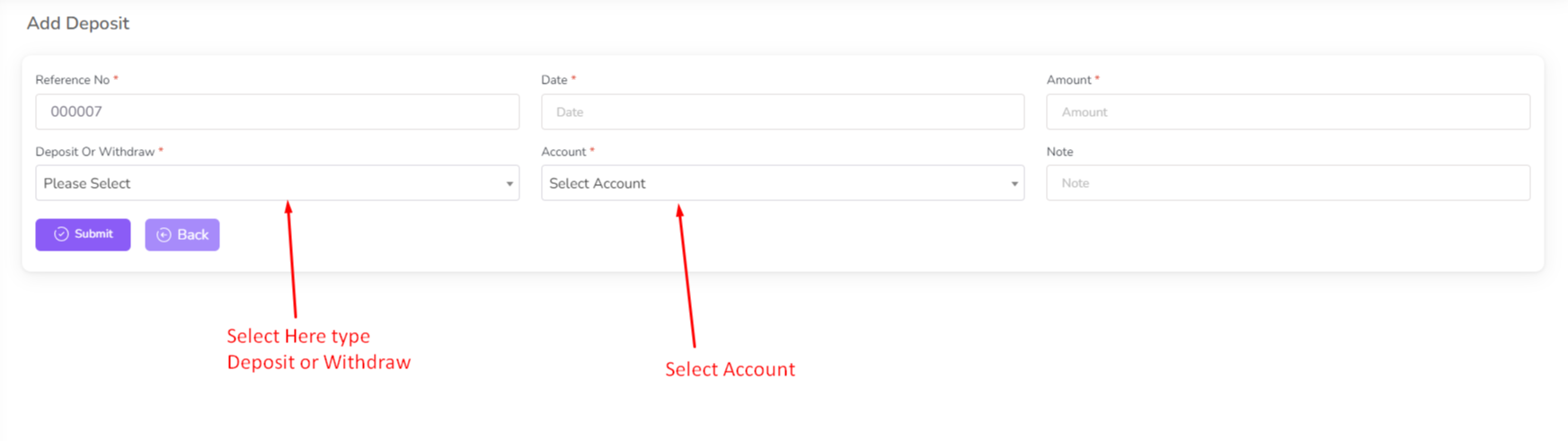
Fill in the details of the new Deposit/Withdraw and click on the "Submit" button to add it to the list.
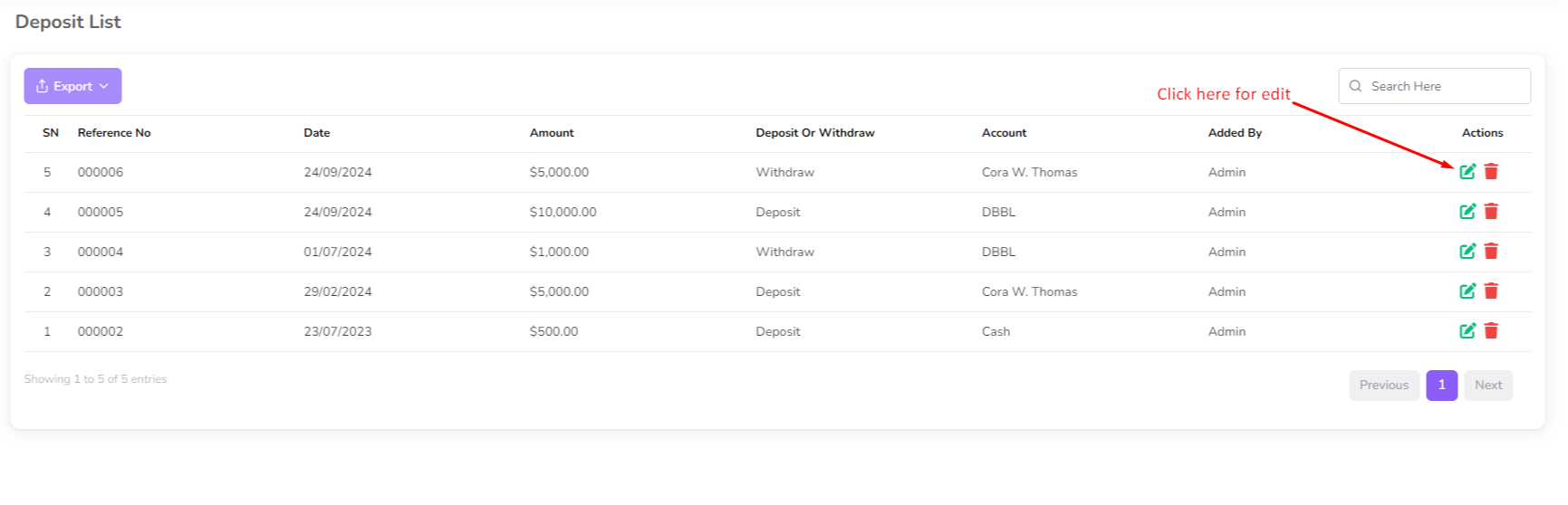
To edit an existing Deposit/Withdraw, click on the "Edit" button next to the Deposit/Withdraw you want to edit. Then a form will be opened with the current details.
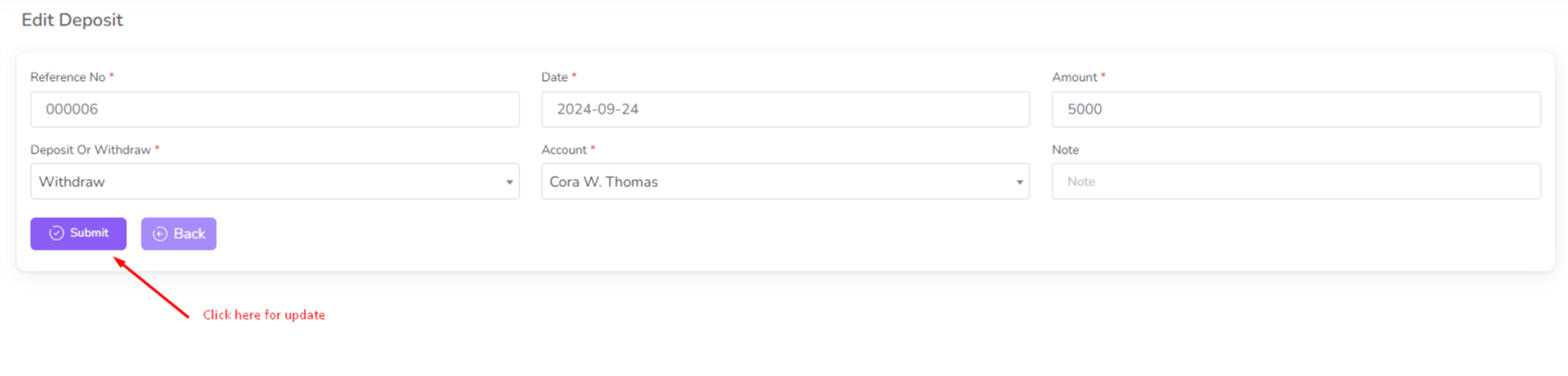
Make the necessary changes and click on the "Submit" button to save the changes.
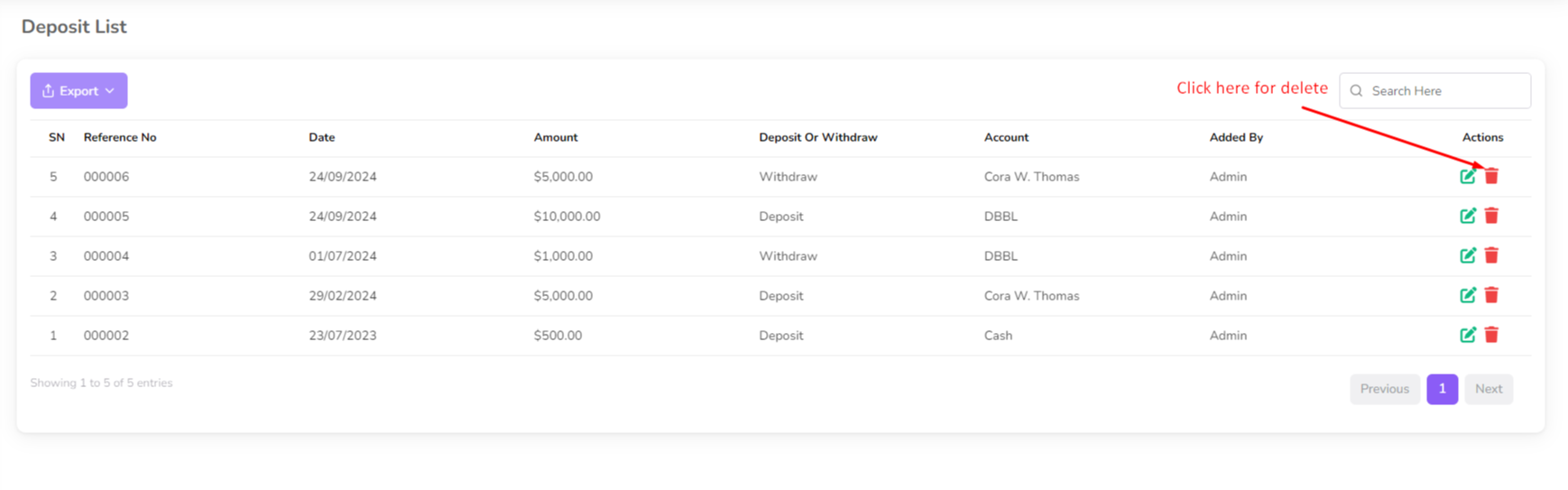
To delete a Deposit/Withdraw, click on the "Delete" button next to the Deposit/Withdraw you want to delete. Then a confirmation dialog will be opened.
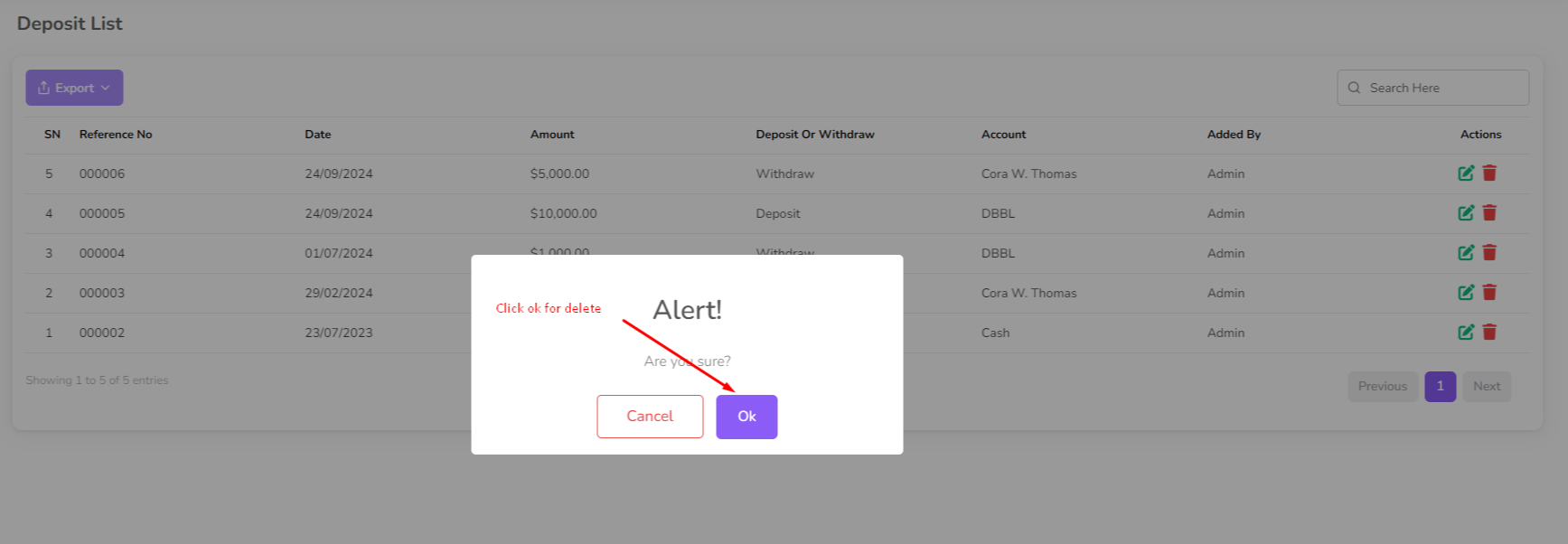
Confirm the deletion and the transaction will be removed from the list.
Was this page helpful?
Thank you for your feedback!
Please Login First
Zimozo - Support Ticketing, Knowledgebase, Live Chat and CRM
Comments (00)