.png)
In this section you can manage the white label.
To access White Label, navigate to the “Settings” section from the left sidebar and click on "White Label".
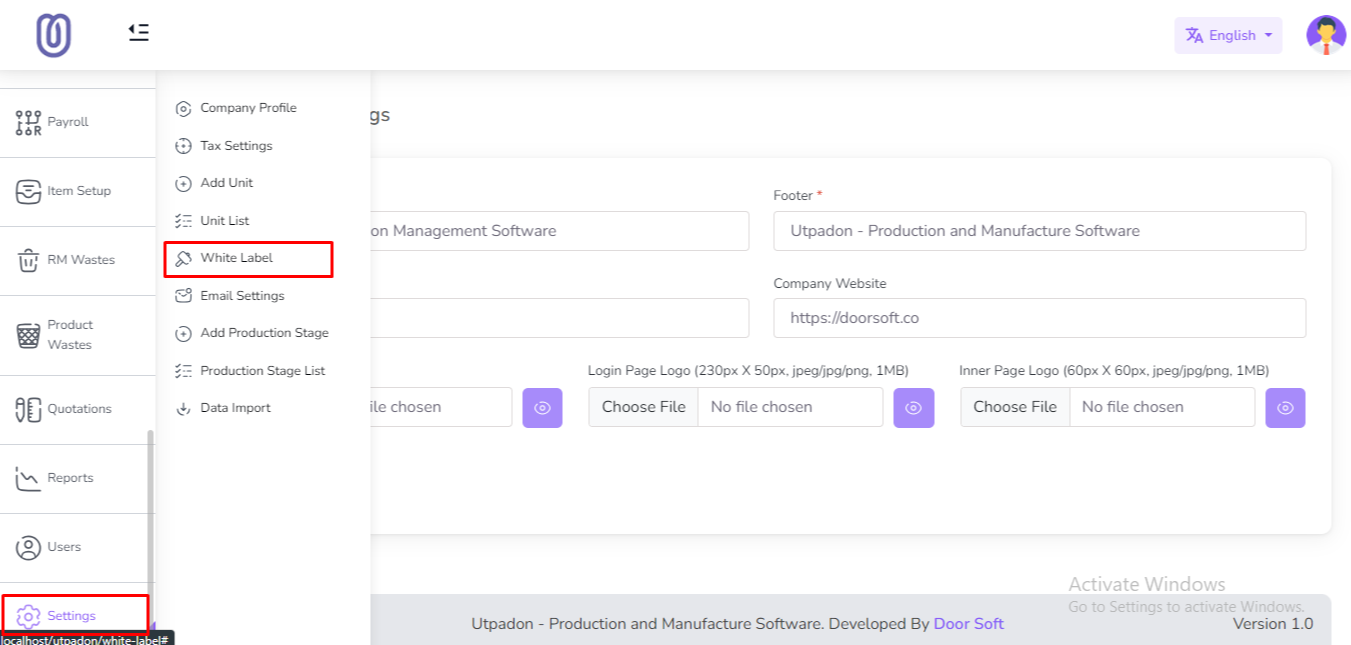
After clicking on "White Label" you can view and edit the white label. After editing click on the "Submit" button to save the changes.
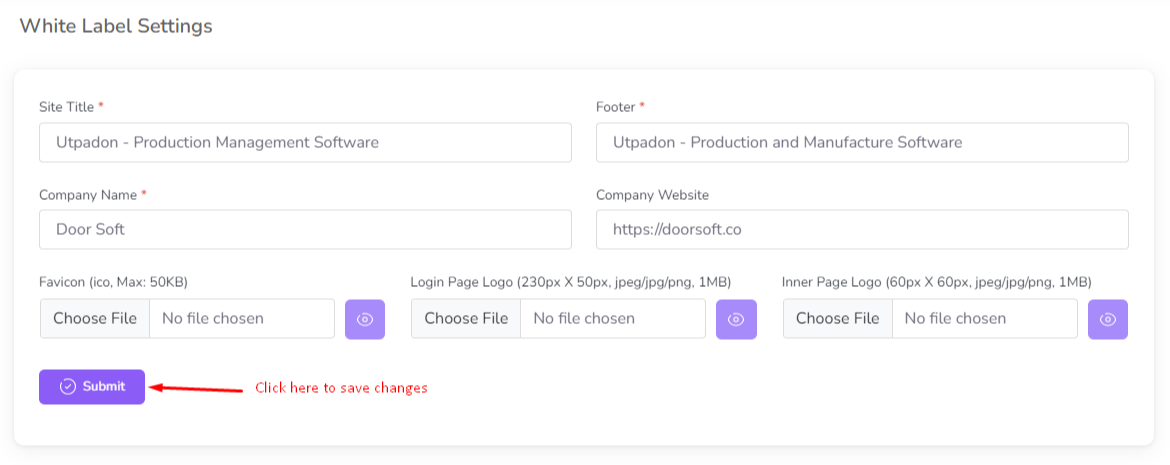
Note: The White Label Login Page Logo will be displayed on the Login page, and the Inner Logo will be displayed on the top bar.
Was this page helpful?
Thank you for your feedback!
Please Login First
Zimozo - Support Ticketing, Knowledgebase, Live Chat and CRM
Comments (00)