.png)
Supplier management is a feature that allows you to manage your suppliers effectively. You can add, edit, and delete supplier information.
To add a new supplier, navigate to the "Parties" section from the left sidebar and click on "Add Supplier".
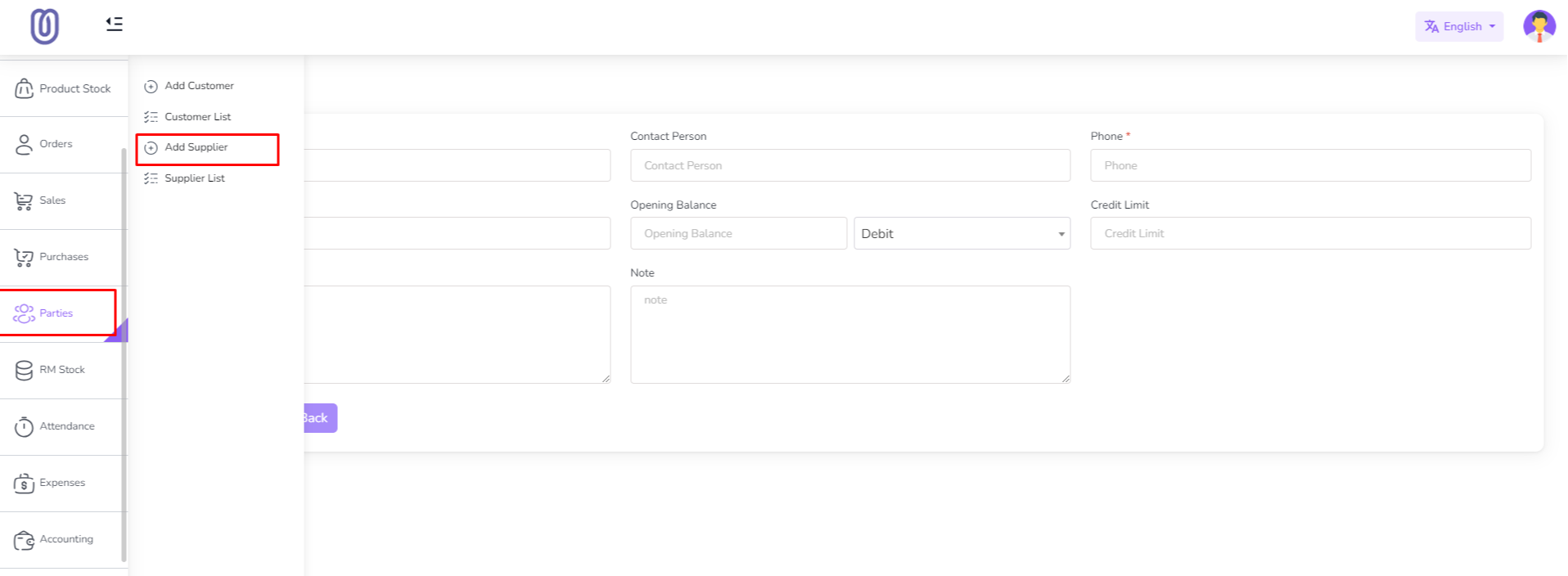
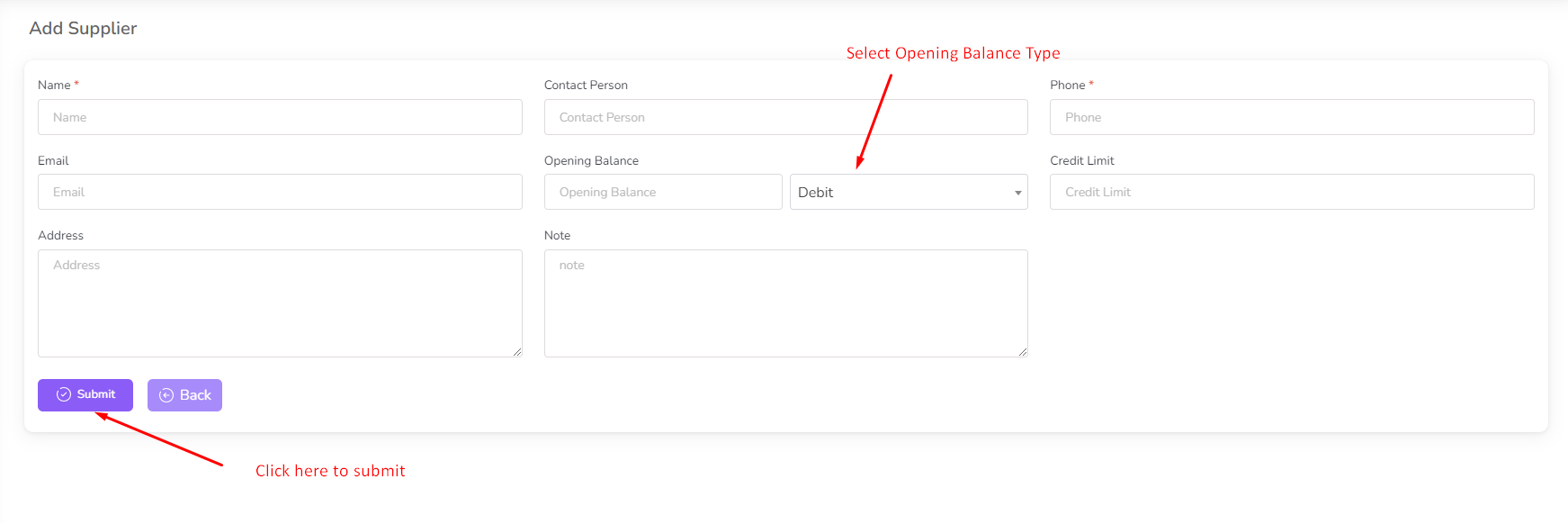
Fill in the required supplier details and click on the "Submit" button.
When adding a supplier, you need to specify their opening balance, which can be either a debit or credit. Debit Balance: A debit balance indicates that you owe the supplier money at the time of adding them. Credit Balance: A credit balance means the supplier owes you money at the time of adding them.
The Credit Limit is an optional feature. If enabled, it sets a maximum amount that the supplier can charge without exceeding the limit.
You can view the list of all suppliers by clicking on the "Supplier List" menu.
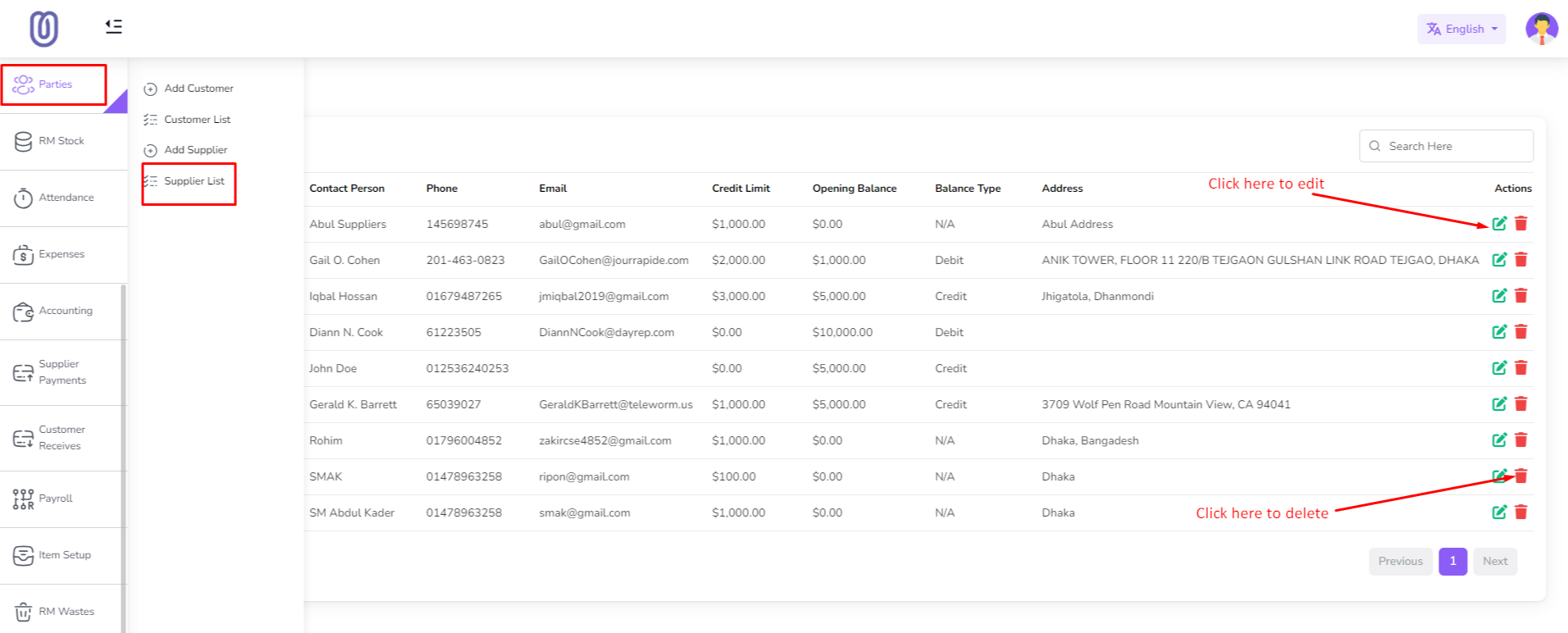
To edit supplier details, click on the supplier's name from the list.
Supplier details will be displayed, allowing you to view or modify their information.
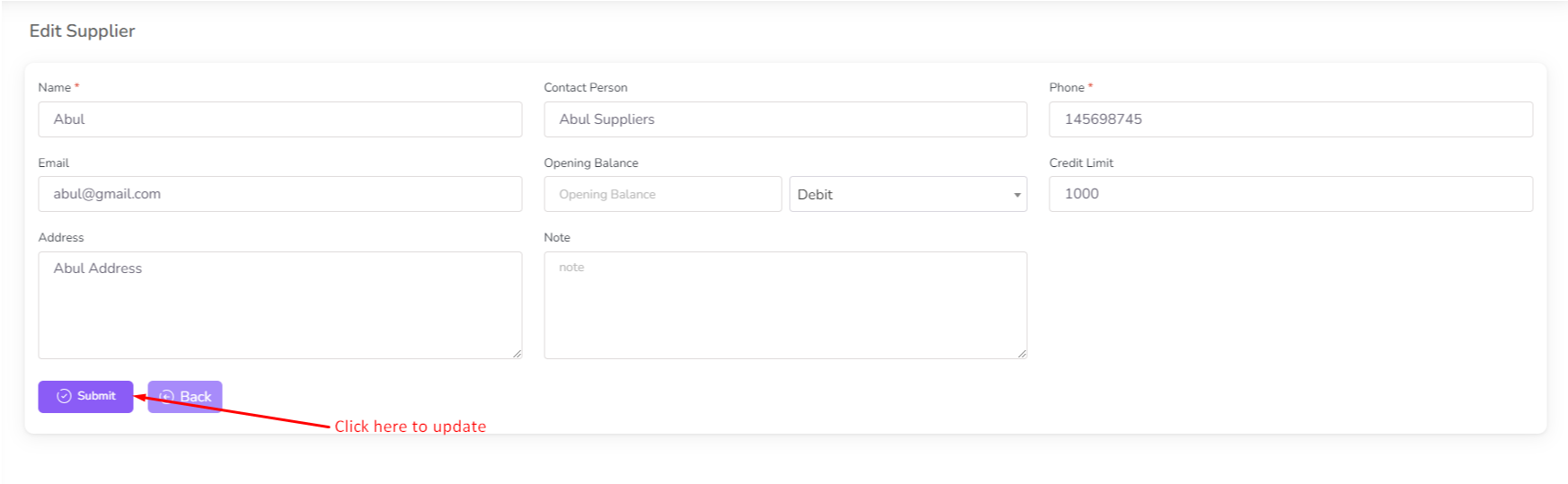
Make any necessary changes and click on the "Update" button to save the changes.
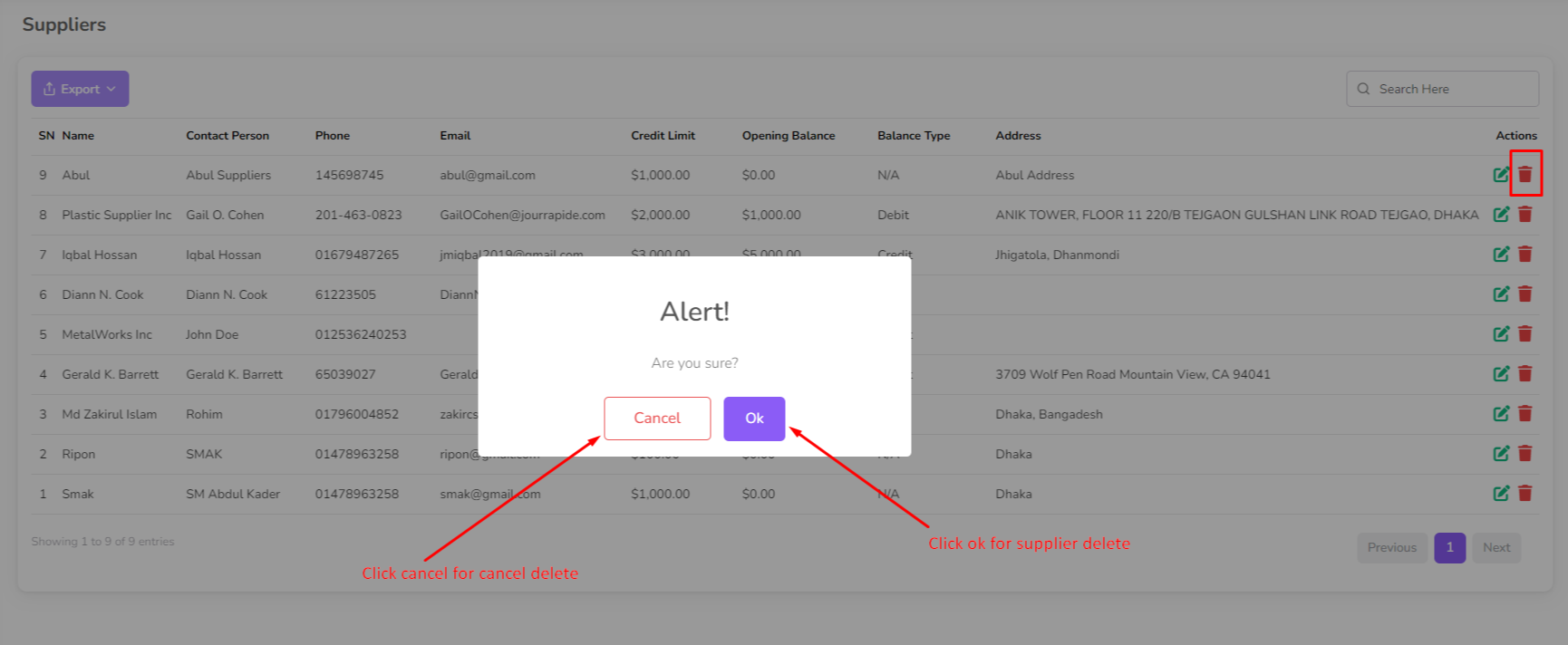
To delete a supplier, click on the "Delete" button next to their name.
Was this page helpful?
Thank you for your feedback!
Please Login First
Zimozo - Support Ticketing, Knowledgebase, Live Chat and CRM
Comments (00)