.png)
Production loss is a feature that allows you to track and manage the loss of production. In production if have any loss then you can add that loss here.
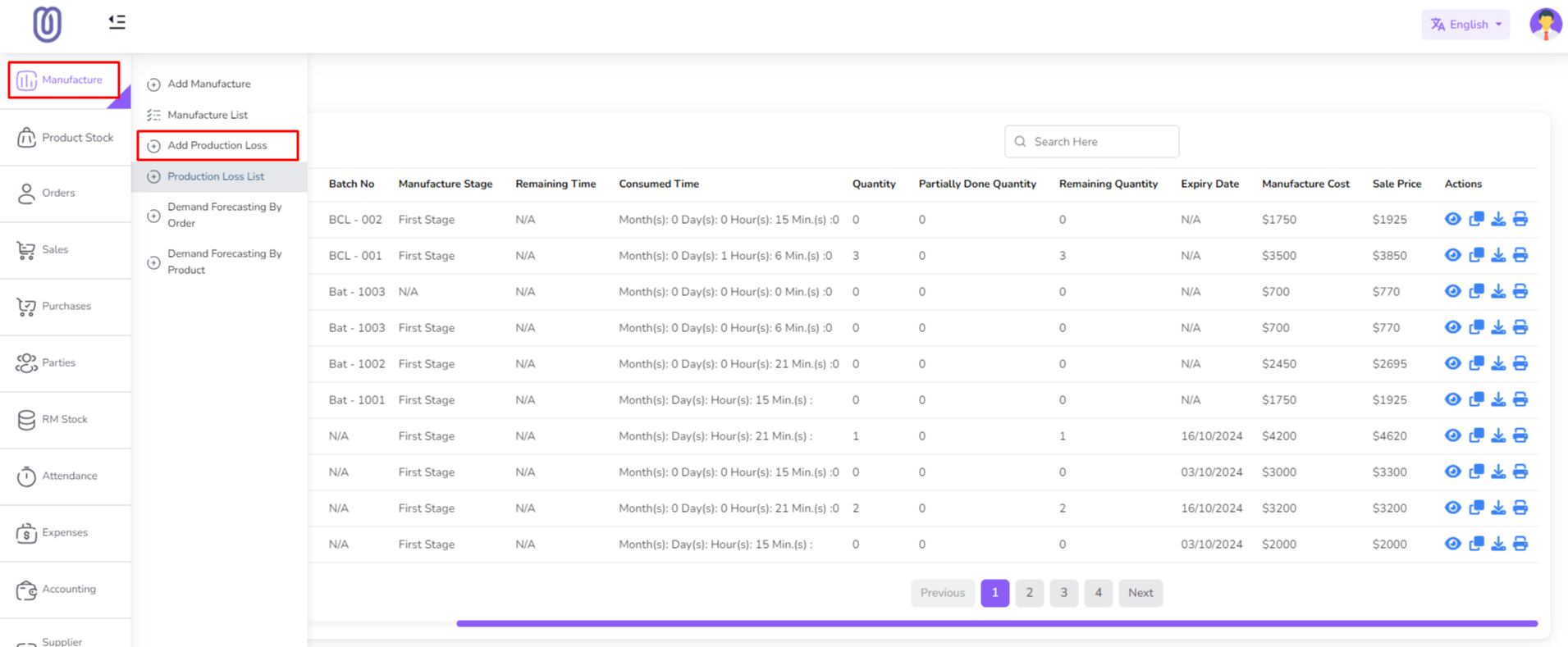
To add production loss go to the Manufacture menu from the left sidebar and click on "Add Production Loss".
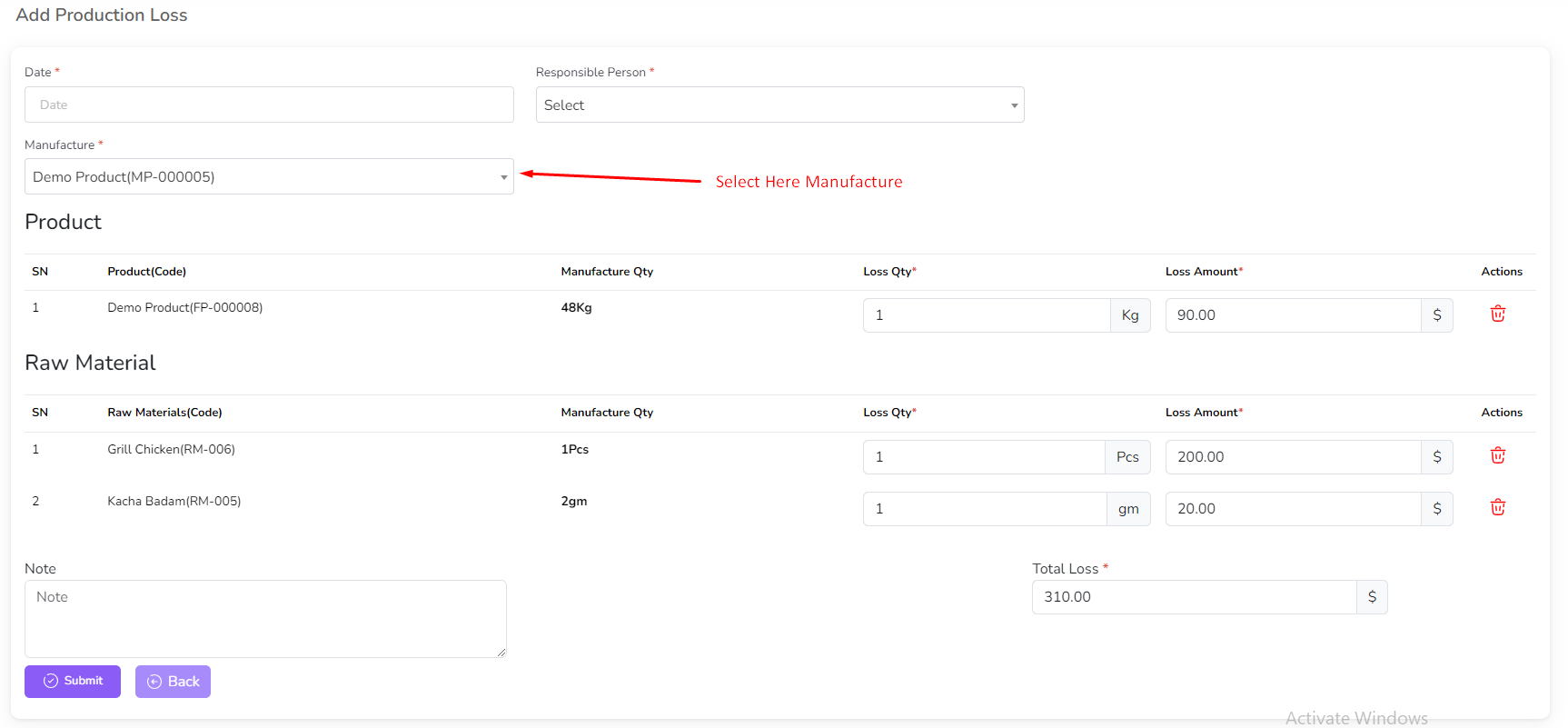
After click add production loss button a form will be shown. Select a manufacture from the dropdown then this manufacture product and raw material will be shown. You can change the quantity of raw material and product and add loss note. You cannot input loss quantity more than production quantity. After that click on the "Submit" button.
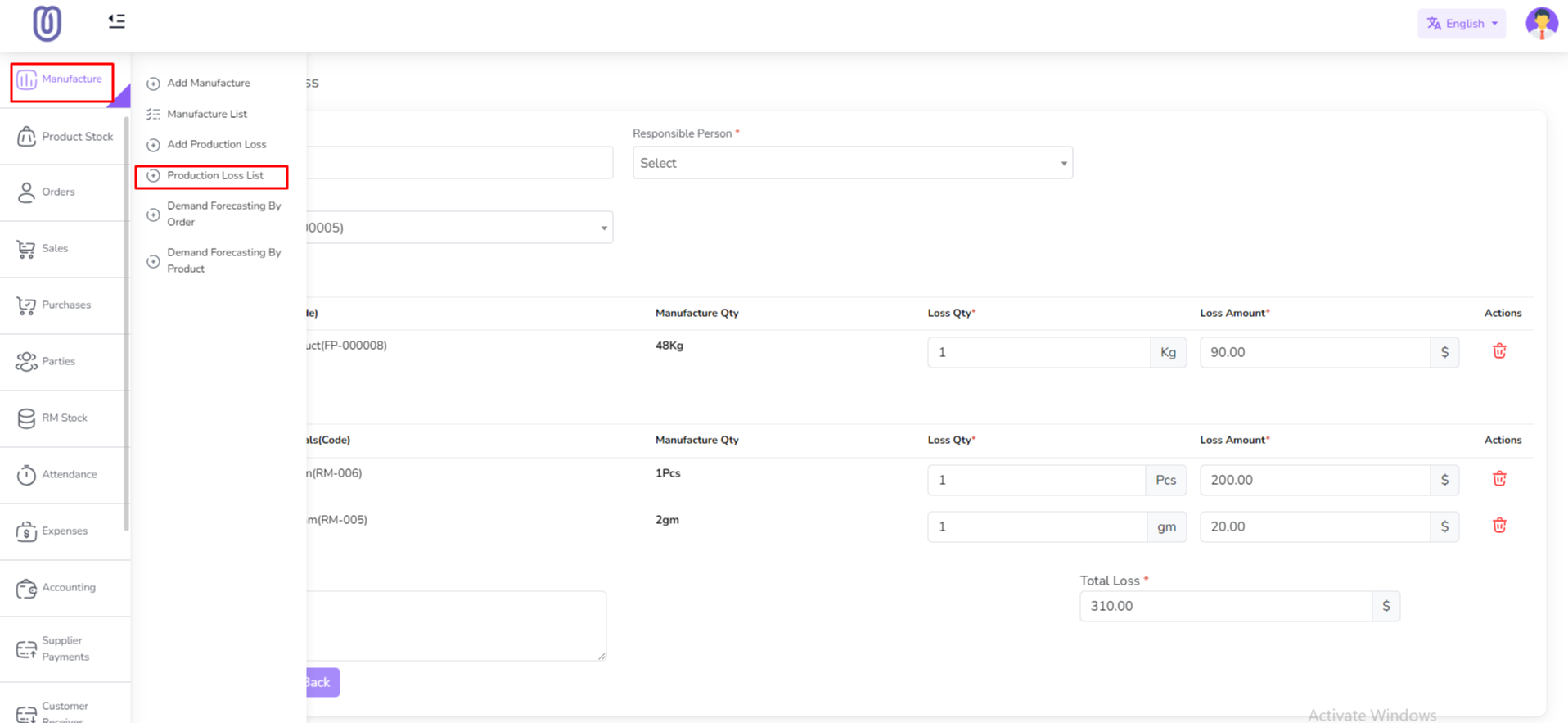
After submit the form the production loss table will be updated. you will be redirected to the production loss list page. Also you can see the production loss list from the production loss list menu from the left sidebar.
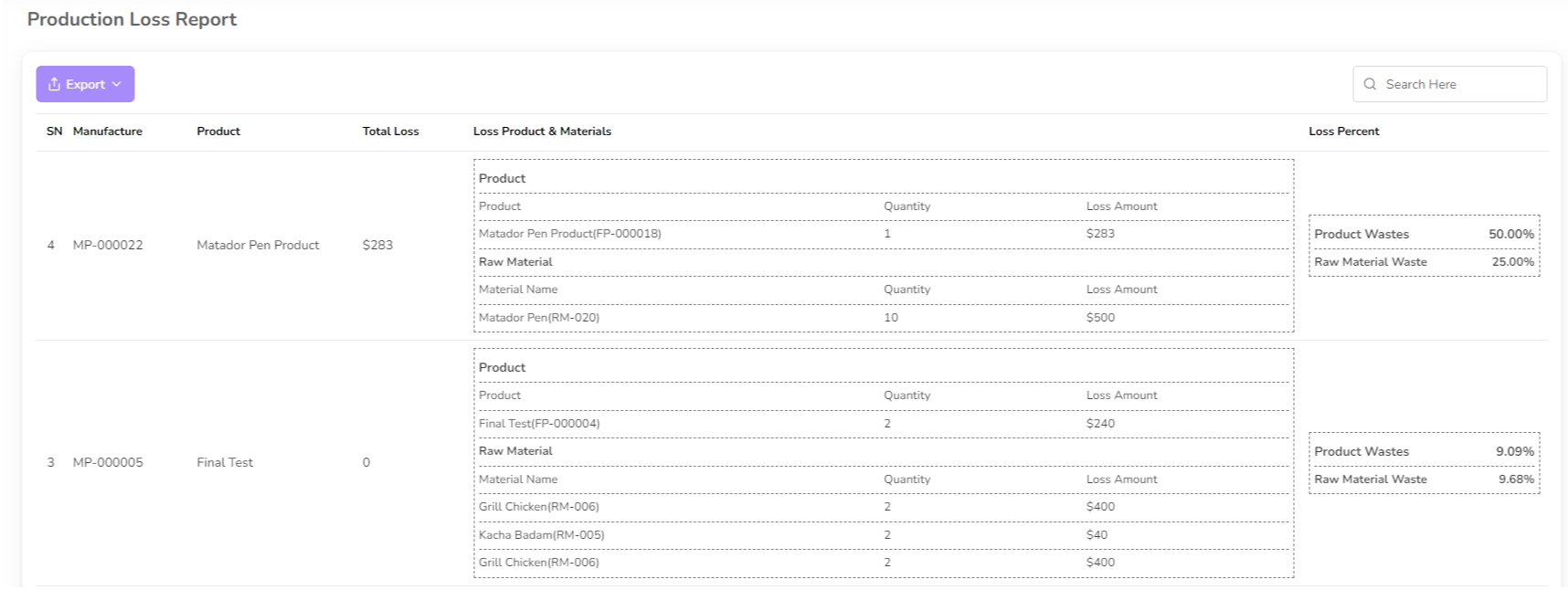
In Production List you will see Loss product and Quantity also the loss percentage.
Was this page helpful?
Thank you for your feedback!
Please Login First
Zimozo - Support Ticketing, Knowledgebase, Live Chat and CRM
Comments (00)