.png)
In case you forgot your password, you can set a new password without any email or verification, you just need to follow some steps with the security question that you set before from the admin panel.
Go to the login page and Click "Forgot Password?"
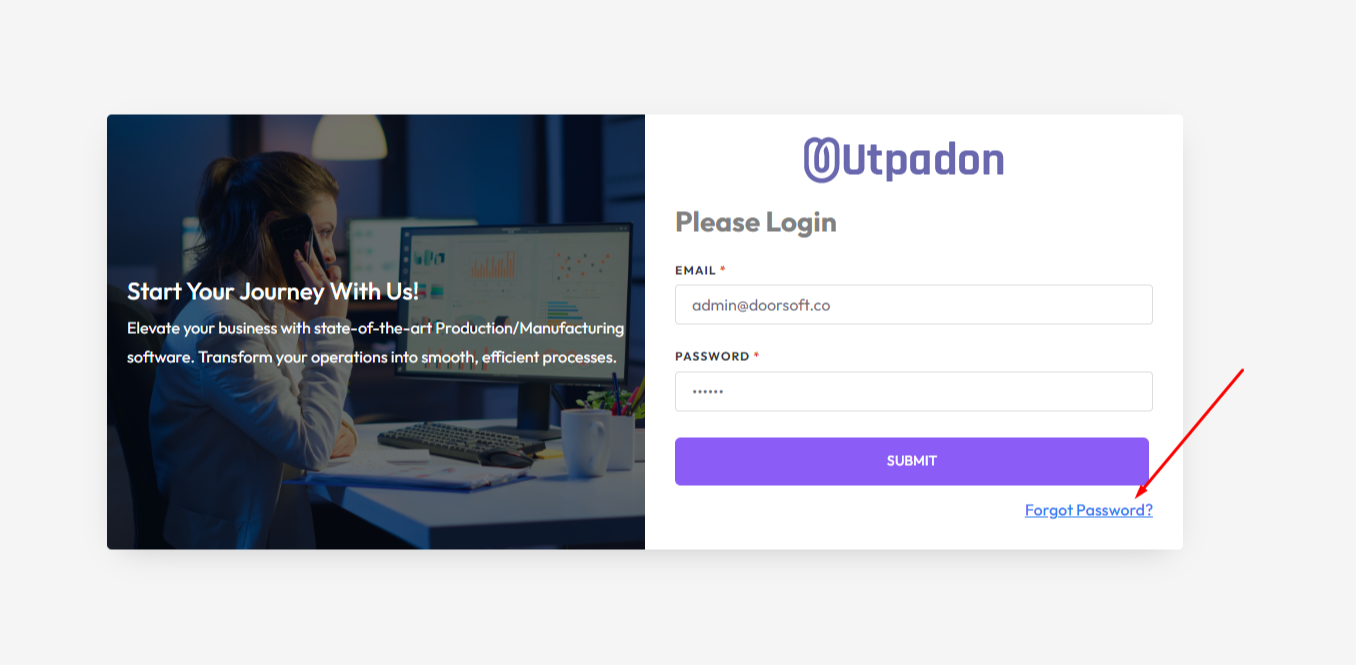
STEP 1: You need to enter your email address to check that your "Email Address" is registered in the system and click on “Submit”.
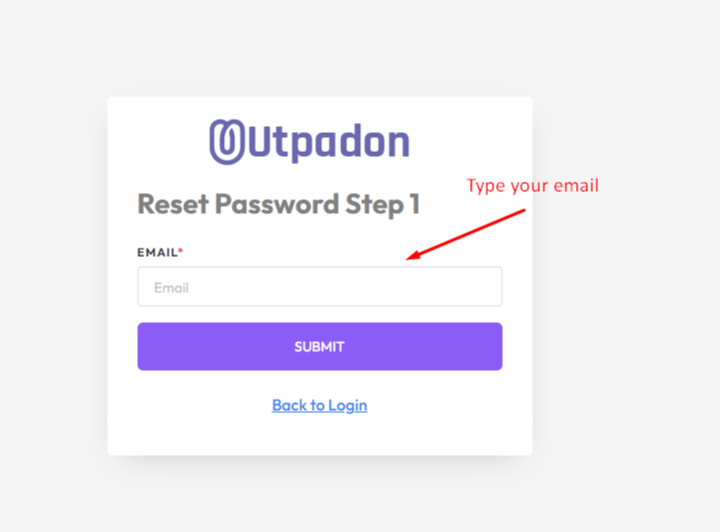
If you entered a valid email address system will redirect to the next step.
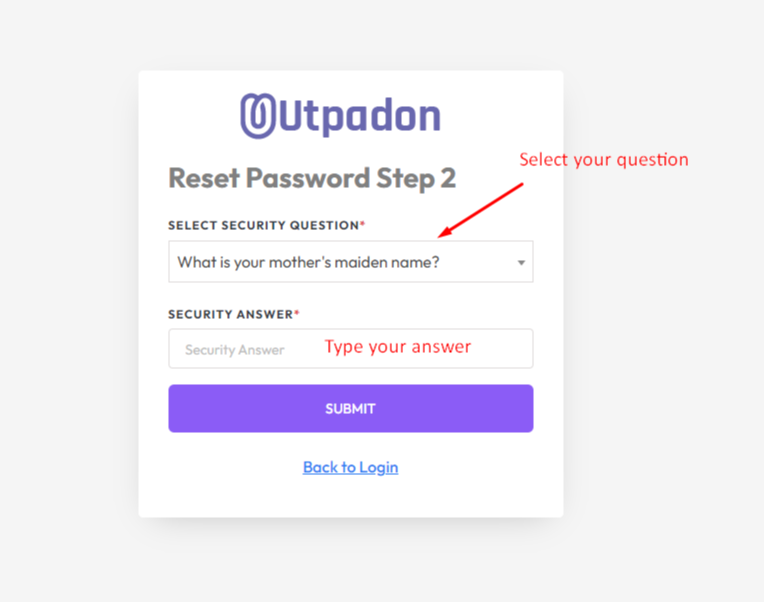
Step 2: Here you need to select your previous set security question and answer then click on submit again for the next step if both are correct.
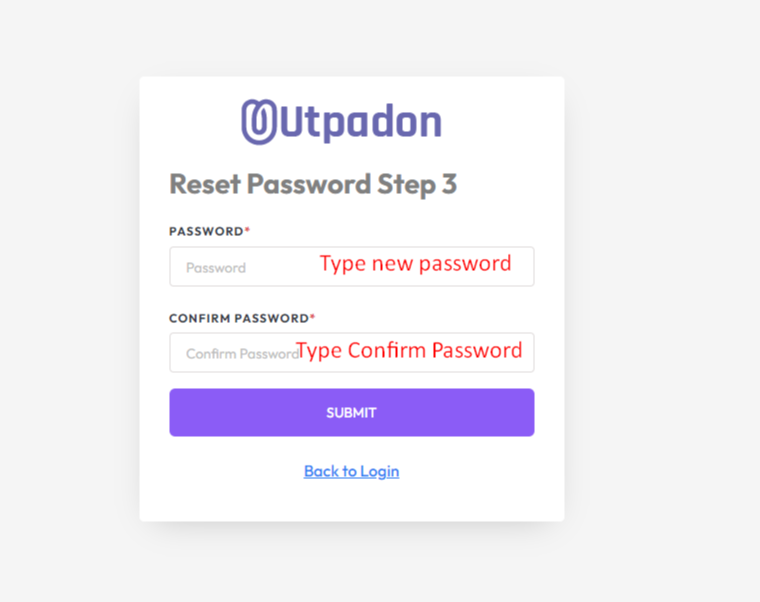
Step 3: Enter your new password and confirm password and click on the “SUBMIT” button.
Step 4: Password reset succesfully and redirect to login page
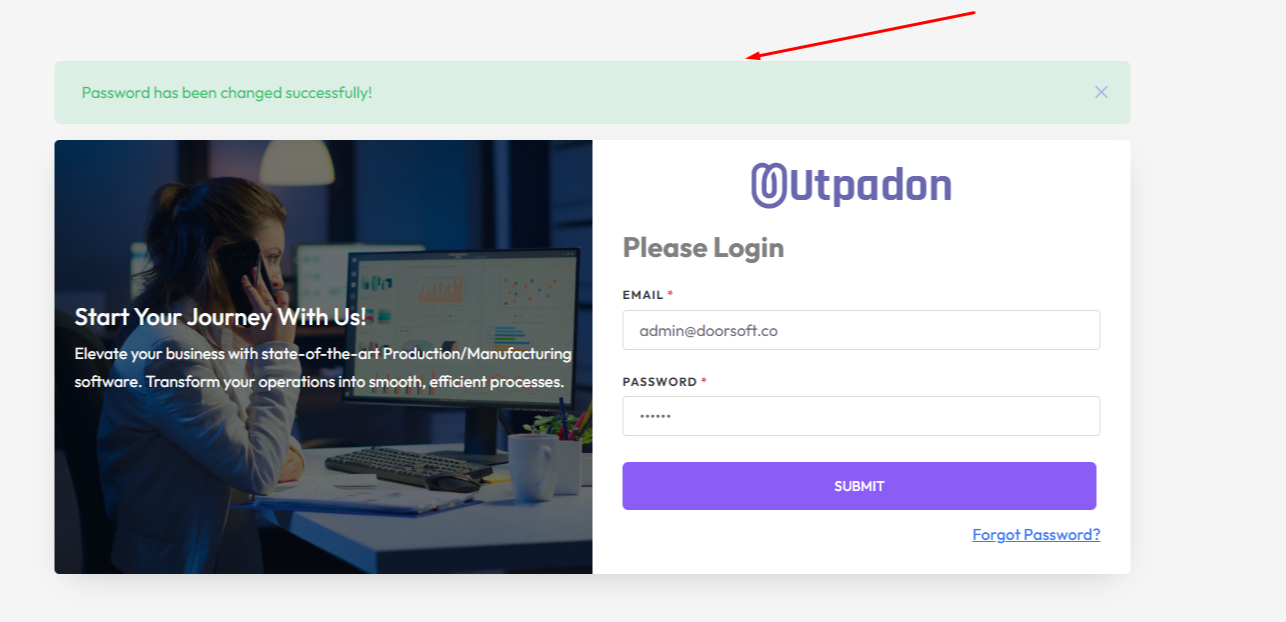
Now enter your email and newly created password to login.
Was this page helpful?
Thank you for your feedback!
Please Login First
Zimozo - Support Ticketing, Knowledgebase, Live Chat and CRM
Comments (00)