.png)
To change your password, please follow these instructions.
Go to the User profile section from the right top bar and click on “Change Password”.
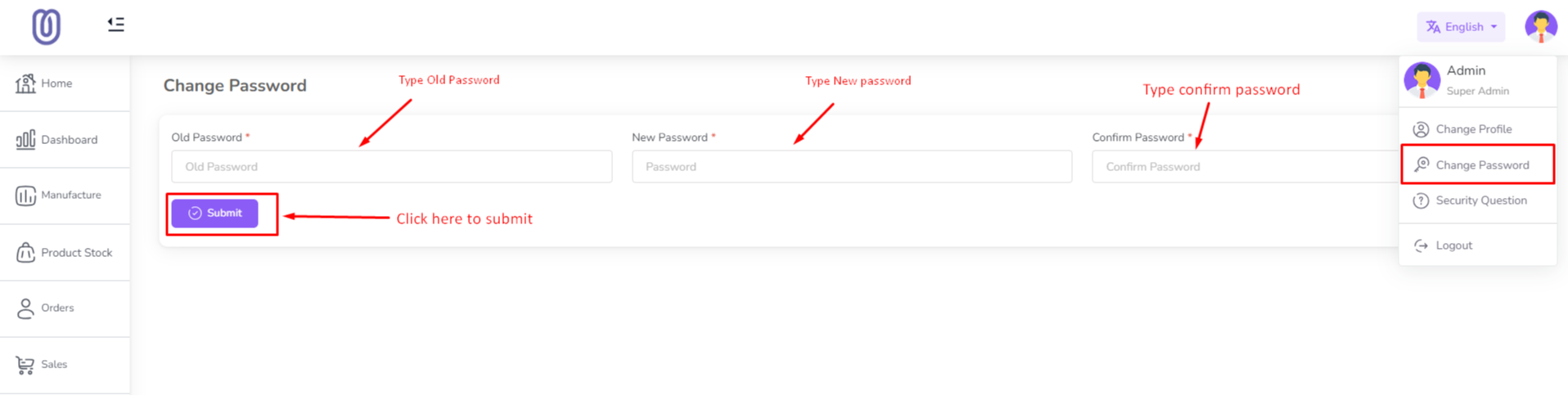
Now enter your old password then enter a new password and type confirm password. Click on the "Submit" button to change your password
Please set a security question on your site by following the below instructions. So that you can reset your password in case you forget it. Also if you are a newly added user, you will need to set a security question for you.
Go to the User profile section from the right top bar and click on “Set Security Question”.
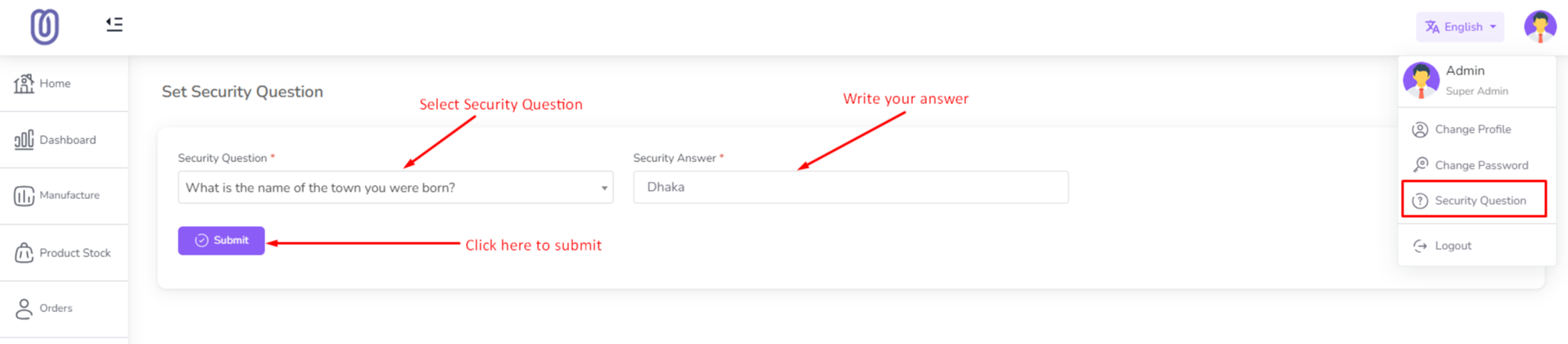
Click the "Question" drop-down and select any of the security questions. Enter the answer to the question. Click on the "Submit" button to save it.
Was this page helpful?
Thank you for your feedback!
Please Login First
Zimozo - Support Ticketing, Knowledgebase, Live Chat and CRM
Comments (00)