.png)
The Quotation Management feature allows you to effectively manage quotations for your customers.
To access Quotation Management, navigate to the “Quotation” menu from the left sidebar.
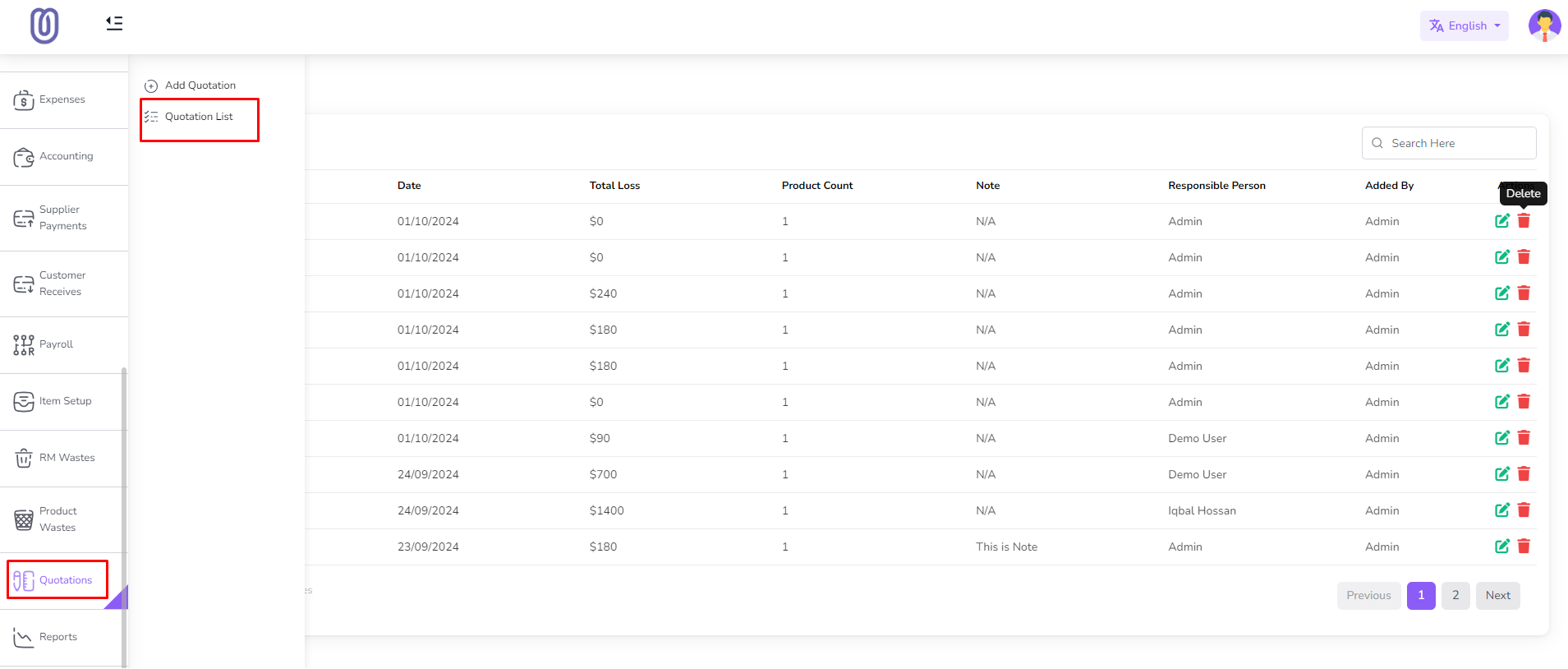
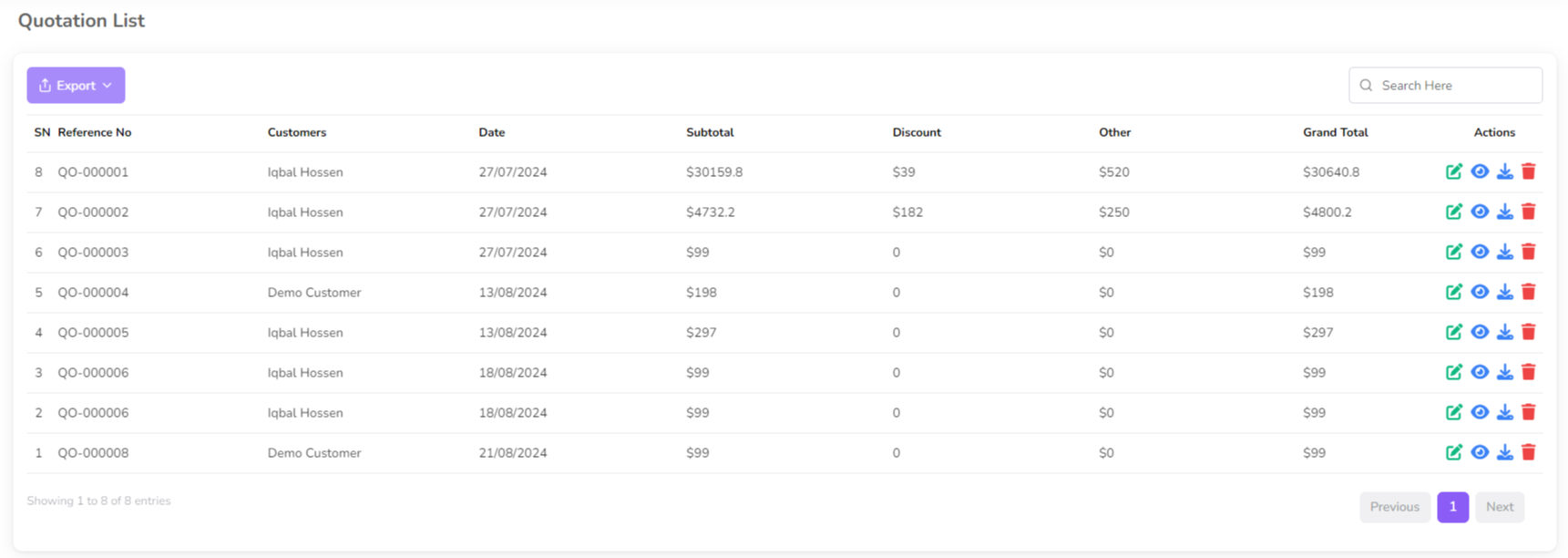
Once you access the Quotation Management page, you can view quotation details, including customer name, quotation date, and total amount.
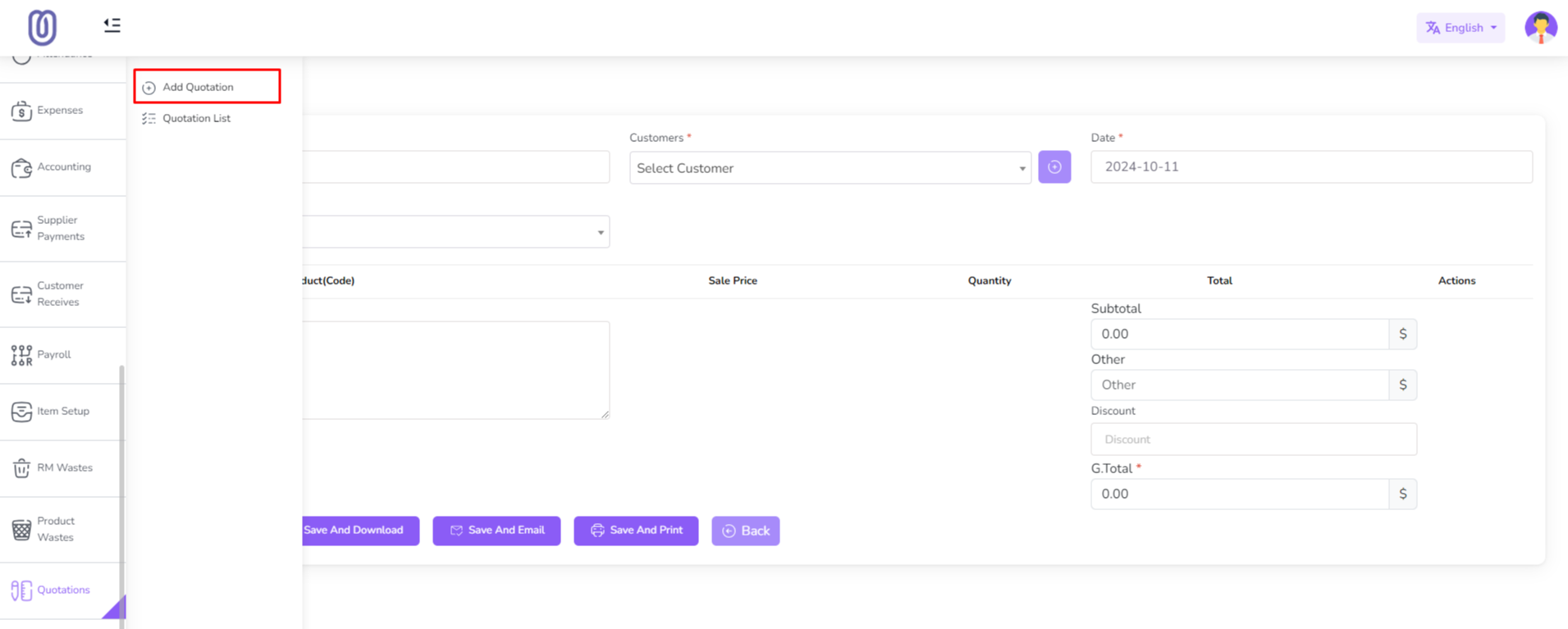
To Add click "Add Quotation" from the left sub menu.
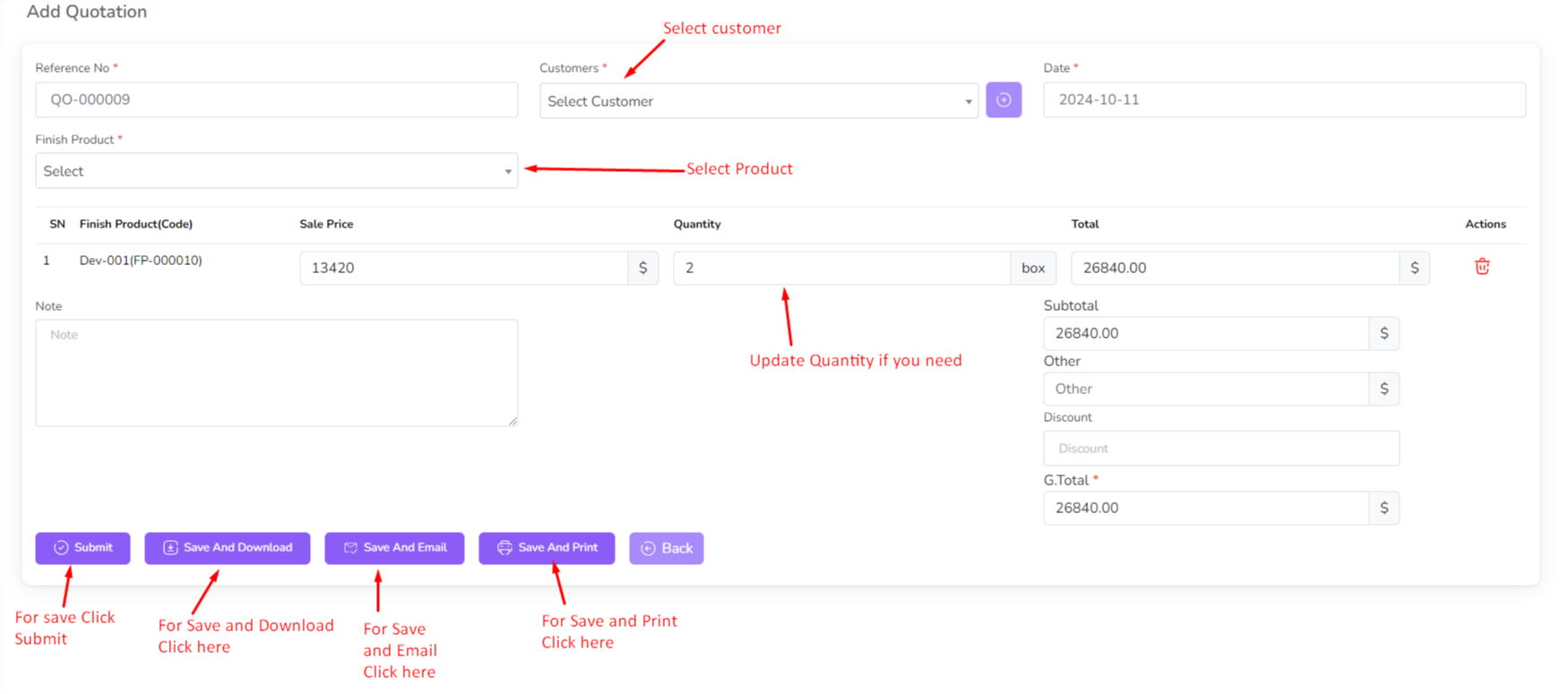
Select the customer and enter the quotation details, including products and prices, and click on the "Submit" button for save. Click "Save and Download" button for download the quotation in pdf format. Click "Save and Email" button for save and email the quotation. Click "Save and Print" button for save and print the quotation. Click "Back" button for back to the quotation list page.
For edit quotation click on the "Edit" Icon.
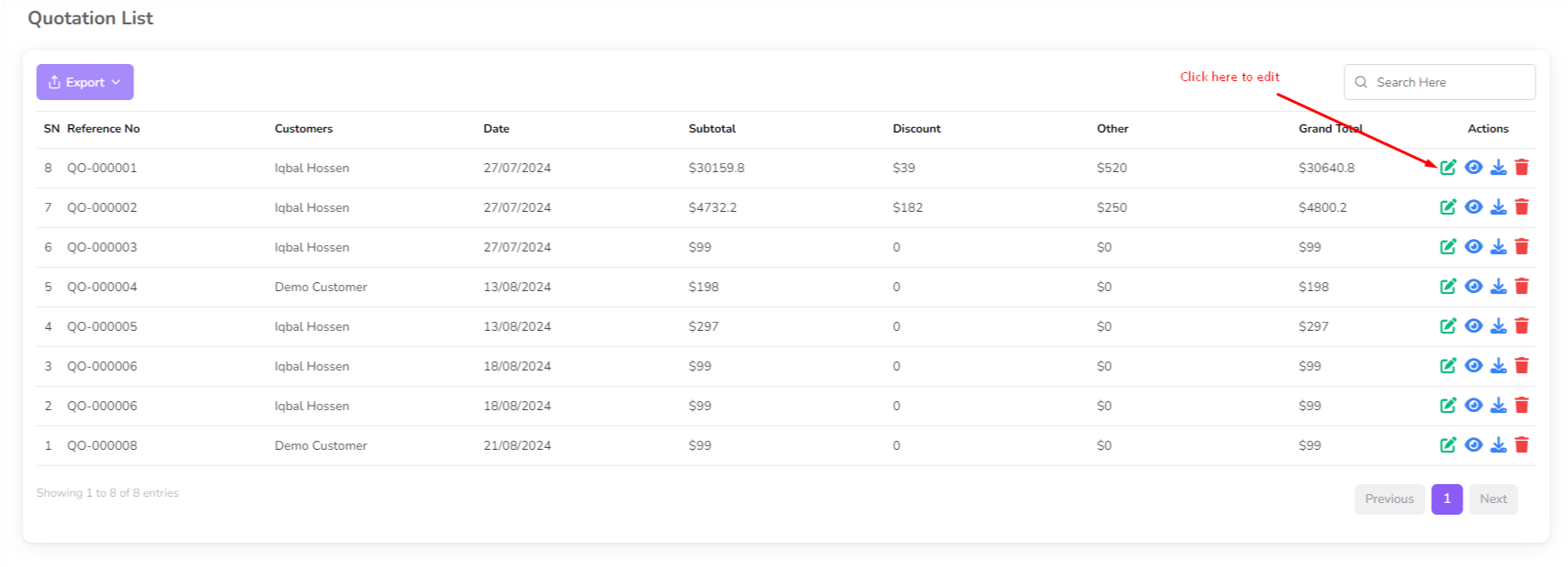
Make the necessary changes and click on the "Submit" button to save the changes.
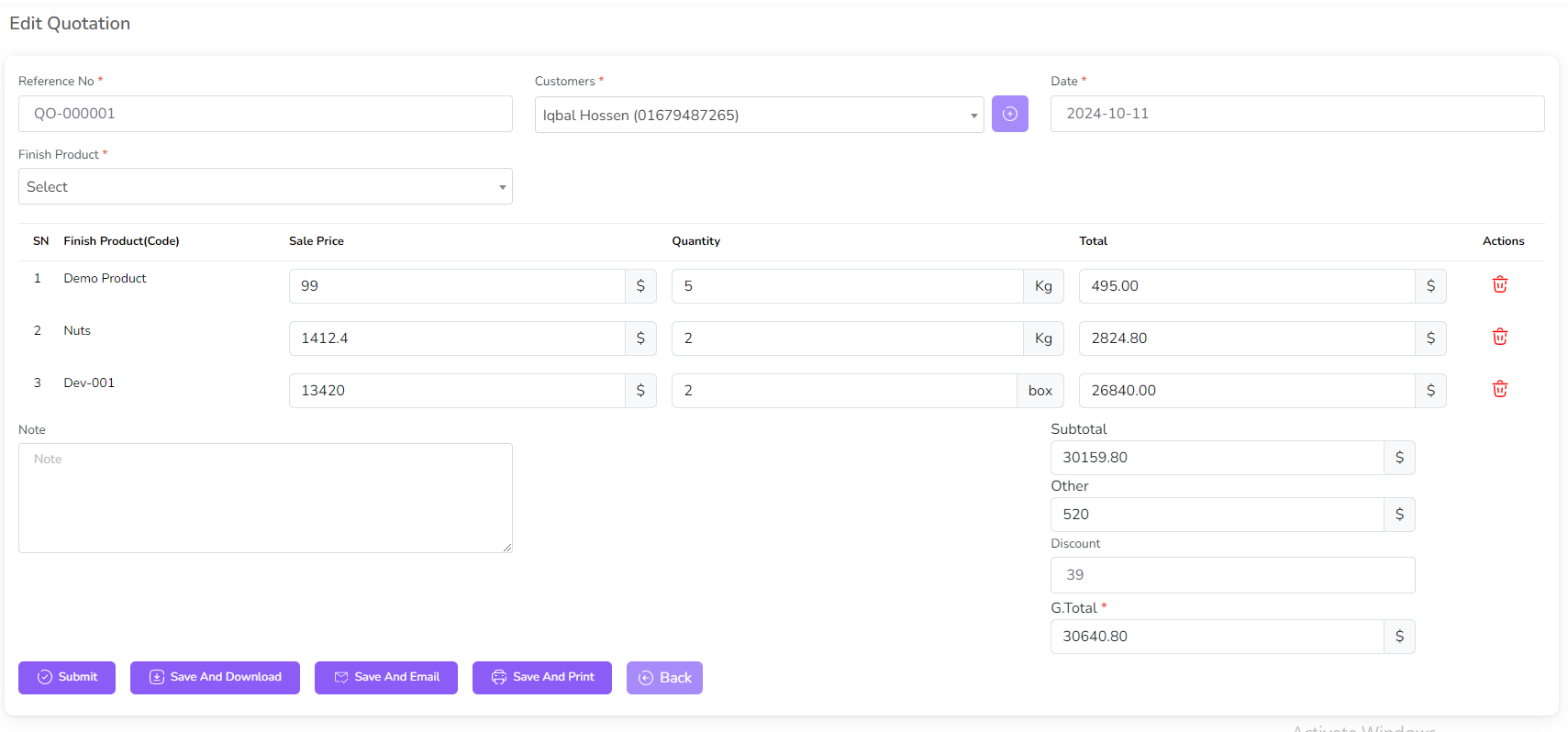
For View quotation click on the "View" Icon.
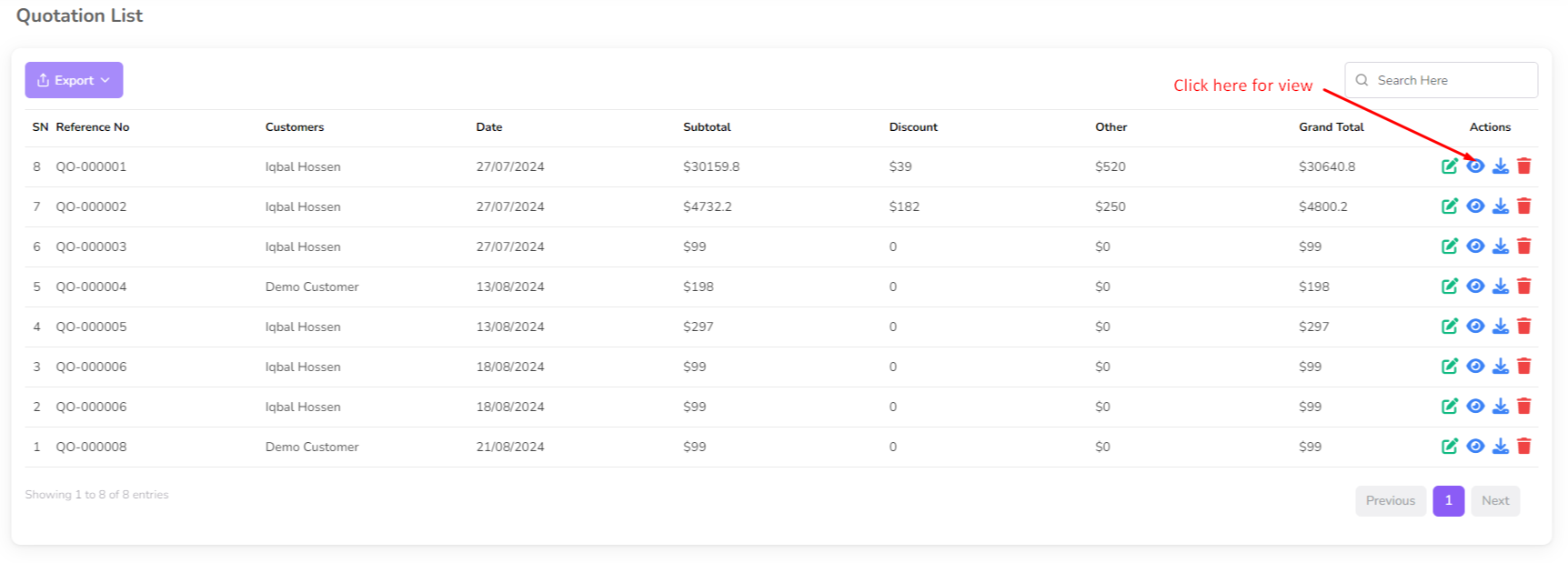
Then you can view the quotation details with print, download button.
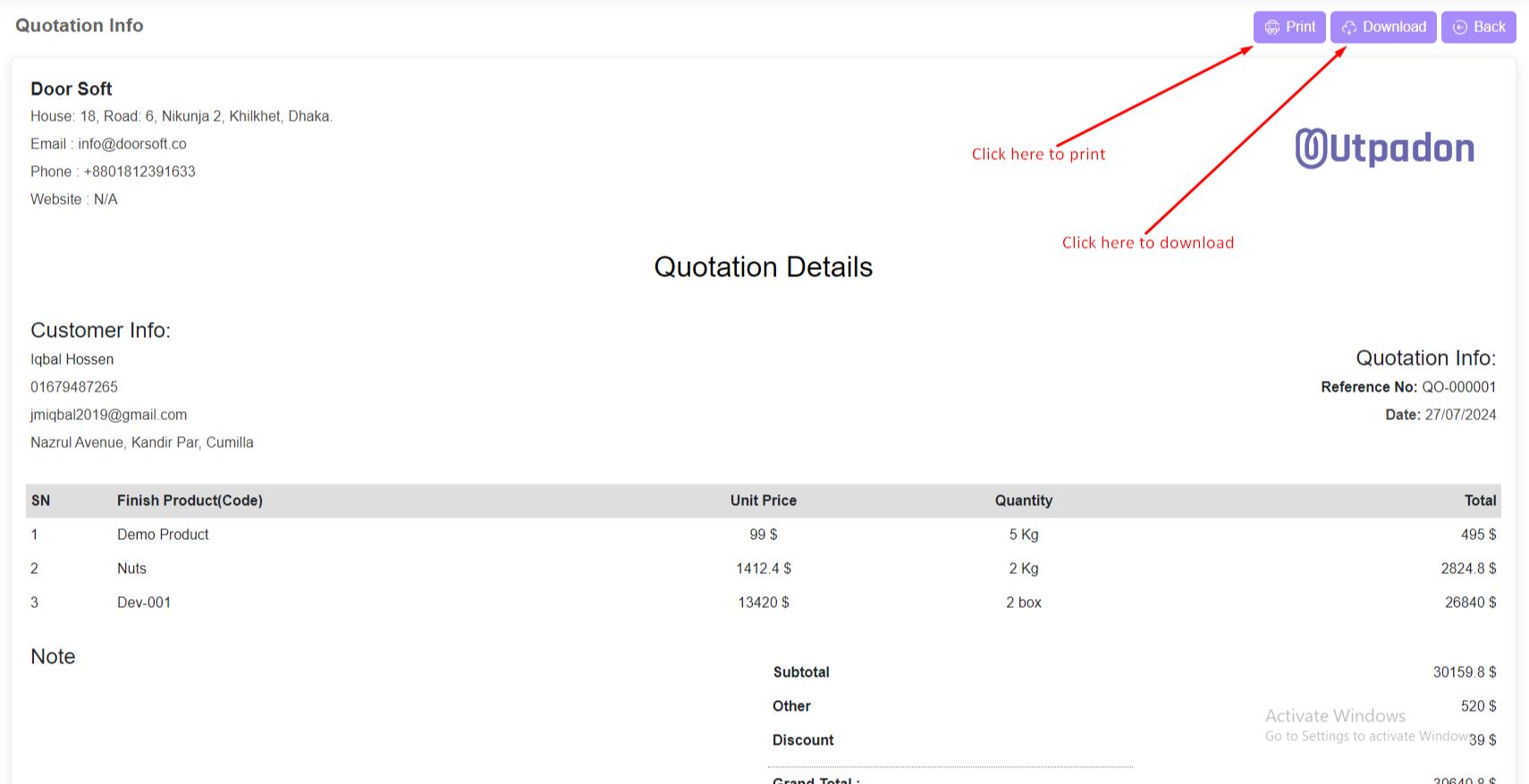
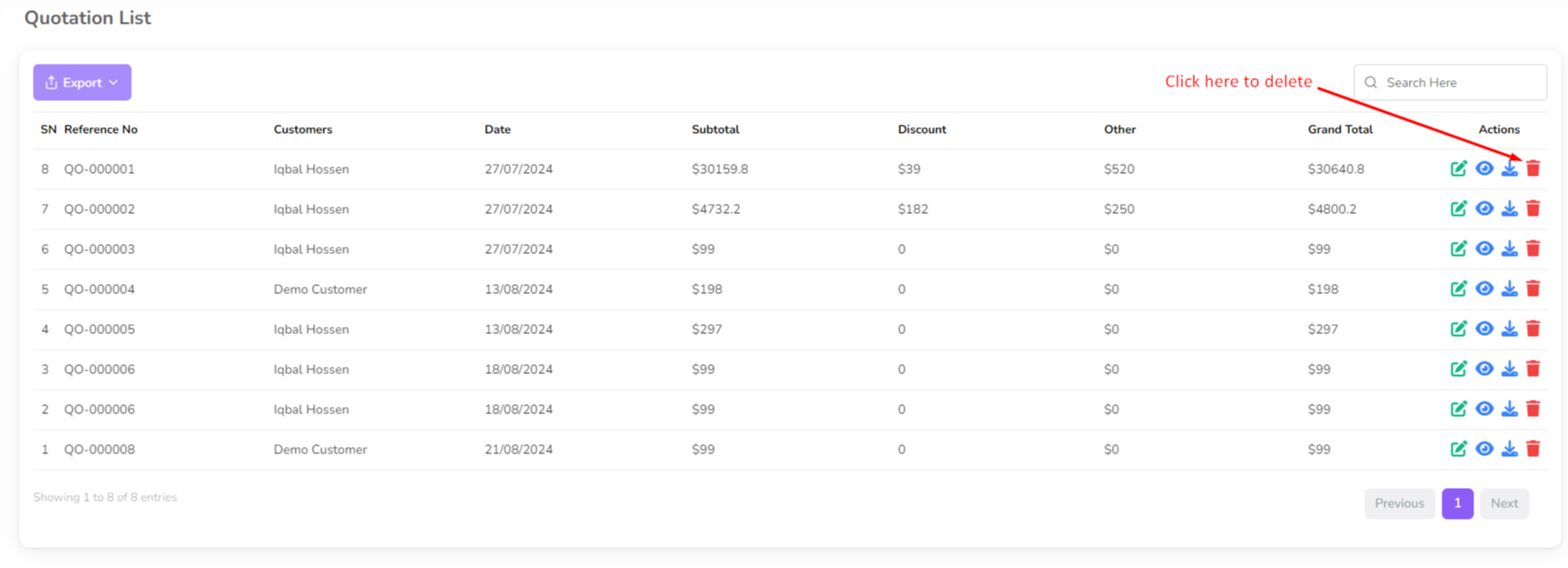
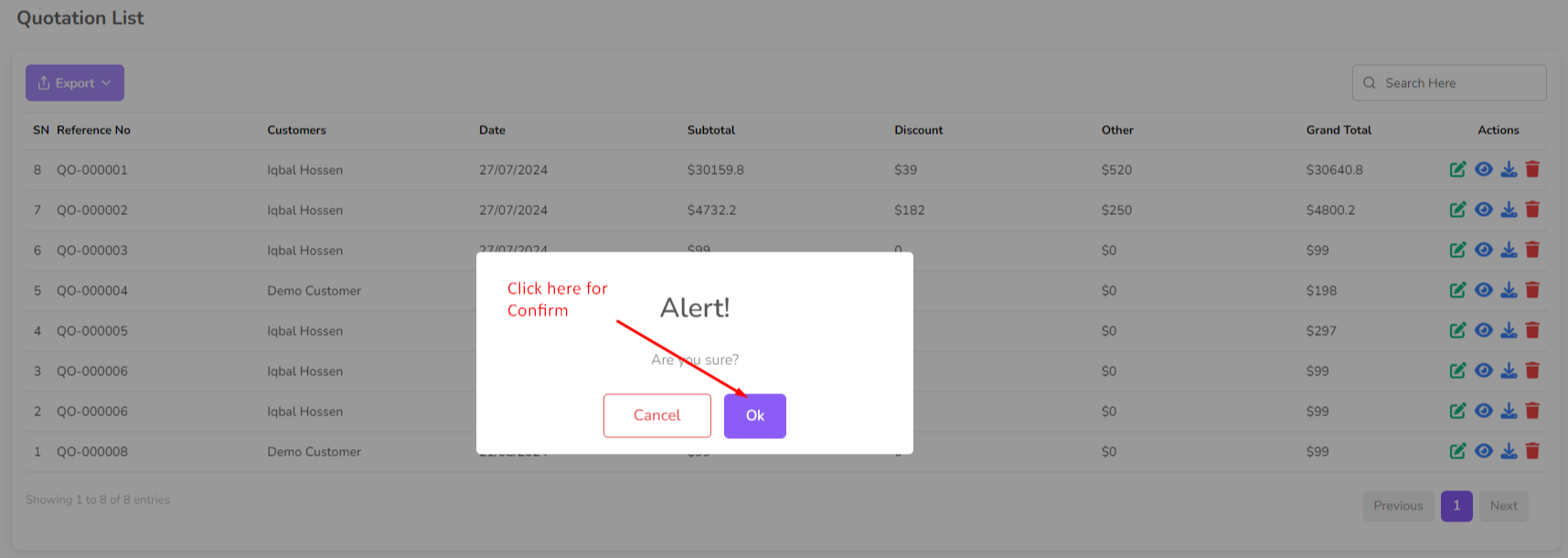
To delete a quotation, click on the "Delete" button next to the quotation you want to delete. Then a confirmation dialog will be opened.
Confirm the deletion and the quotation will be removed from the list.
Was this page helpful?
Thank you for your feedback!
Please Login First
Zimozo - Support Ticketing, Knowledgebase, Live Chat and CRM
Comments (00)