.png)
Demand forecasting by order is a feature that allows you to forecast the demand for your products based on your orders.
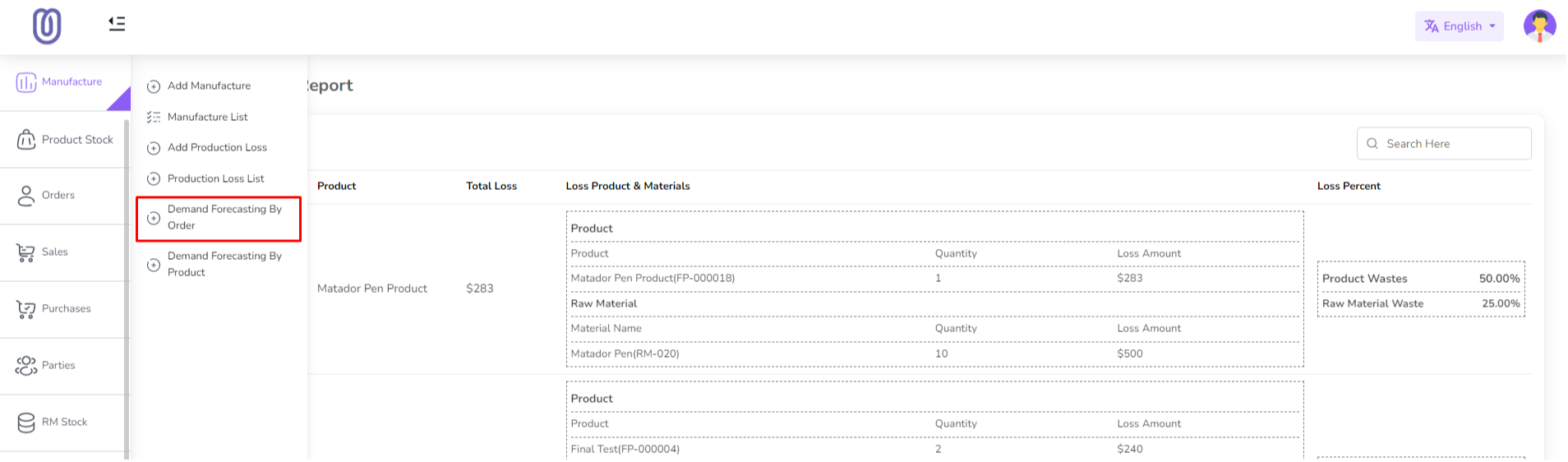
To forecast demand by order go to the Manufacture menu from the left sidebar and click on "Demand Forecasting By Order".
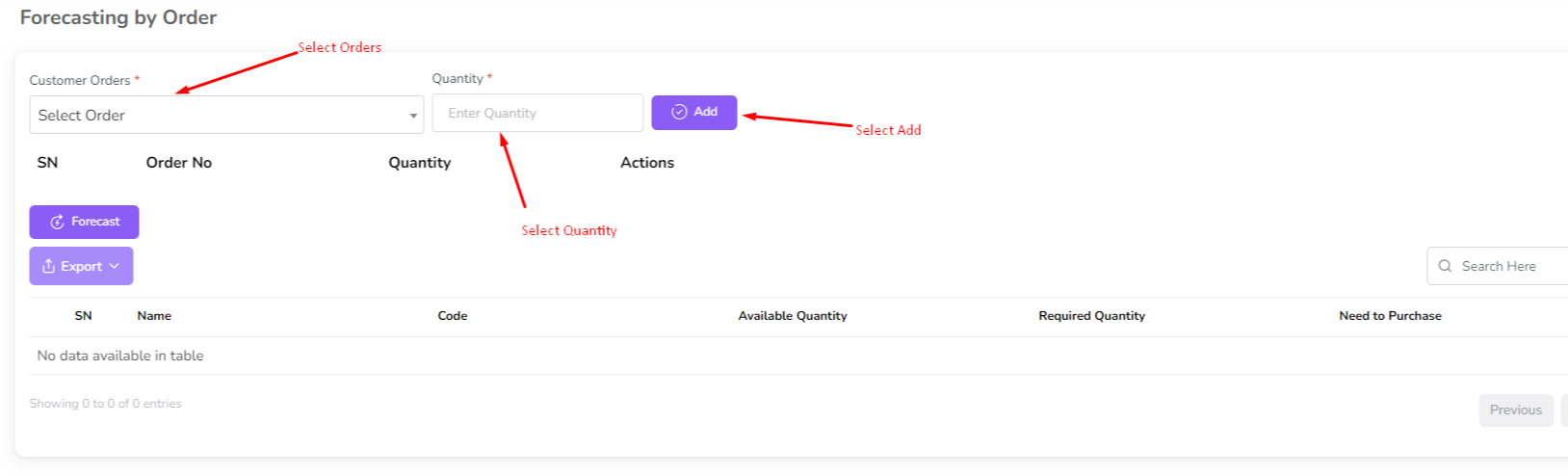
Select Order First from the dropdown then enter a quantity then click on the "Add" button.
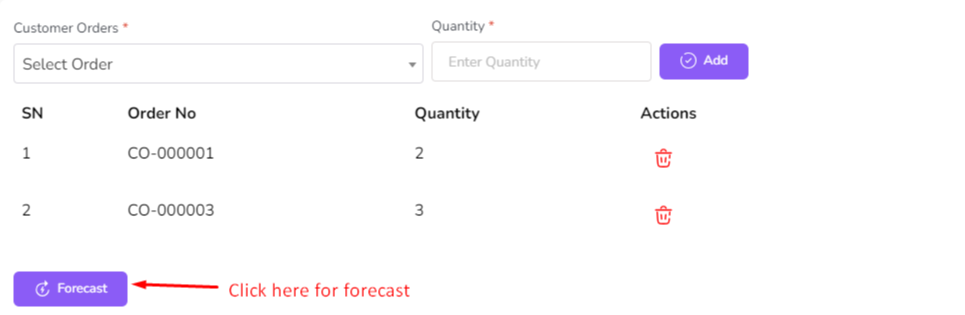
You can add multiple order for a forecasting. After adding all order click on the "Foreacast" button.
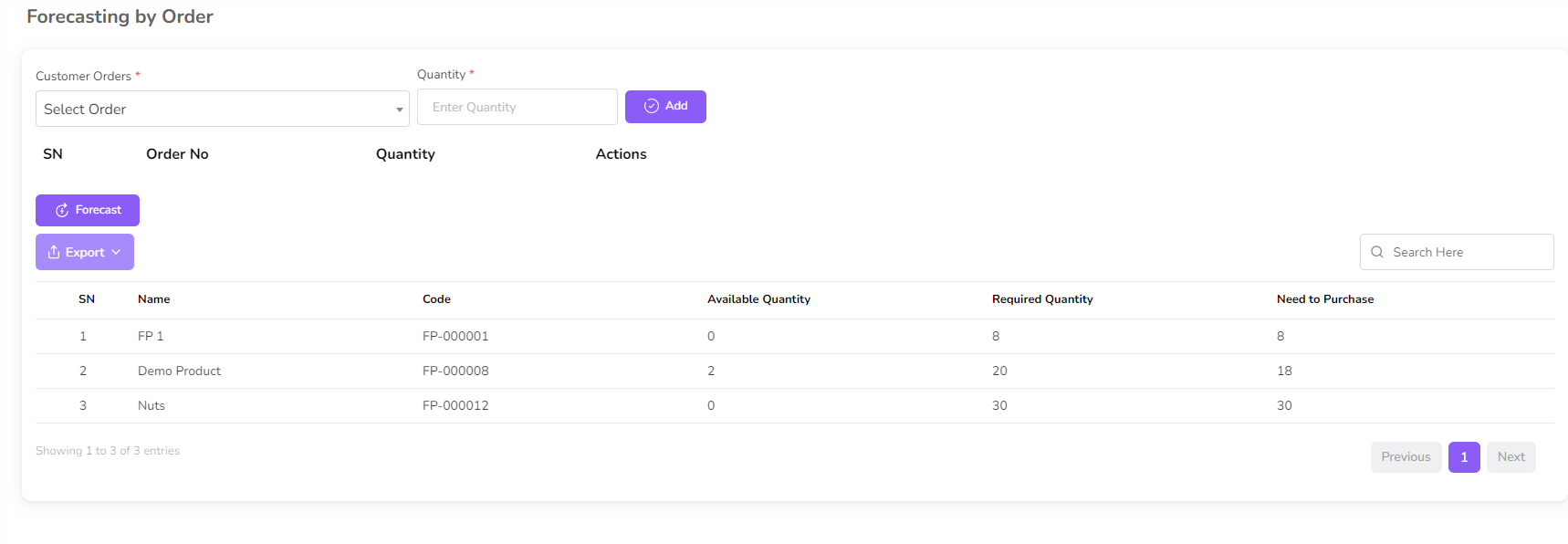
After forecasting the demand the forecasting table will be updated.
Was this page helpful?
Thank you for your feedback!
Please Login First
Zimozo - Support Ticketing, Knowledgebase, Live Chat and CRM
Comments (00)