.png)
In this section, you will learn how to manage your RM stock list, including filtering and other essential operations.
Floating Stock refers to the stock that is assigned in production and production is in progress.
To access the RM stock list, navigate to the "RM Stock" section from the left sidebar and click on "RM Stock".
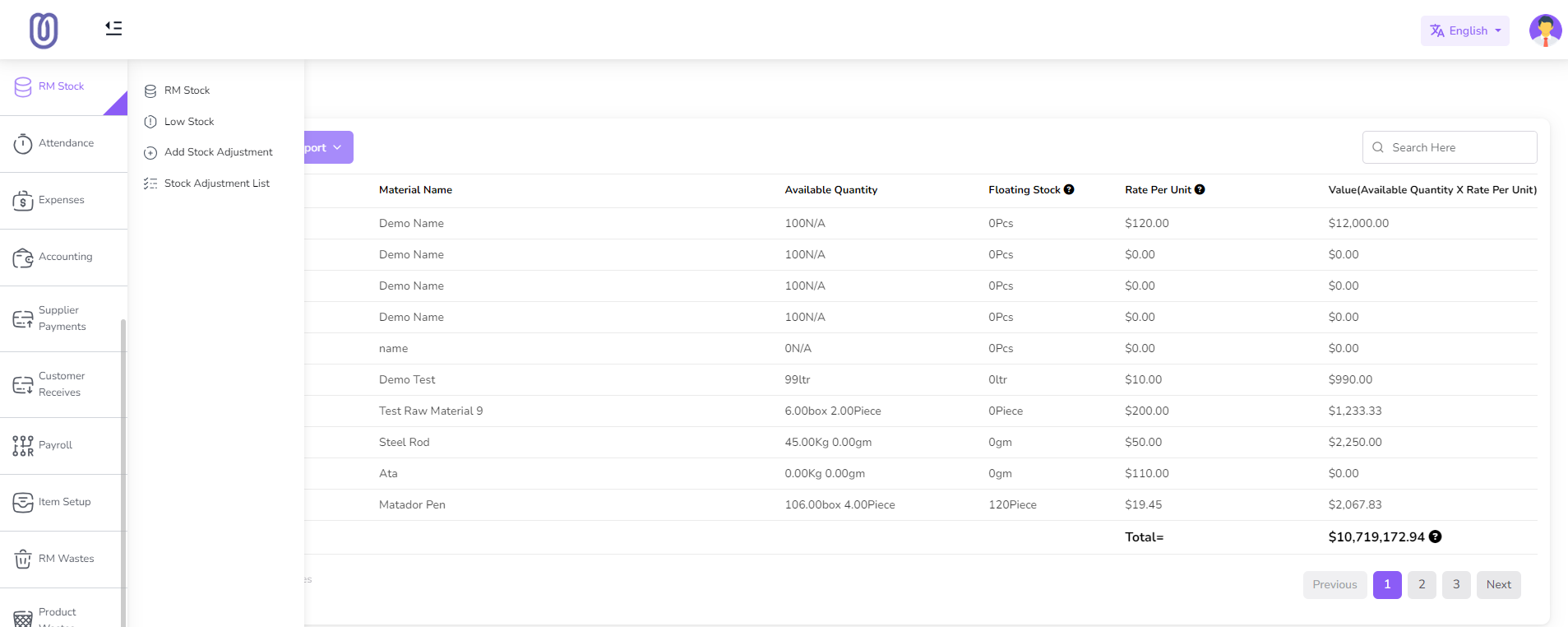
The RM stock list page displays all your raw materials, including their available Quantity, Floting Stock, Rate per unit, and total values.
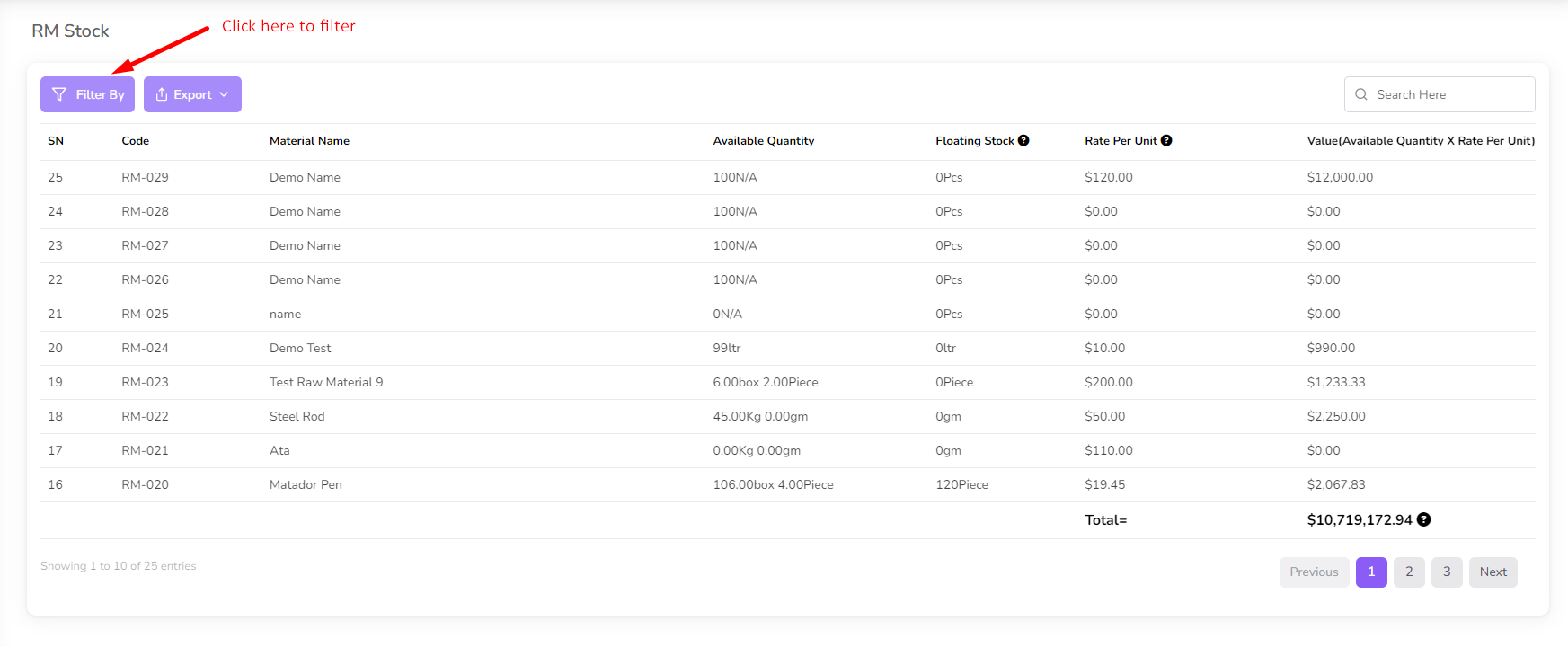
To filter the list, click on the "Filter" button. Then a filter modal will be opened.
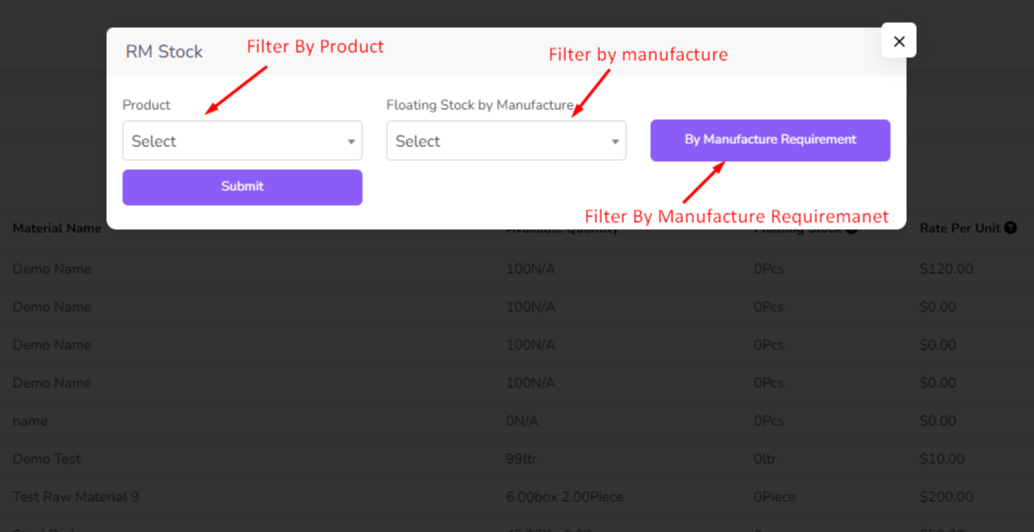
You can filter by product, manufacture and Manufacture Requirement
For product filter, select a product from the dropdown menu. and click on submit. Then the list will be filtered by the selected product.
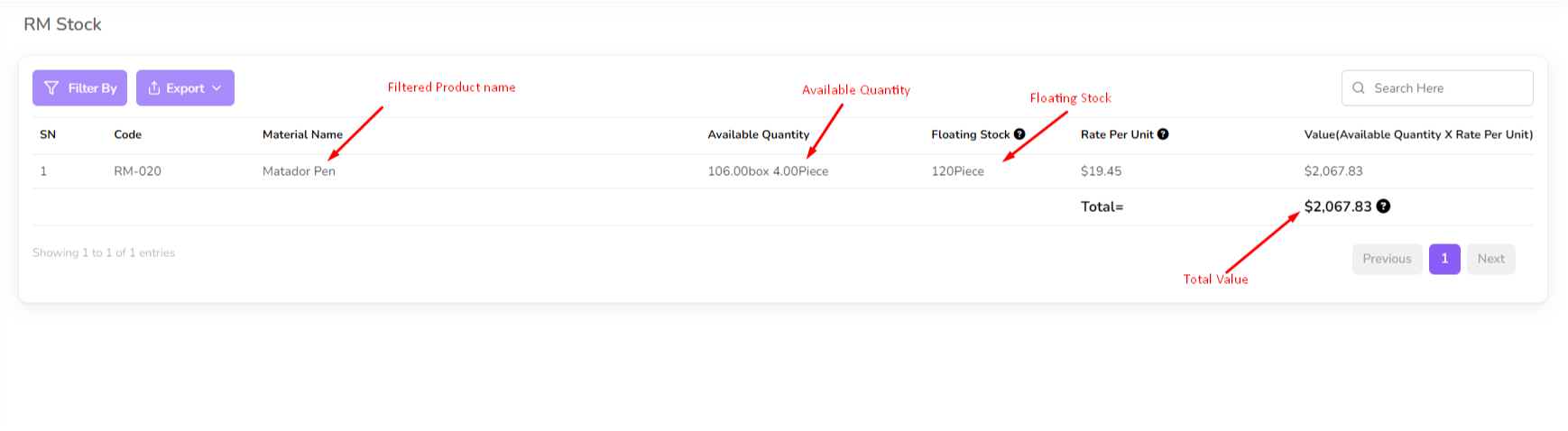
For Manufacture filter, select a Manufacture from the dropdown menu. and click on submit. Then the list will be filtered by the selected Manufacture.
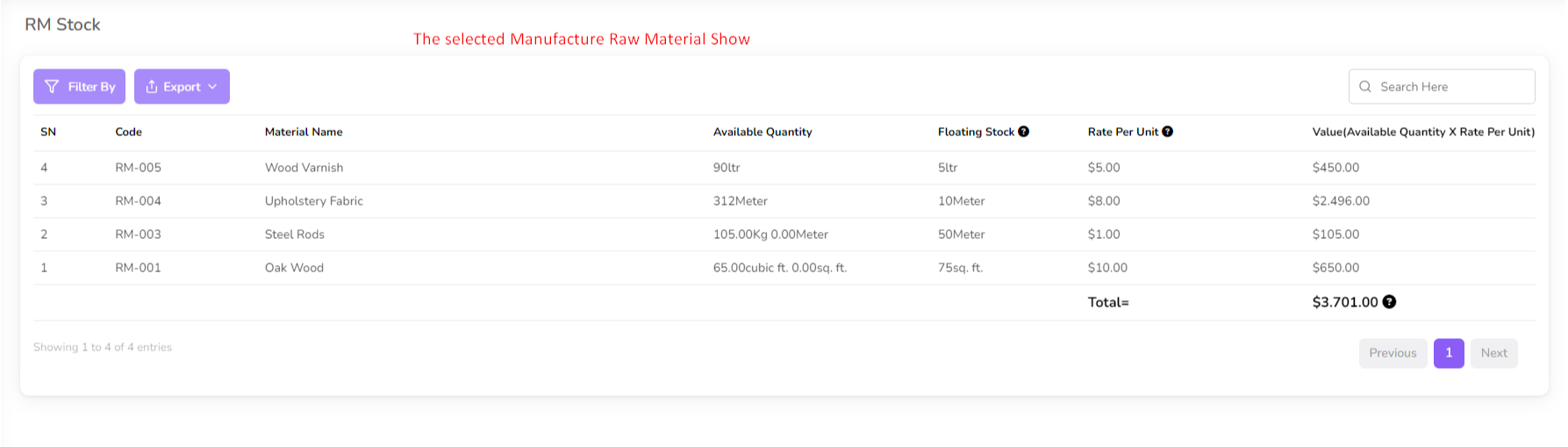
For Manufacture Requirement filter, click 'By Manufacture Requirement' button. Then a modal will be opened.
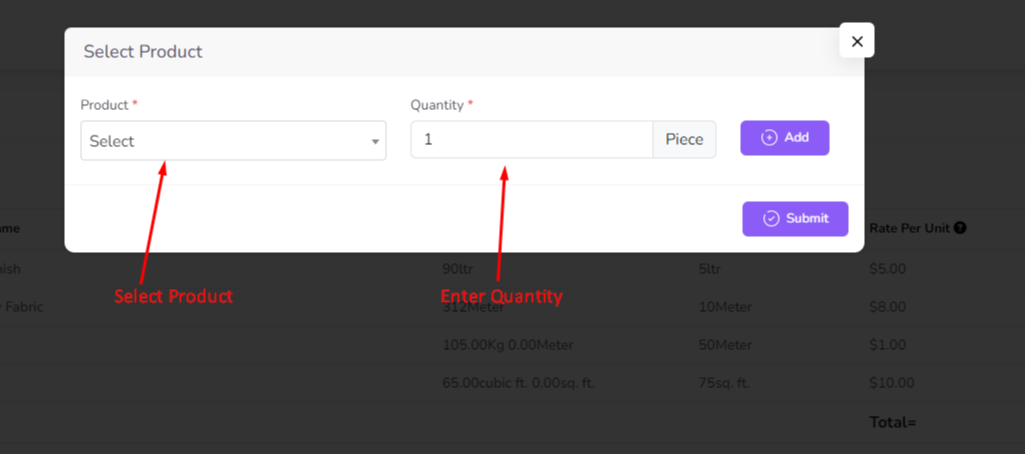
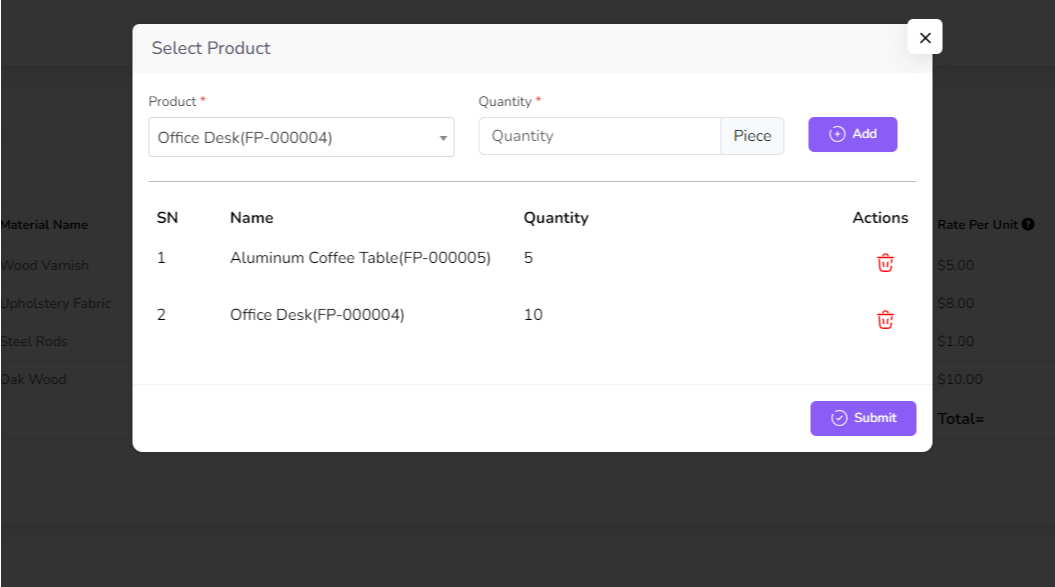
you can select multiple product and quantity from the dropdown menu. and click on submit. Then the list will be filtered by the selected product and quantity.
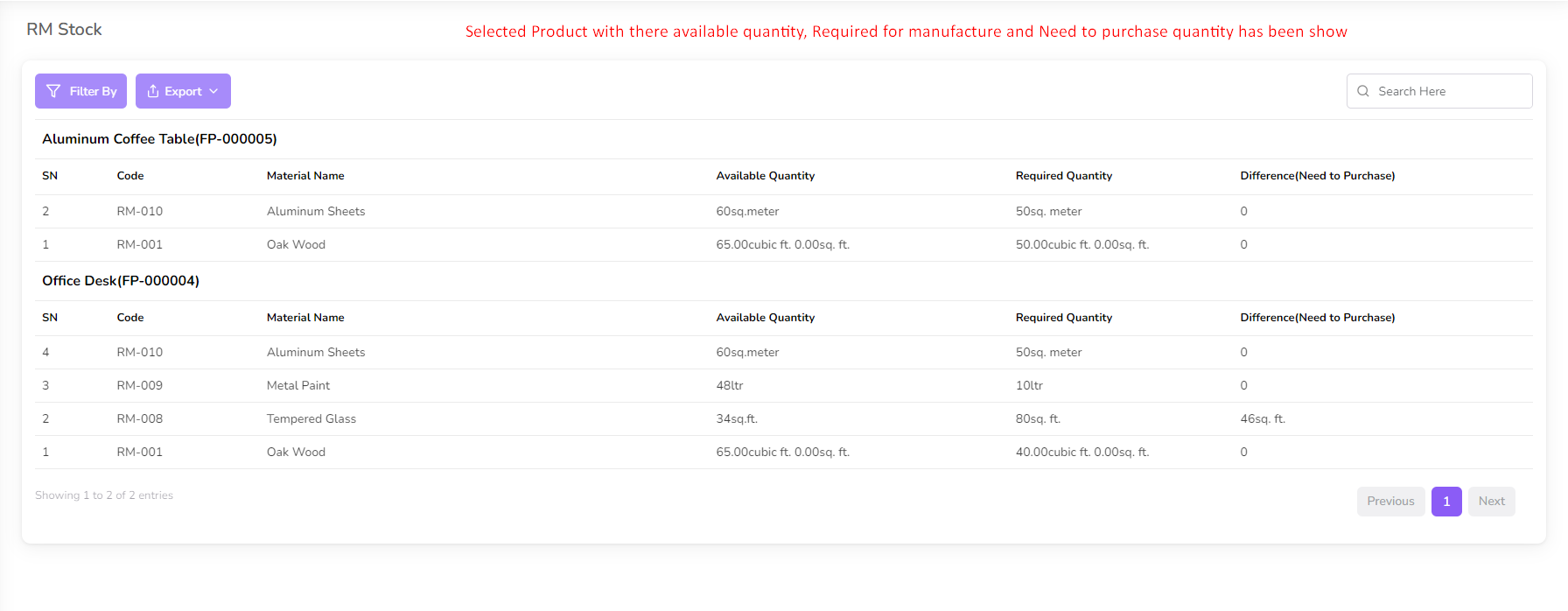
In List you will show every product raw material available in stock. and required quantity for production. also need to purchase quantity
Was this page helpful?
Thank you for your feedback!
Please Login First
Zimozo - Support Ticketing, Knowledgebase, Live Chat and CRM
Comments (00)