.png)
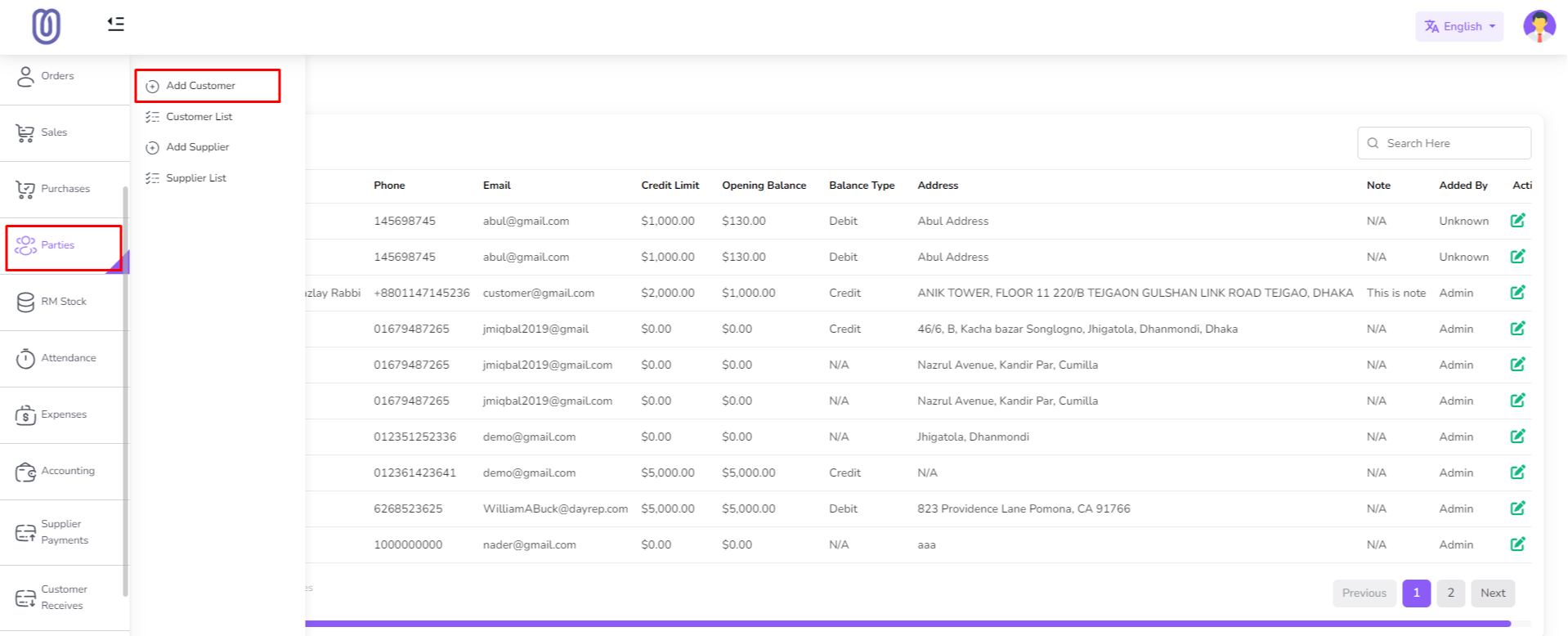
To manage customers, navigate to the "Parties" section from the left sidebar. Here you can see two menu "Customer" and "Add Customer"
To add a new customer, click on the "Add Customer" menu.
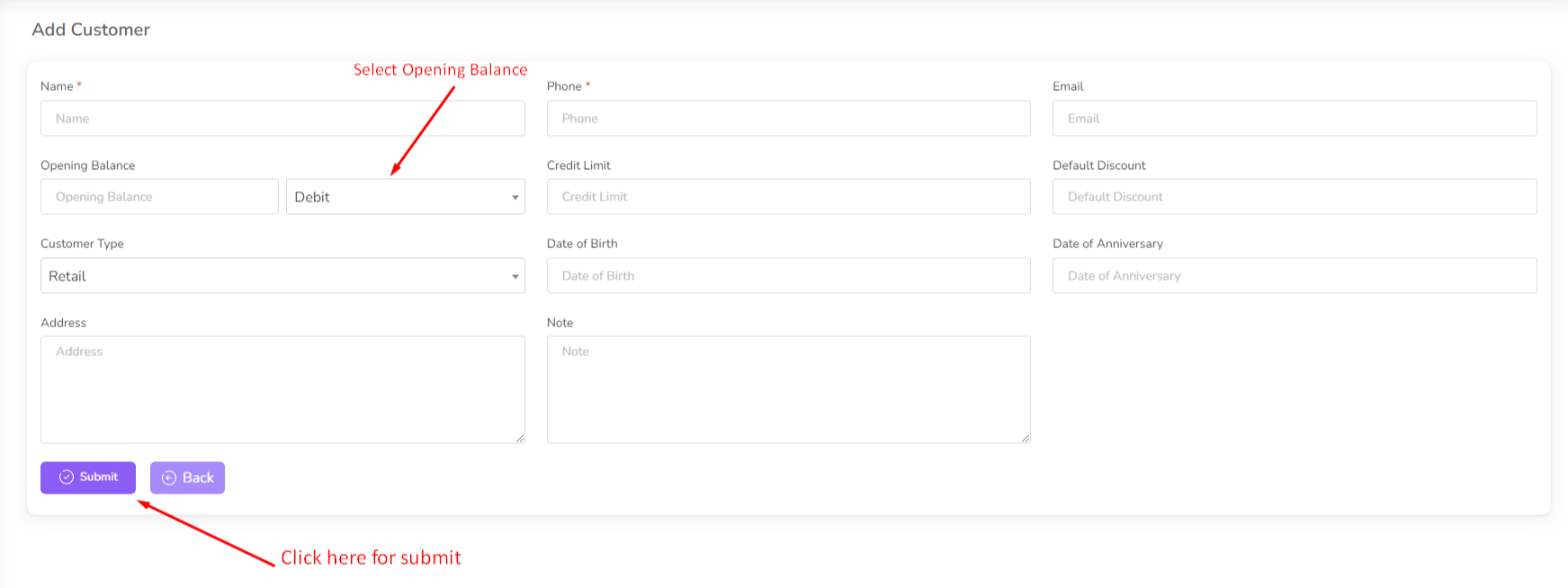
Fill in the required customer details and click on the "Submit" button.
You need to select opening balance for the customer. Opening Balanc type is debit or credit. Debit Balance: Debit balance means you are giving some amount of money to the customer at the time of adding customer. Credit Balance: Credit balance means customer will give some amount of money to you at the time of adding customer.
Here Credit Limit is optional. If you enable credit limit then customer will not be allowed to exceed the credit limit.
After successfully adding a customer, the customer list will be updated.
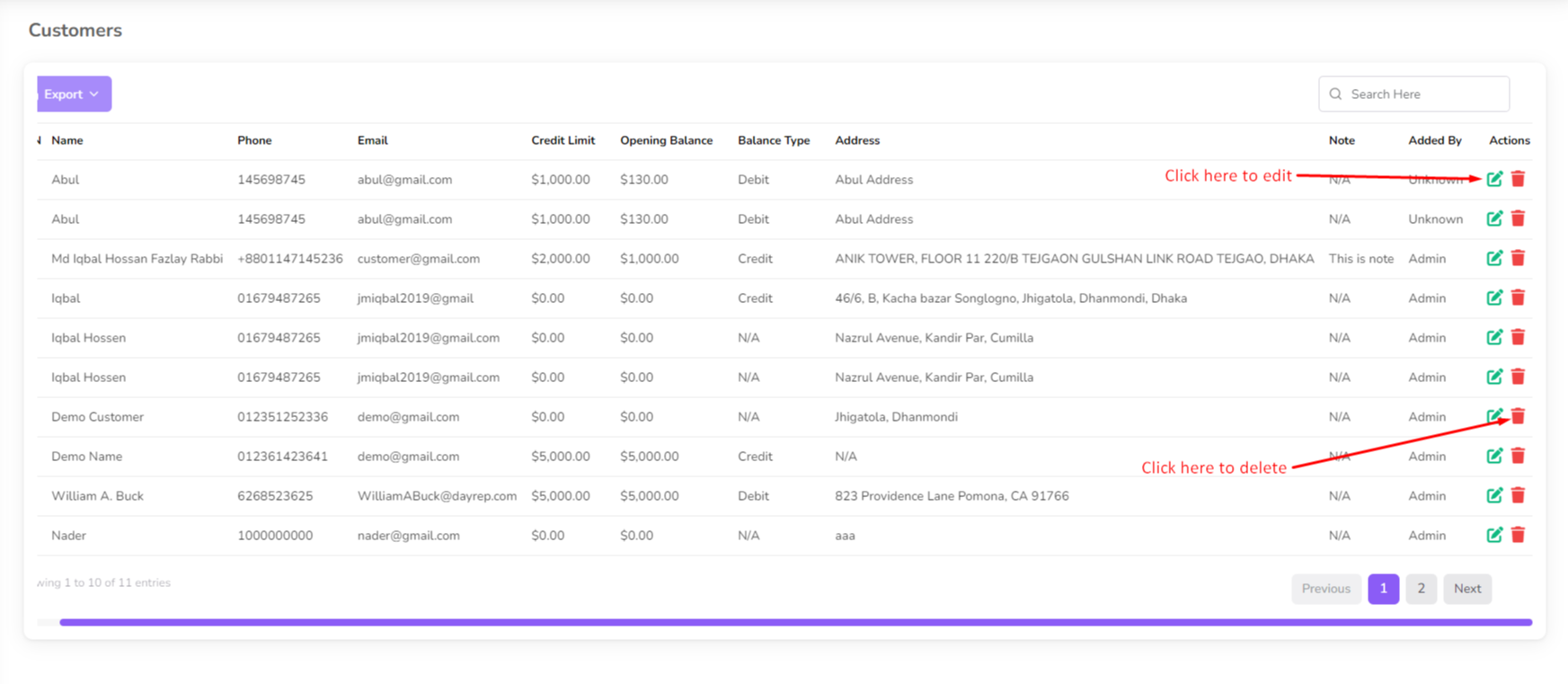
To edit customer details, click on the customer's name from the list.
Customer details will be displayed, allowing you to view or modify their information.
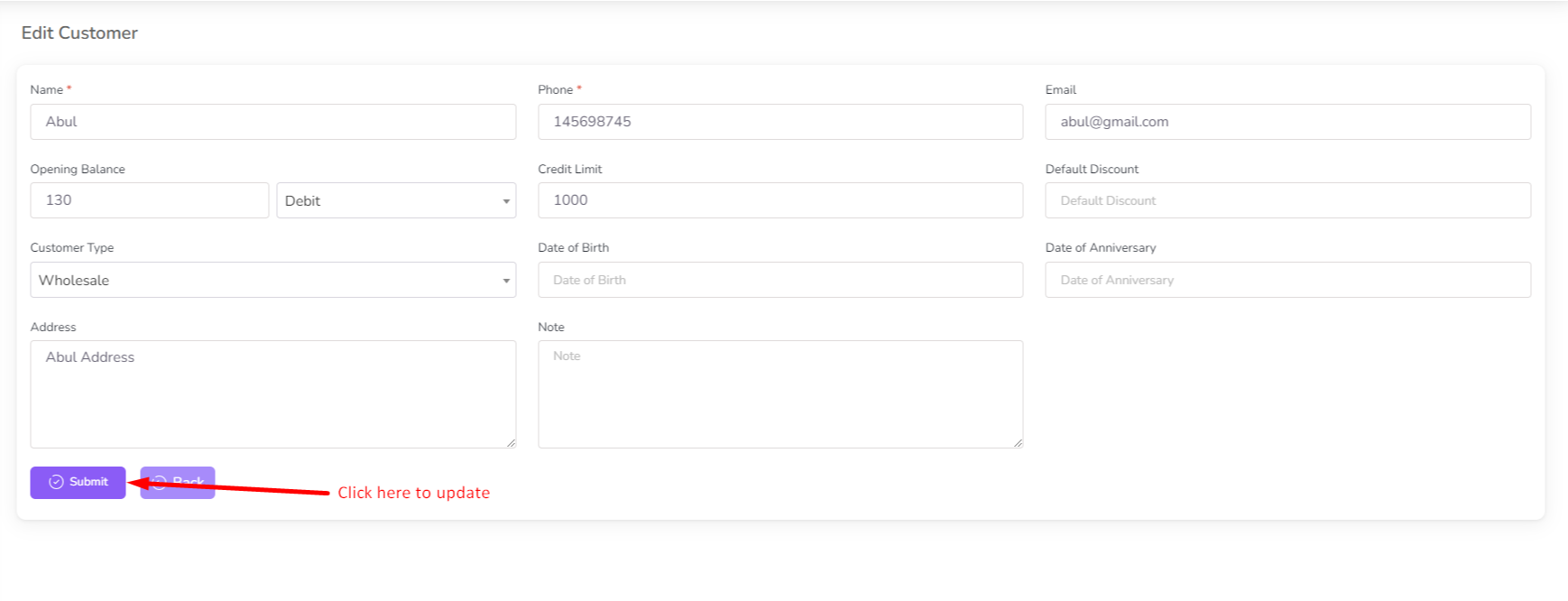
Make any necessary changes and click on the "Update" button to save the changes.
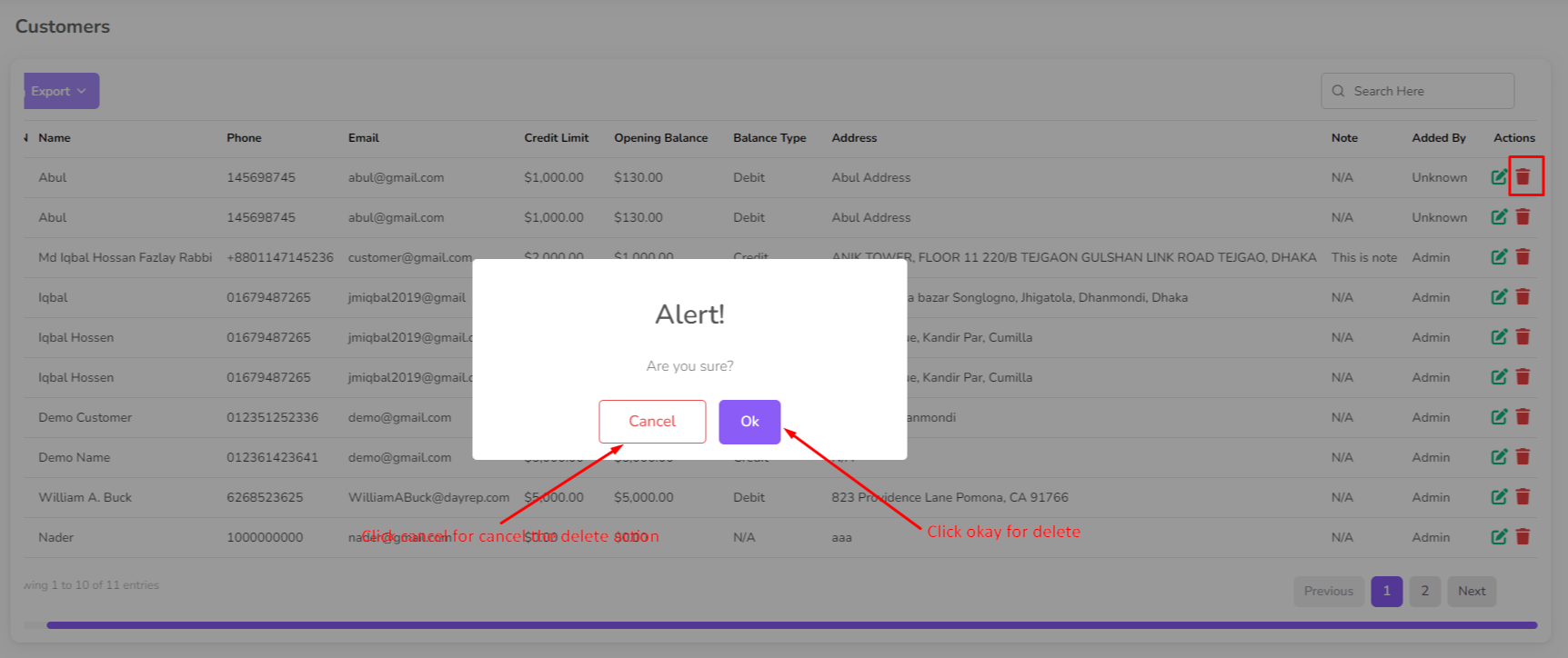
To delete a customer, click on the "Delete" button next to their name.
Was this page helpful?
Thank you for your feedback!
Please Login First
Zimozo - Support Ticketing, Knowledgebase, Live Chat and CRM
Comments (00)