After the adjustment, the updated stock quantity will be reflected in the RM Stock.
.png)
Stock Adjustment is a feature that allows you to adjust the stock quantity of raw material.
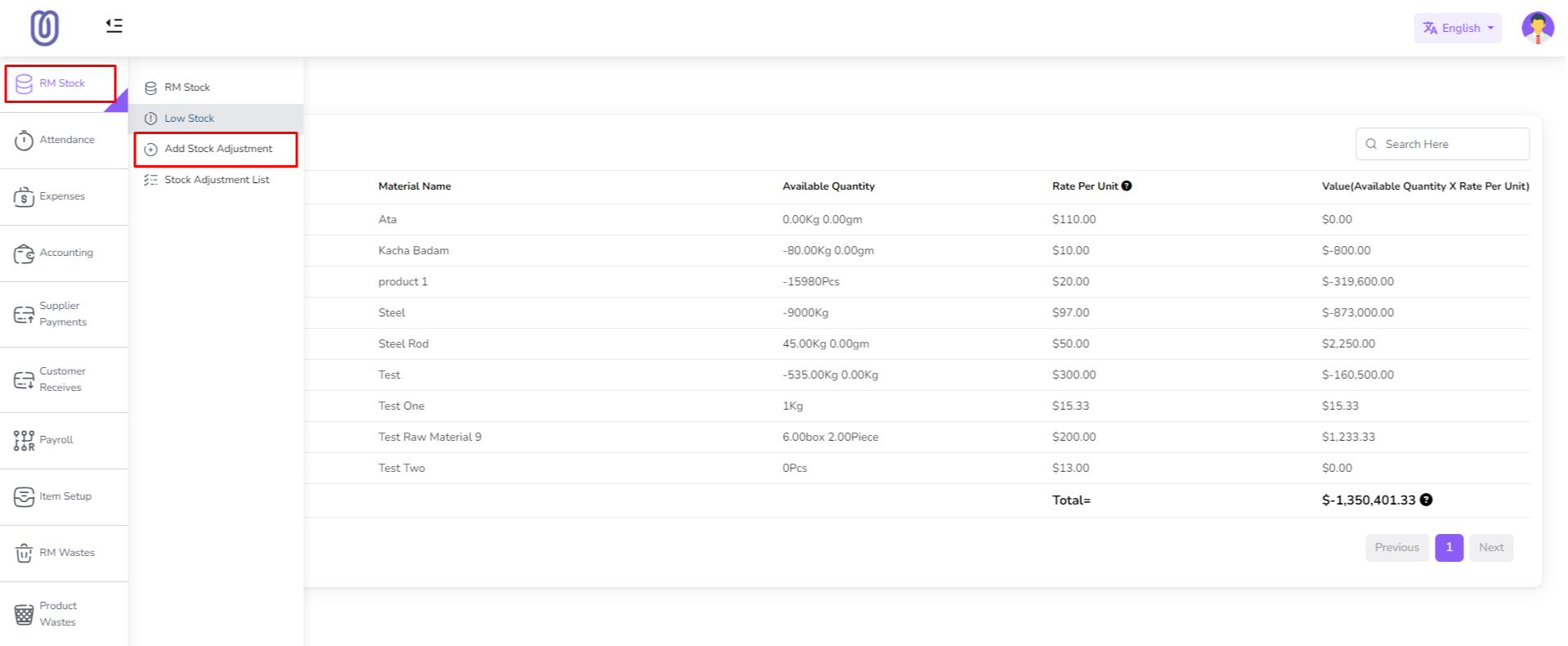
To perform add stock adjustment, navigate to the "RM Stock" section from the left sidebar and click on "Add Stock Adjustment".
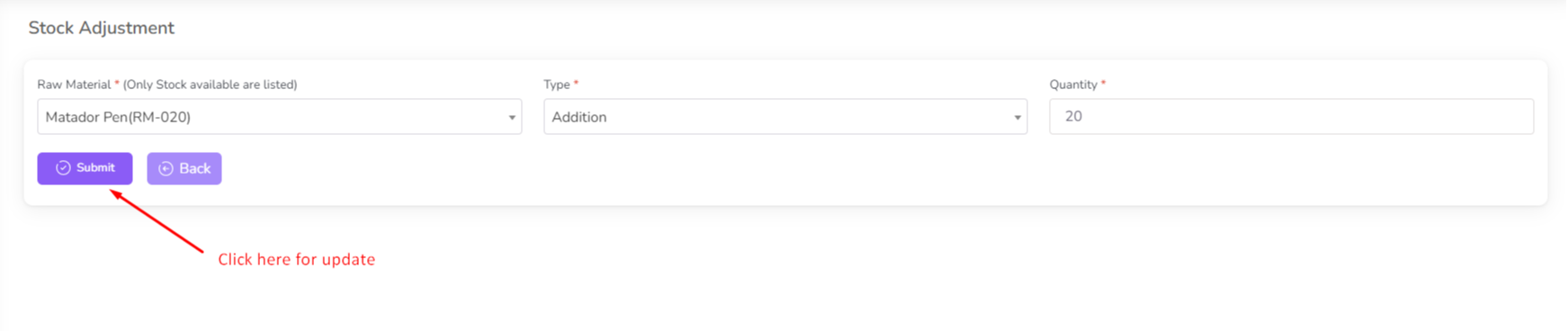
After that a form will be opened. and select raw material and quantity and type of adjustment.

Click on submit button. and stock will be adjusted. also you will see the adjustment in adjustment list.
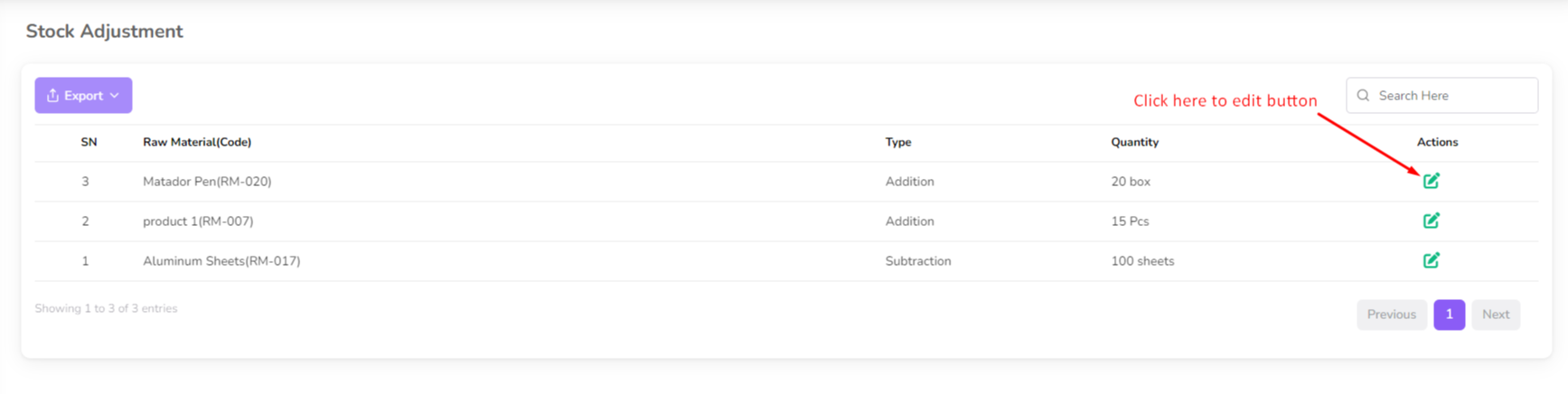
Click the "Edit" icon to edit the adjustment. and a form will be opened with previous data. you can change the quantity and type of adjustment.
After the adjustment, the updated stock quantity will be reflected in the RM Stock.
Was this page helpful?
Thank you for your feedback!
Please Login First
Zimozo - Support Ticketing, Knowledgebase, Live Chat and CRM
Comments (00)