.png)
In case you purchased it before from any supplier and now paying that due to that supplier please enter that here.
Go to "Supplier Due Payment" from the left menu and then click "Add Supplier Due Payment" to pay the due of your suppliers.
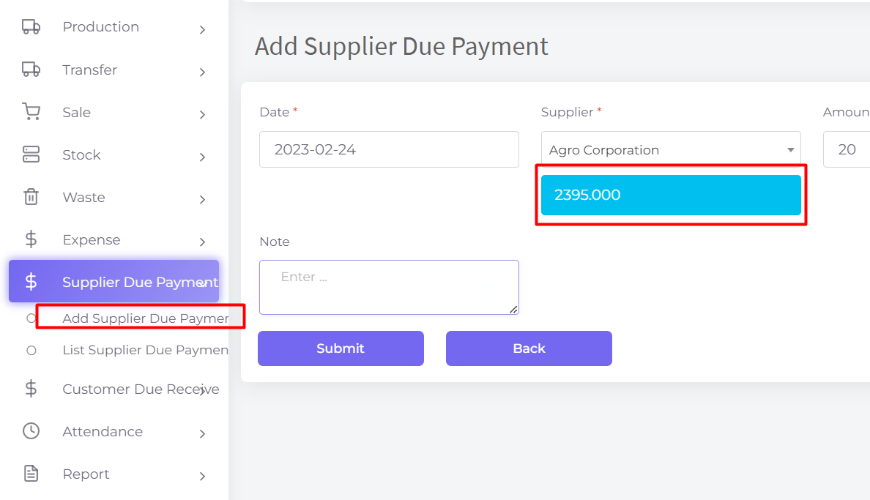
System will show the due amount when you select the Supplier, this amount is the due amount that you need to pay to that supplier. It is the sum of the due amount of purchases - sum of supplier due payment of a specific supplier.
Was this page helpful?
Thank you for your feedback!
Please Login First
Zimozo - Support Ticketing, Knowledgebase, Live Chat and CRM
Comments (00)