.png)
Select the order from the left side under the Running orders. And click on the Invoice.
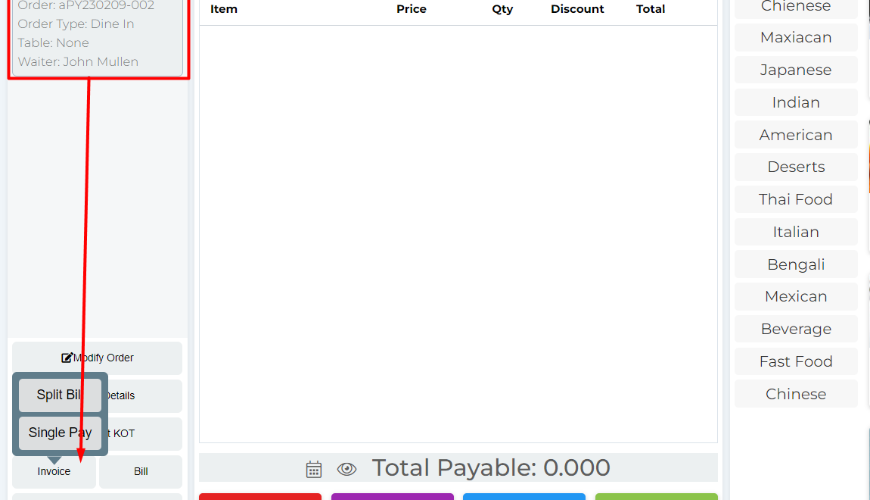
If your order type is Dine-in then the system will show two buttons here, one of Split Bill and another one is Single Pay, we will get more details about Split Bill in another section. If your order type Take Away or Delivery then the system will finalize modal directly.
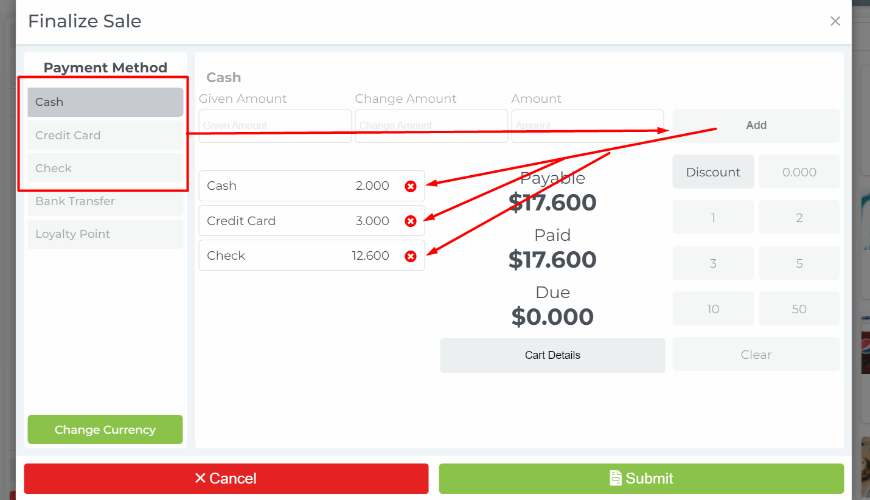
You will get multiple payment options in one sale. So, click on your payment method from the left side then add the amount and then click on Add button.
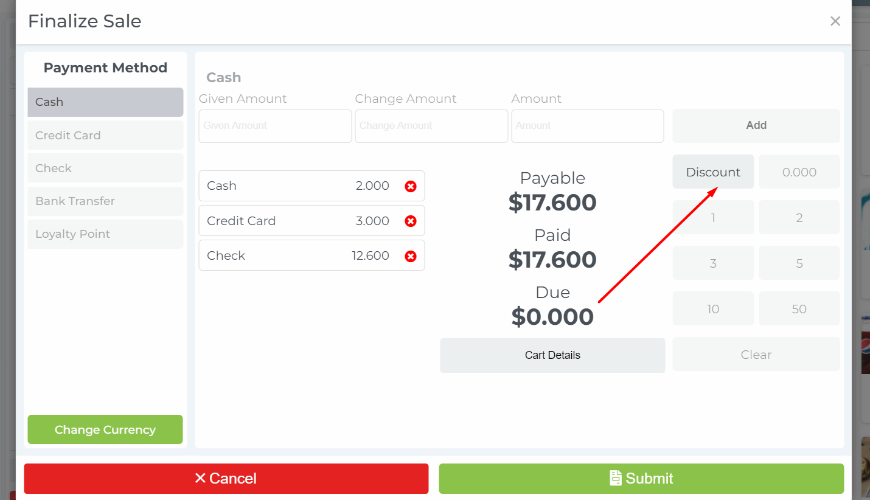
You can set a discount instantly during the finalized sale.
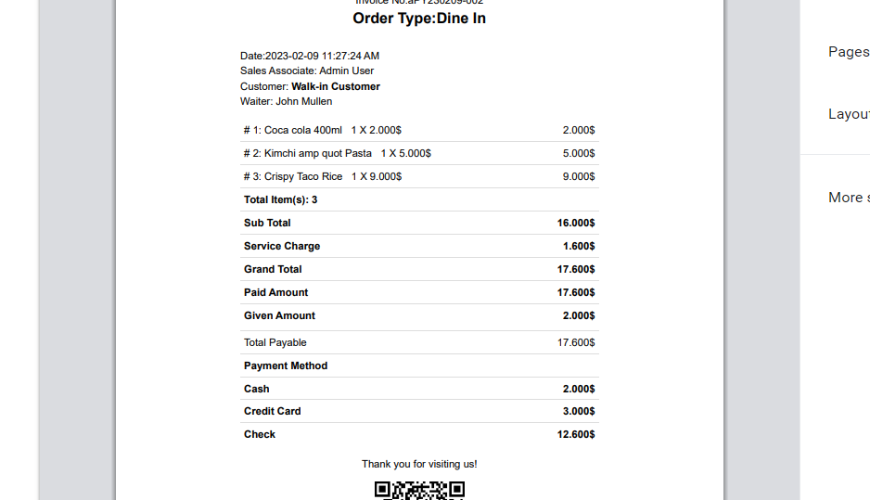
Invoice-
Was this page helpful?
Thank you for your feedback!
Please Login First
Zimozo - Support Ticketing, Knowledgebase, Live Chat and CRM
Comments (00)