.png)
To change your password, please follow these instructions.
Go to the "Account and User" from the left menu and then click on "Change Password".
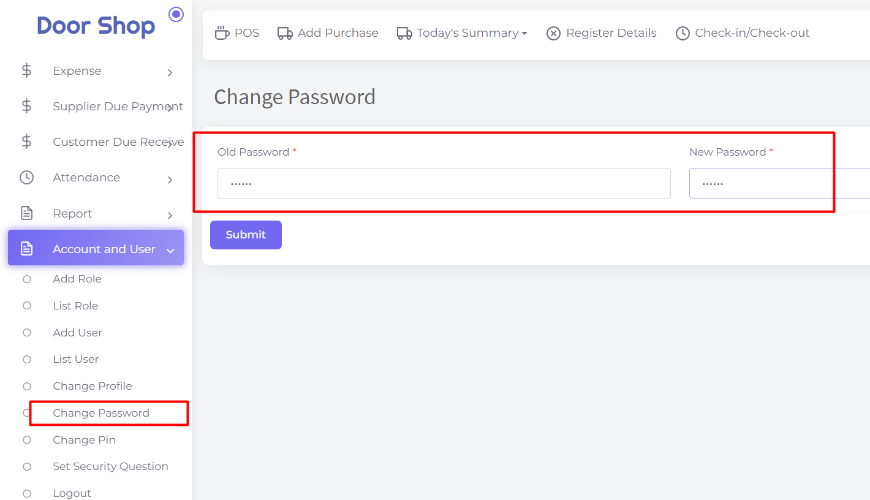
Now enter your old password and new password. Click on the "Submit" button to change your password
Cette page vous a été utile?
Merci pour votre avis!
S'il vous plait Connectez-vous d'abord!
Zimozo - Support Ticketing, Knowledgebase, Live Chat and CRM
commentaires (00)