.png)
Somehow you may need to print the KOT again after placing the order like: the paper is empty in one of the KOT printers, paper waster, or you didn't set up any auto KOT printing using the print server. So in that case, you can Reprint the KOT.
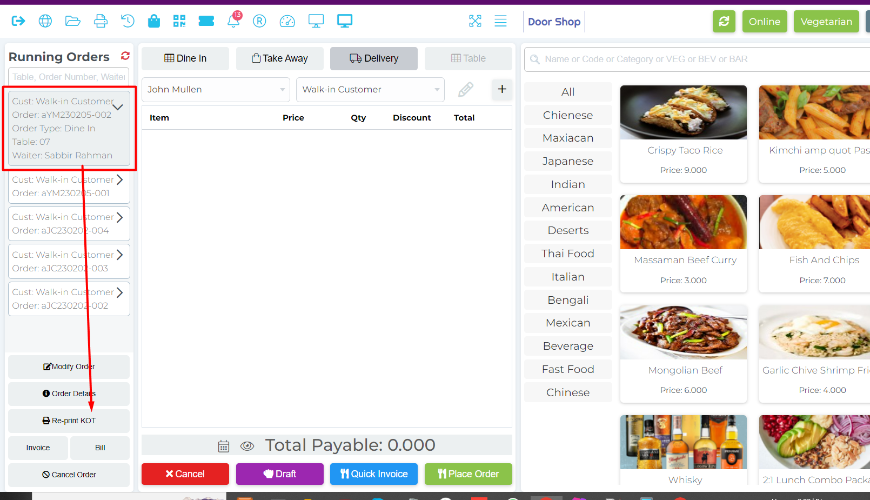
Select an order from the running order section then click on Reprint KOT.
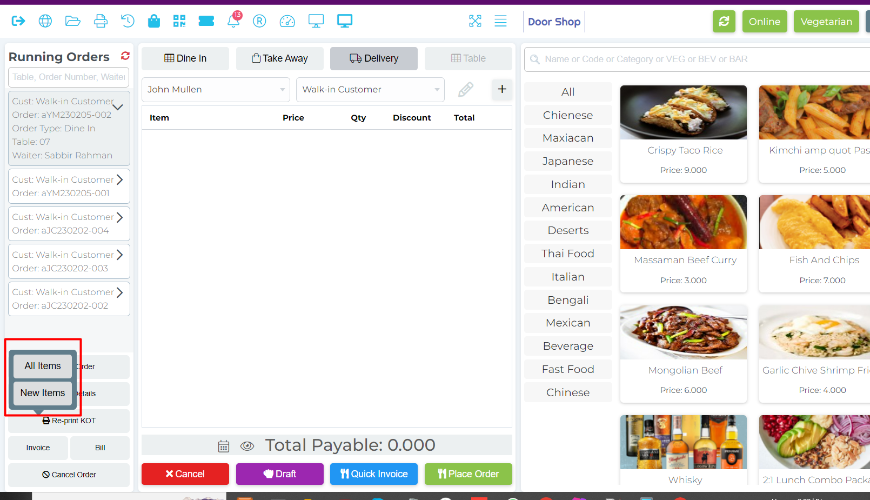
System will show two buttons, All Items means, system will print all items every time and New Items means it will print only new items or updated quantity after modify the order.
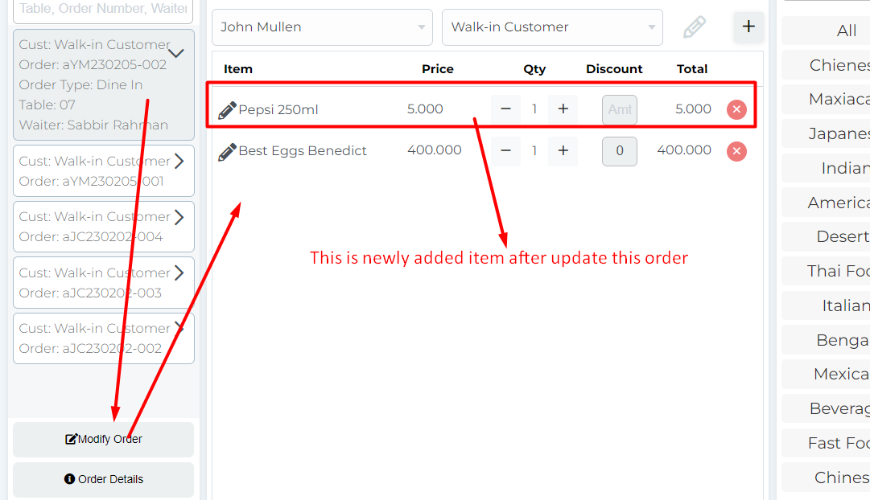
After clicking on the Modify Order button.
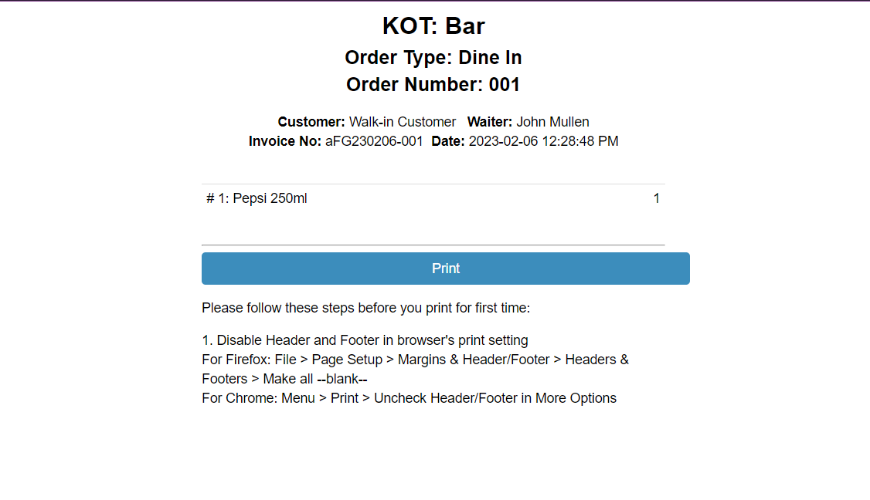
Only new food printed on KOT.
Was this page helpful?
Thank you for your feedback!
Please Login First
Zimozo - Support Ticketing, Knowledgebase, Live Chat and CRM
Comments (00)