.png)
Here you can add your food menu category like Chinese, Thai Food, Mexican Food, Desert, Indian Food, etc.
Go to "Item" from the left menu, and then click on "Add Food Menu Category".

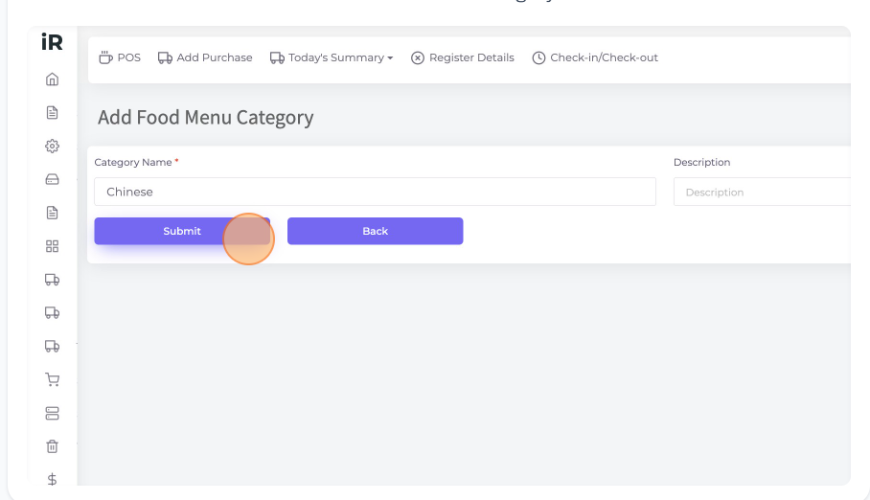
Category Name: Here enter your food menu category name. Then click "Submit" to save this food menu category.
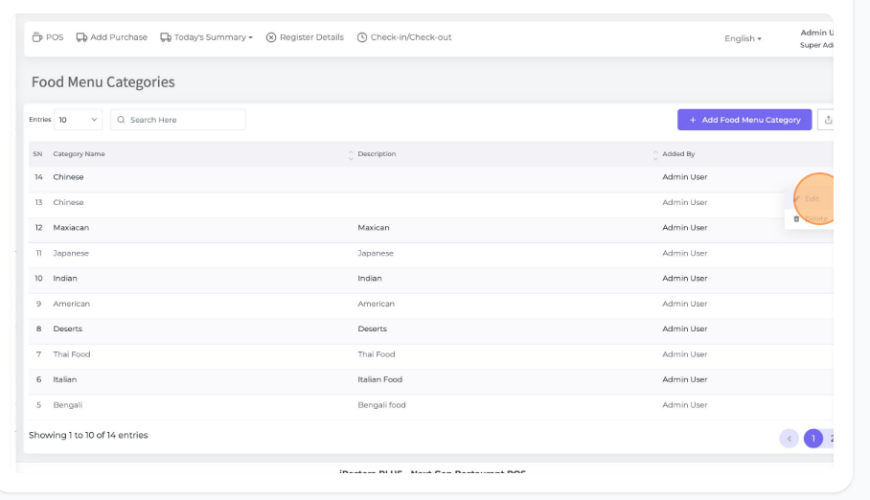
Go to "List Food Menu Categories" and view your all food menu category list here.
Here you can edit or delete any Food Menu Category by using the edit or the delete button from Action in the list.
Was this page helpful?
Thank you for your feedback!
Please Login First
Zimozo - Support Ticketing, Knowledgebase, Live Chat and CRM
Comments (00)