.png)
Go to your project with that following path application/language/
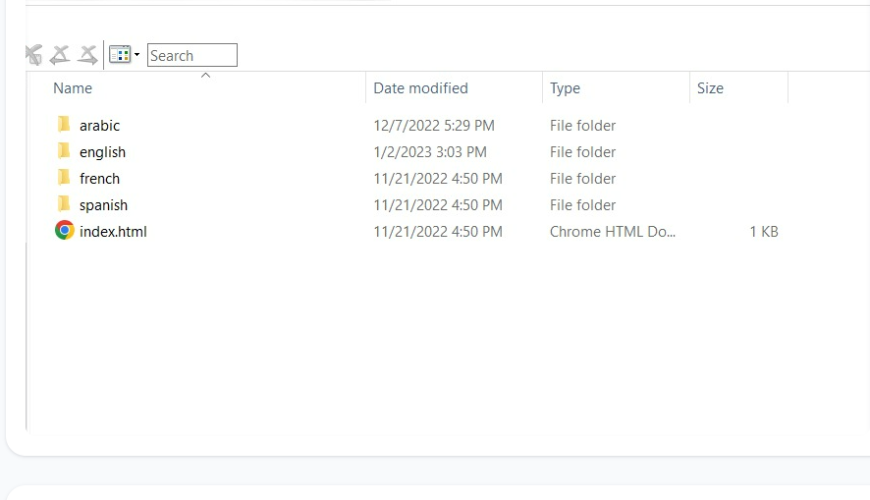
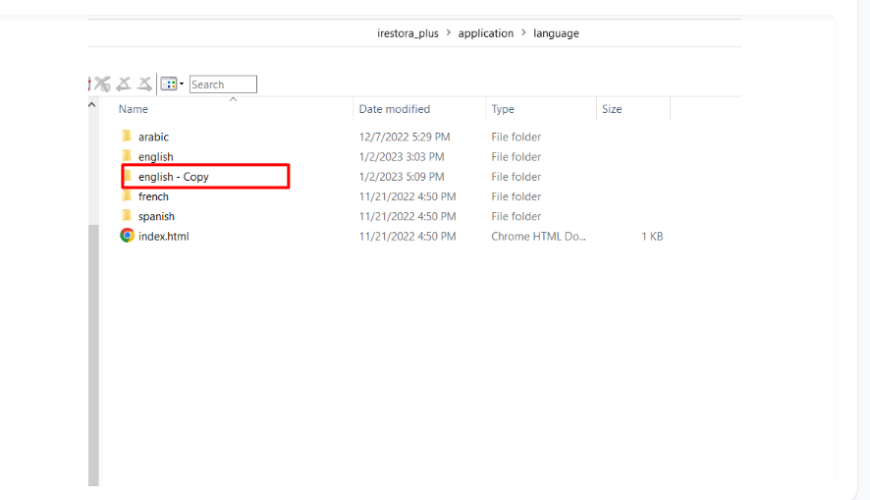
Copy the english languages folder and rename the folder by your desired language name e.g: tamil
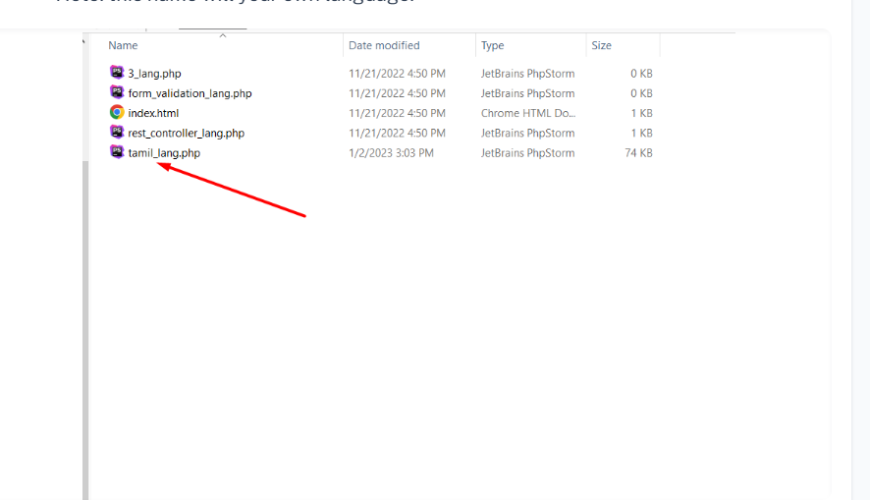
Change file name with same folder name. After renaming the file.
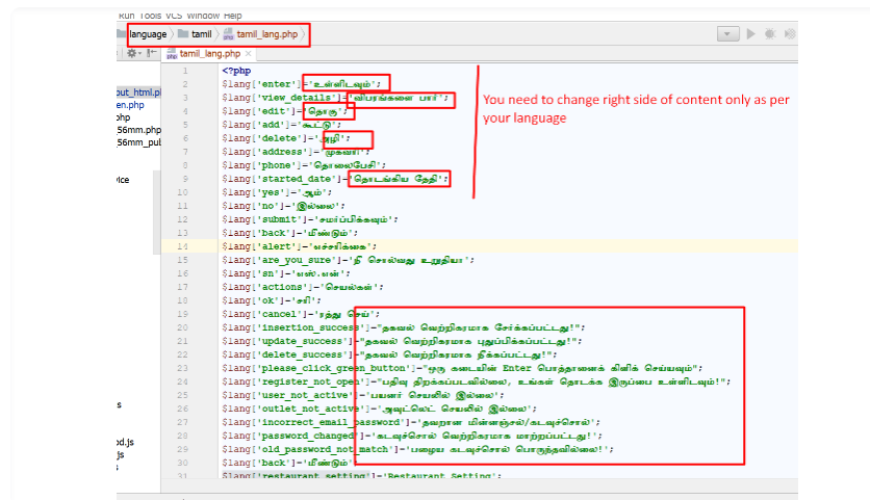
Now open the file in a text editor like Notepad++ or Sublime Text and change it by following the screenshot. You can download this editor front the following link: www.sublimetext.com
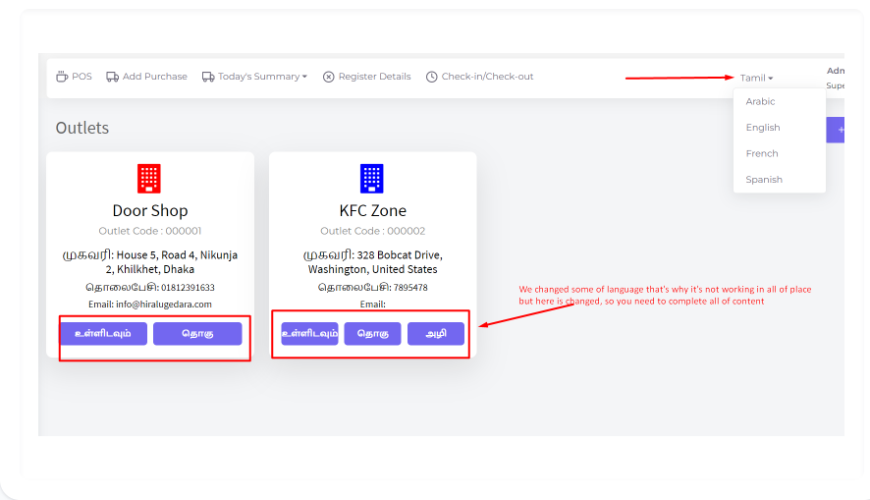
Finally save the file and run the software. You will find the newly added language in the change language dropdown.
Was this page helpful?
Thank you for your feedback!
Please Login First
Zimozo - Support Ticketing, Knowledgebase, Live Chat and CRM
Comments (00)