.png)
Example of variation is, for example, Jeans can have multiple colors, so add variations called Colors and provide the value for it. As given in the image below.
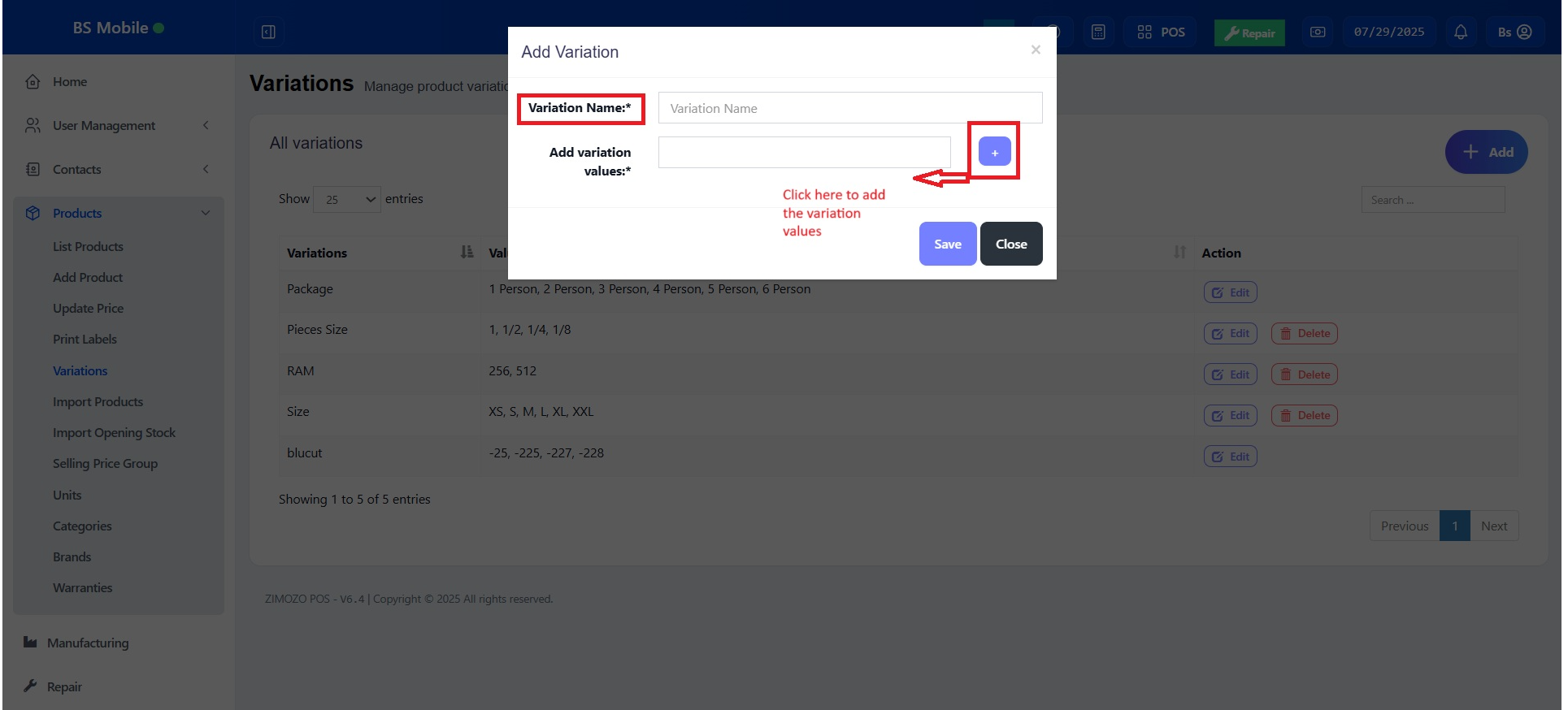
NOTE: Delete variation option will not be shown for variations that are already used in some products
If a product has more than one variation, for example, A shirt with size ‘M’ and brand ‘POLO’ or A book with pages 30 and size long.
Add the variation name and type as a combined variation.
Eg: variation name : Size – Pages
variation values – Long -30, Long -120, Long – 200, Small -30, Small – 120 etc.
Was this page helpful?
Thank you for your feedback!
Please Login First
Zimozo - Support Ticketing, Knowledgebase, Live Chat and CRM
Comments (00)