.png)
Advanced balance(to customers) is the sum of the amount that the business should pay for the customers.
Advanced balance(to suppliers) is the sum of the amount that the suppliers should pay for the business.
To add an advanced balance, Go to Customers -> customers/suppliers and click on the action button. Here you will find a pay option and click on it. Add payment pop up will be shown and add the required amount value and click on save button.
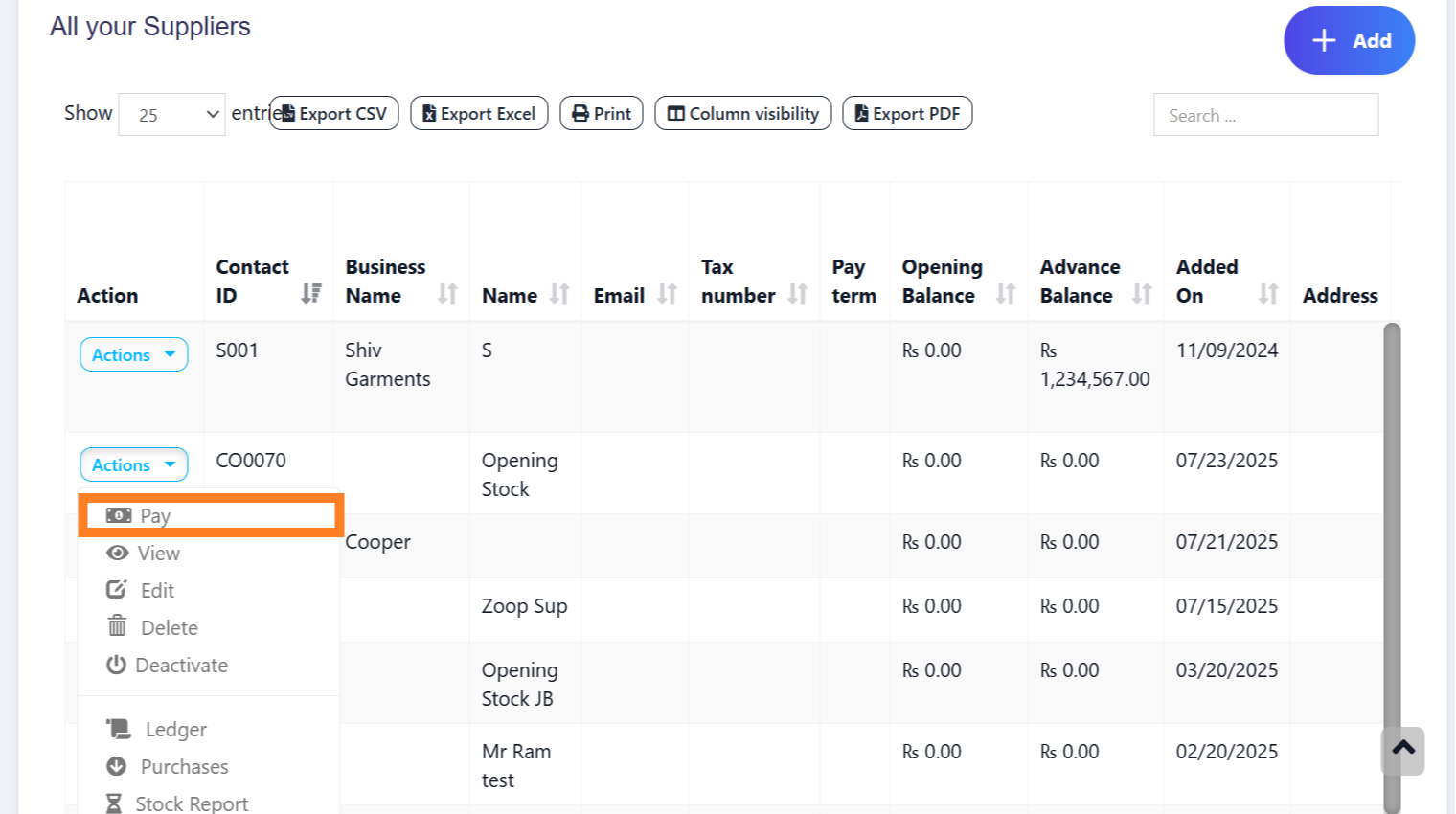
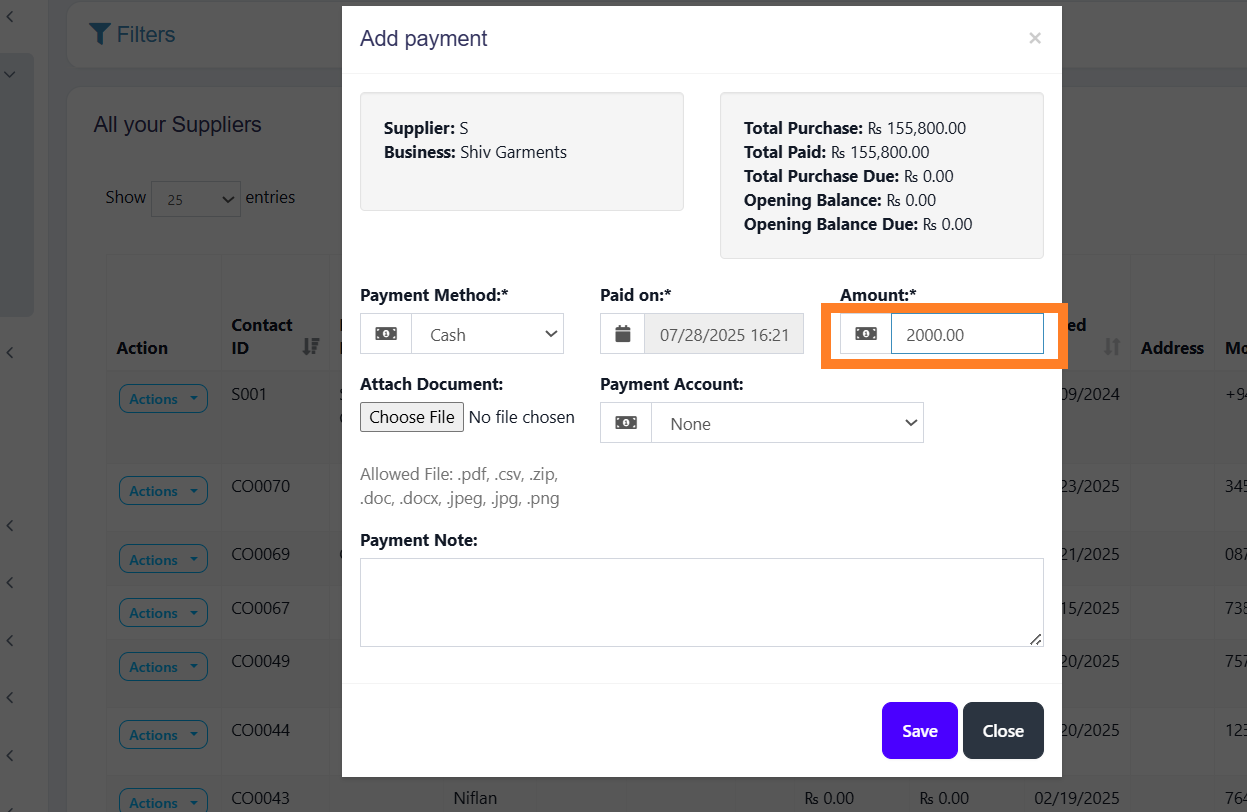
To make a purchase or sale using this advanced balance, add a sale or purchase.
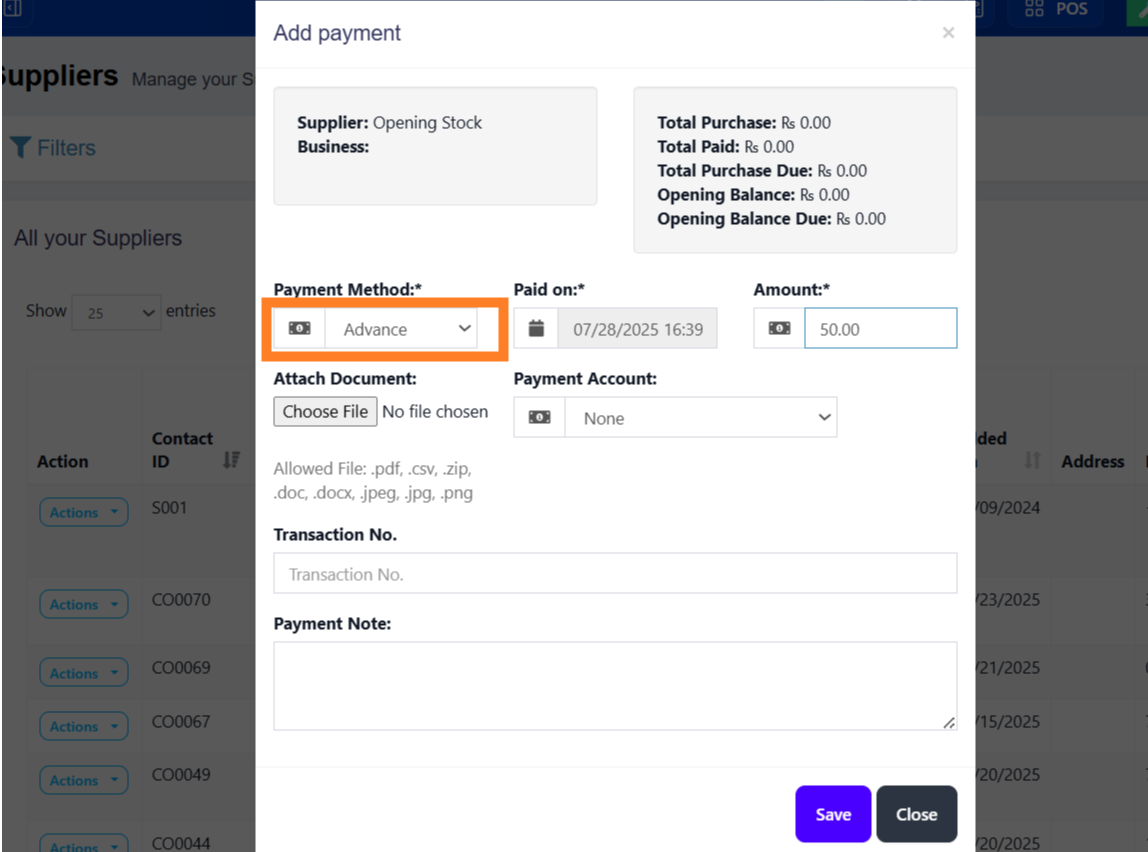
Select the customer/supplier. While making the payment, select the advance payment in payment method option and save it.
Note: Payment from advance balance will only be used only if advance payment method is selected.
Was this page helpful?
Thank you for your feedback!
Please Login First
Zimozo - Support Ticketing, Knowledgebase, Live Chat and CRM
Comments (00)