Zimozo ERP Documentation

System is looking for solutions in Knowledgebase, Blogs, AI, and other places

Featured Products for POS screen

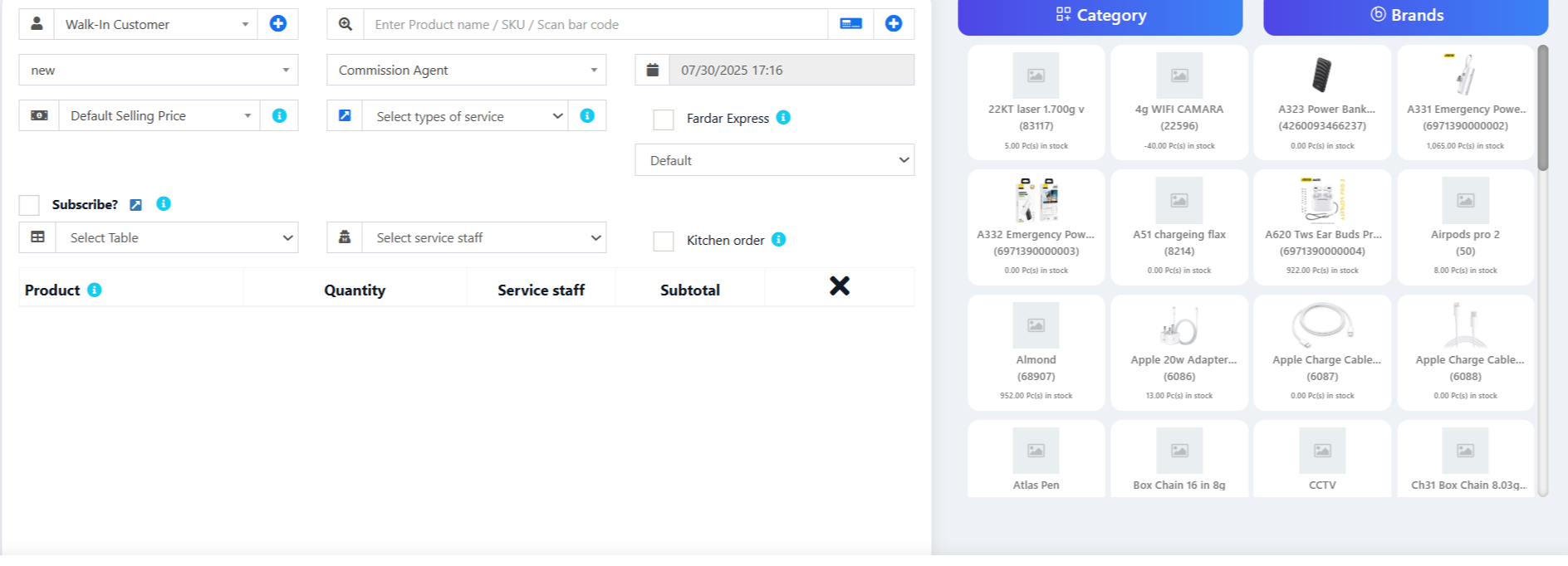
Adding featured products helps you quickly access some products which are frequently or most commonly sold.

To add featured products follow these steps:
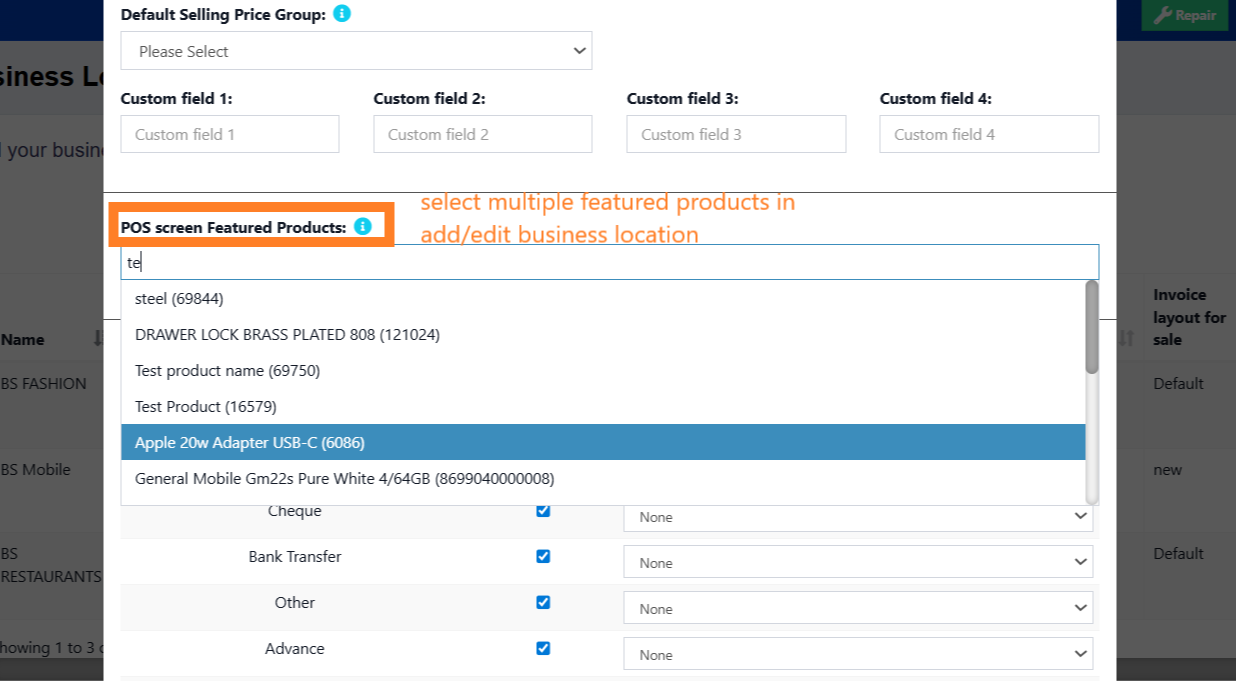
  1. Go to Settings -> Business Locations.
  2. Add/Edit any business locations
  3. In add/edit screen you can select multiple products that can be featured in pos for this location.


                                                                 Select feature products in add/edit business locations


Was this page helpful?

Thank you for your feedback!

Comments (00)

Leave a comment

Sign in to post your comment or Sign Up if you don't have any account.

Ai Replying

Zimozo - Support Ticketing, Knowledgebase, Live Chat and CRM

Get In Touch

Need More Help