.png)
Deleting of a product will remove the products from the database.
NOTE: This delete will not work if the product have some transactions related to it. Transaction can be Opening Stock, Purchase, Sales or Stock transfer of the product. It will show some error like:
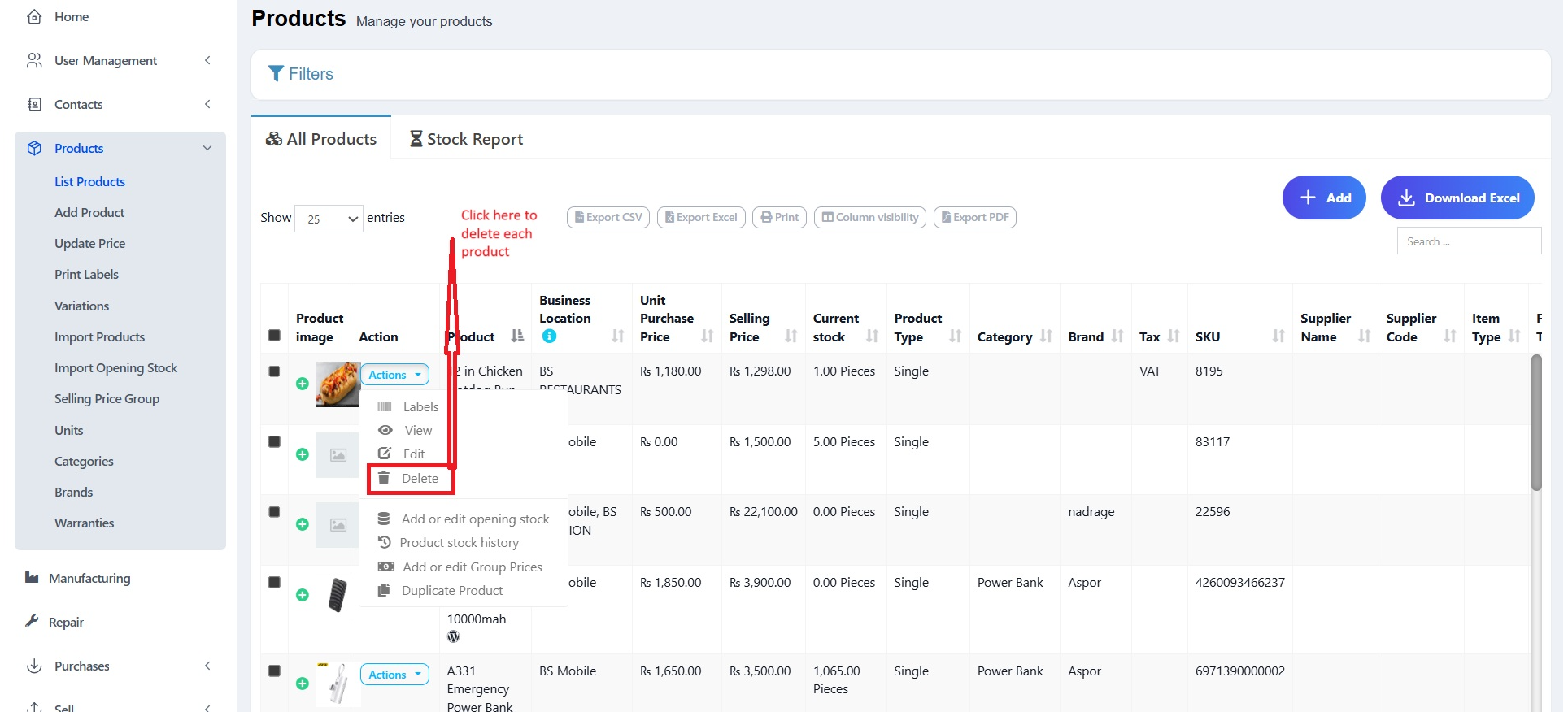
You can delete products either individually or in bulk. Follow the instructions below:
Go to Products → List Products.
Locate the product you want to delete.
Click on the Actions dropdown beside the product.
Select the Delete option.
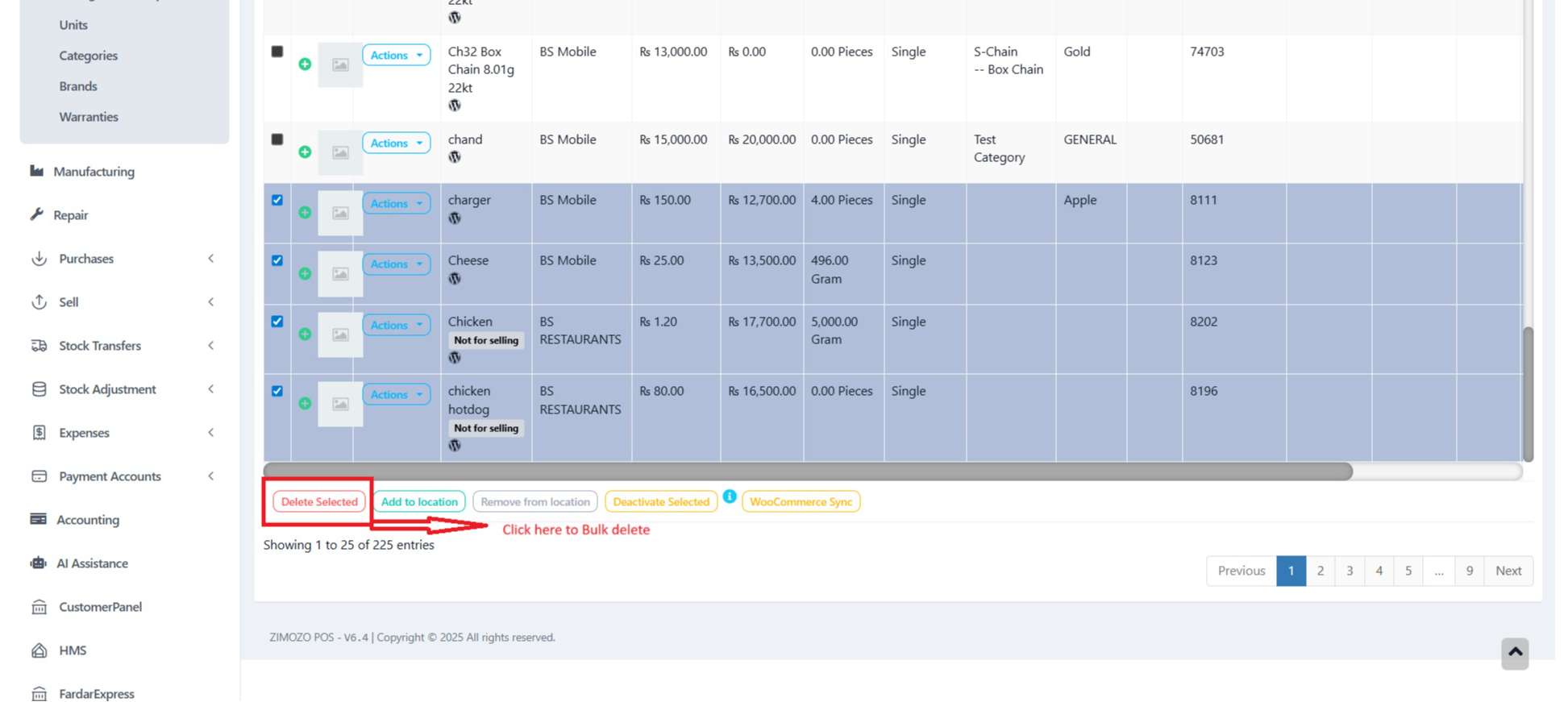
Go to Products → List Products.
Select the checkboxes for the products you want to delete.
Scroll to the bottom of the list.
Click on the Delete Selected button.
When a product has any transactions it cannot be deleted.
Transactions can be either Sales, Purchase, or Adding opening stock.
The best way to avoid such products is by deactivation them
Was this page helpful?
Thank you for your feedback!
Please Login First
Zimozo - Support Ticketing, Knowledgebase, Live Chat and CRM
Comments (00)